Mangayomi: What It Is, How It Works, and Where to Get It Officially
If you’ve spent any time in manga or anime communities lately, you’ve probably seen Mangayomi mentioned as one of the go-to open-source reading and streaming apps. It’s free, it runs on almost every device you own, and it doesn’t lock you into one company’s ecosystem.
But before you install anything, it’s worth understanding what Mangayomi actually is, how its architecture works, and — just as importantly — where the official version lives, since imitation sites and repackaged copies are common with popular open-source projects like this one.
This guide walks through the app itself: its features, its platforms, its tracking tools, and how to tell an official release from an unofficial one.
What Is Mangayomi?
Overview
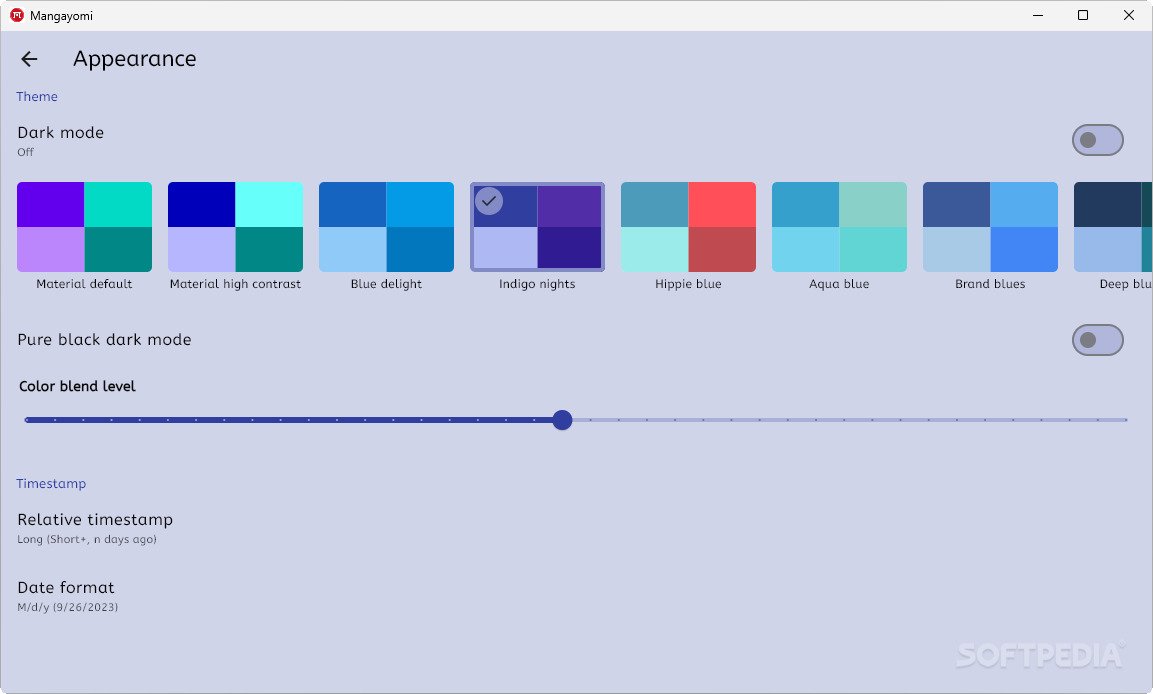
Mangayomi is a free, open-source application for reading manga, manhwa, webtoons, and novels, and for organizing your watch history for anime. It’s built with Flutter, which is why it can run on Android, iOS, Windows, macOS, and Linux from a single codebase.
Unlike a traditional app with one built-in catalog, Mangayomi is designed as a content-agnostic reader. The app itself provides the reading interface, the library, the tracking tools, and the settings — it doesn’t ship with any manga or anime bundled in.
Who Built It
Mangayomi is developed by kodjodevf and maintained as an open-source project on GitHub, where it’s released under a permissive open-source license. It draws clear inspiration from two well-known projects in the same space: Tachiyomi (and its community successor Mihon) for manga, and Aniyomi for anime.
You can browse the source code and releases directly on the project’s official GitHub repository.
What Is Mangayomi Used For?
At its core, people use Mangayomi for three things:
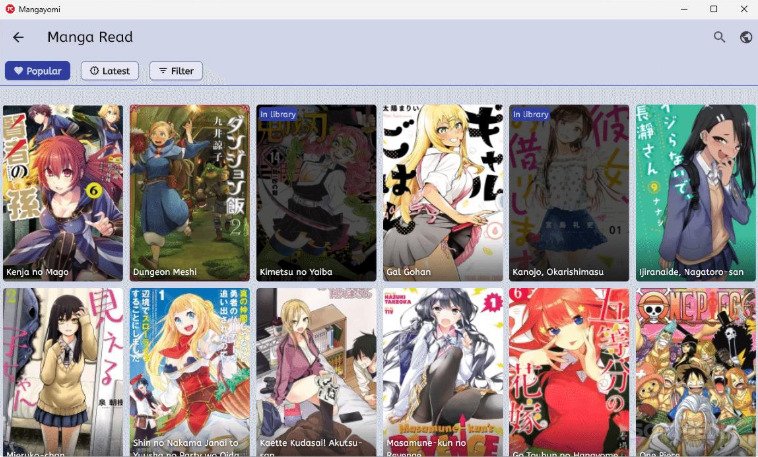
- Reading manga, manhwa, webtoons, and novels in a customizable viewer
- Watching and tracking anime progress alongside external services
- Organizing a personal library with categories, bookmarks, and reading history
How Does Mangayomi Work?
Mangayomi separates the app from the content. The app handles rendering, library management, and sync. Content access happens through a plugin-style system, which we’ll explain conceptually in a later section — along with an important note about legality that every user should read before adding anything.
Mangayomi Features
Reader and Viewer Tools
The reading experience is one of Mangayomi’s strongest points. It supports:
- Multiple page layouts (single page, continuous scroll, webtoon-style long-strip)
- Configurable reading direction (left-to-right, right-to-left, vertical)
- Zoom and crop controls for different screen sizes
- Bookmarking and chapter history
Anime Playback Features
For anime, Mangayomi includes an in-app player along with the option to hand playback off to an external player of your choice. It keeps track of episode progress automatically as you watch.
Offline Reading and Local Files
Mangayomi supports local, offline reading of content you already have — meaning files stored on your own device. This is useful for anyone who wants a clean, distraction-free reader for content they’ve legally acquired, without needing an internet connection every time they open a chapter.
Library, Categories, and Reading Management
You can organize your library the way you’d organize a bookshelf:
| Organization Tool | What It Does |
|---|---|
| Categories | Group titles by genre, status, or personal tags |
| Sorting | Order by title, last updated, or last read |
| Filtering | Show only unread, completed, or in-progress titles |
| Reading history | Automatically logs your last read chapter/episode |
Dark Mode and Reader Customization
Mangayomi ships with light and dark themes, adjustable font sizes, and color scheme options — small details that matter a lot during long reading sessions late at night.
Manga and Anime Tracking
This is where Mangayomi genuinely shines compared to a lot of competitors. It supports syncing your reading and watching progress with:
- MyAnimeList (MAL)
- AniList
- Kitsu
- Trakt
- SIMKL
Connect your account once in Settings → Tracking, and your progress updates automatically as you read or watch — no manual list updates required.
Backup and Restore
You can create local backups of your library, settings, and reading progress, and restore them later or move them to a cloud service of your choice. This matters a lot if you switch devices or reinstall the app.
How Mangayomi’s Extension System Works
What Extensions Are, Conceptually
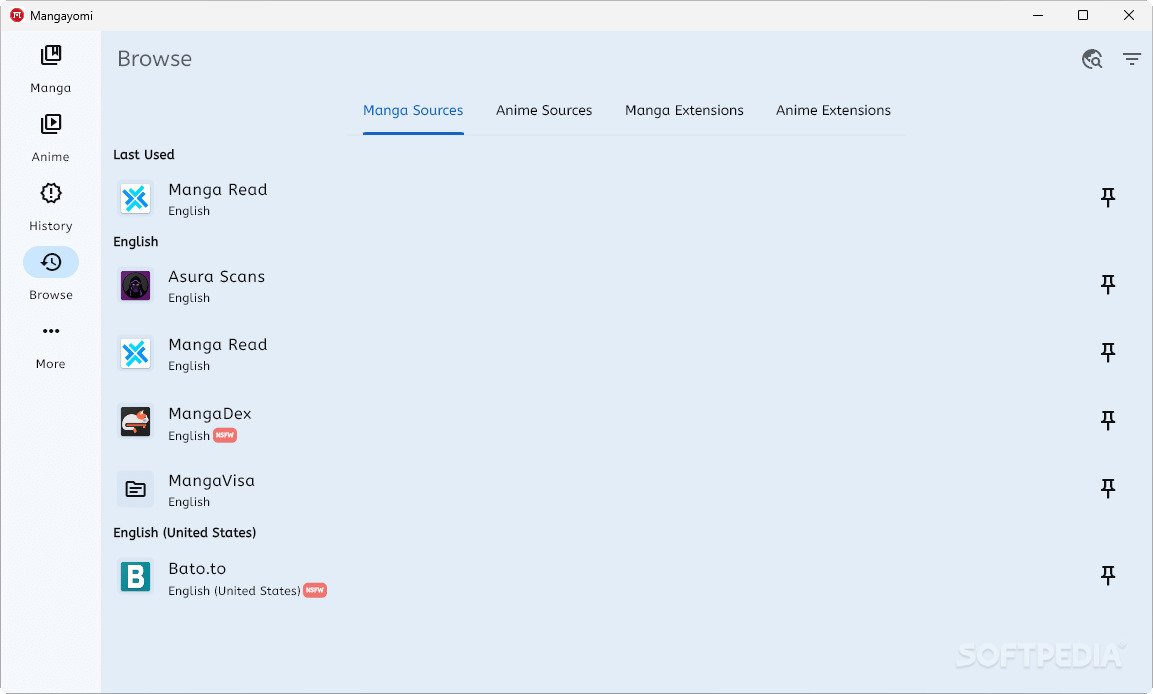
Like Tachiyomi/Mihon and Aniyomi before it, Mangayomi doesn’t include a content catalog out of the box. Instead, it uses a plugin architecture (built on dart_eval and a JavaScript runtime) that lets the app connect to different content sources.
We’re intentionally not walking through which sources to add or how to browse third-party repositories here — and that’s a deliberate choice, not an oversight.
Content Legality Depends Entirely on the Source
This is the single most important thing to understand about any app in this category: the app is legal open-source software, but not every source you could connect to it is legal to use.
Some sources are official, licensed platforms accessed through an API. Many others, in practice, are unlicensed scanlation or streaming sites that redistribute copyrighted manga and anime without permission from the creators, publishers, or licensors.
Copyright note: Copying, distributing, or streaming copyrighted manga and anime without authorization is a violation of copyright law in most countries. If you want to support the creators whose work you’re reading or watching, official licensed platforms (publisher apps, Crunchyroll, Viz, official webtoon platforms, and similar services) are the way to do that.
Official Warnings About Unofficial Mirrors
The project’s own documentation is unusually direct about this: its official GitHub repository and Discord server are stated to be the only official distribution channels, and several third-party websites that use the Mangayomi name are explicitly flagged as untrusted and unaffiliated with the project. Always verify you’re downloading from the project’s actual GitHub releases page rather than a lookalike site.
Official Download and Platform Support
Where to Get Official Releases
The safest way to get Mangayomi is directly from its GitHub Releases page under the project’s official repository. Downloading from unfamiliar third-party “mirror” sites carries the usual risks that come with any repackaged software: tampered installers, bundled adware, or outdated builds.
Platform Availability at a Glance
| Platform | Supported | Notes |
|---|---|---|
| Android | Yes | APK available via official GitHub releases |
| Windows | Yes | Windows 10 and Windows 11 |
| macOS | Yes | DMG installer |
| Linux | Yes | AppImage and package builds |
| iOS | Yes (limited) | Sideloading tools like AltStore/SideStore required for signed builds |
Android
Mangayomi runs natively on Android as an APK. Because it isn’t distributed through the Google Play Store, Android will ask you to allow installation from outside the store — a standard step for open-source apps distributed this way, not a red flag on its own, provided the APK came from the official GitHub release.
Windows
The Windows build is distributed as a portable package. No special configuration is needed beyond extracting and running it, though Windows SmartScreen may show a warning for unsigned open-source builds — again, normal for many indie and open-source apps.
macOS
Mac users get a .dmg installer. Since the app isn’t distributed through the Mac App Store, macOS Gatekeeper may need you to explicitly allow it under System Settings → Privacy & Security the first time you open it.
Linux
Linux users can run Mangayomi through an AppImage, which needs no installation — just download, mark it executable, and run it.
iOS
iOS support exists but is more involved than the other platforms, since Apple doesn’t allow this kind of app through the App Store. Recent releases are signed for compatibility with sideloading tools such as AltStore or SideStore, which is the officially documented path for iPhone users.
System Requirements
| Requirement | Typical Minimum |
|---|---|
| RAM | 2 GB (4 GB recommended for large libraries) |
| Storage | Under 100 MB for the app itself; more for local files |
| OS Version | Recent Windows 10/11, macOS 11+, modern Linux distros, Android 7+ |
| Internet | Only required for syncing trackers or streaming; not required for local files |
Mangayomi vs. Tachiyomi/Mihon vs. Aniyomi
A lot of readers land on Mangayomi after using or hearing about its predecessors. Here’s how they compare on architecture and scope, not on content sourcing.
| App | Focus | Platforms | Tracker Support |
|---|---|---|---|
| Mangayomi | Manga + novels + anime in one app | Android, iOS, Windows, macOS, Linux | MAL, AniList, Kitsu, Trakt, SIMKL |
| Tachiyomi / Mihon | Manga only | Android only | MAL, AniList, Kitsu |
| Aniyomi | Anime (fork of Tachiyomi) | Android only | MAL, AniList |
The biggest practical difference is scope and platform reach: Mangayomi is the only one of the three built to run natively on desktop and iOS, and the only one that combines manga, novels, and anime tracking in a single app.
Is Mangayomi Safe and Legit?
Is the App Itself Safe?
The application code is open-source, meaning anyone can inspect it on GitHub. That transparency is one of the strongest trust signals an app like this can offer — there’s no hidden telemetry or closed binary you’re forced to take on faith.
Is It a Legitimate Project?
Yes, it’s an actively maintained open-source project with a public repository, changelog, and issue tracker. That said, “legitimate software project” and “how you choose to use it” are two separate questions, especially given the extension architecture discussed above.
Strong Points
- Fully open-source and inspectable on GitHub
- Runs on five platforms from one codebase
- Deep tracker sync across 5 services
- No bundled telemetry or hidden binaries
Worth Knowing
- No built-in content — extensions vary in legality
- Not on Play Store / App Store
- iOS requires sideloading tools
- Fake “official” mirror sites exist
How to Avoid Fake or Malicious Copies
- Only download from the official GitHub repository — bookmark it, don’t search for it each time.
- Be skeptical of third-party sites claiming to be the “official” download, especially ones the project itself has publicly disavowed.
- Check the publisher/developer name matches the official project before installing on iOS via sideloading tools.
Frequently Asked Questions About Mangayomi
It’s a free, open-source app for reading manga, novels, and webtoons, and for tracking anime progress, built with Flutter for cross-platform use.
Yes, it’s completely free and open-source, with the code publicly available on GitHub.
Yes, it supports Windows 10 and Windows 11 through a portable download.
Yes, it’s distributed as an APK through the project’s official GitHub releases rather than the Play Store.
Yes, macOS is supported via a DMG installer, and Linux is supported through an AppImage.
Yes, though it requires sideloading tools like AltStore or SideStore since it isn’t distributed through the App Store.
Only install builds from the project’s official GitHub repository — the developers themselves have publicly flagged certain third-party sites as unaffiliated.
Conclusion
Mangayomi is a genuinely impressive piece of open-source engineering: one lightweight app, five platforms, a clean reader, and solid tracker integration with services like AniList and MyAnimeList. For anyone who wants a single, ad-free home for their reading and watching history, it’s easy to see the appeal.
Final Verdict
The one thing worth carrying with you is the same advice that applies to any extensible, source-agnostic app: download it from the official project page, and be thoughtful about what you connect it to. Supporting official, licensed platforms keeps the creators behind your favorite manga and anime able to keep making it — and if you’re also looking into other media tools, our StreamFab guide covers another popular option worth comparing.
For more on how copyright applies to fan-translated and unlicensed content, the U.S. Copyright Office’s overview of copyright basics is a useful, authoritative starting point.
2 Responses