SteamDB: The Complete Guide to Steam’s Game Database, Price History, and Player Tracking Tools
If you’ve ever wondered whether a game on Steam is actually on sale for its lowest price ever, or how many people are playing it right now, chances are someone pointed you toward SteamDB. It’s one of those tools that gamers discover once and then never stop using — a free, independent database that tracks nearly everything happening on Steam, from price drops to live player counts.
This guide walks through what SteamDB actually is, how to use it, how accurate it is, and how it stacks up against alternatives like SteamCharts and SteamSpy — so you can decide whether it belongs in your bookmarks bar.
What Is SteamDB?
SteamDB and Steam Database Overview
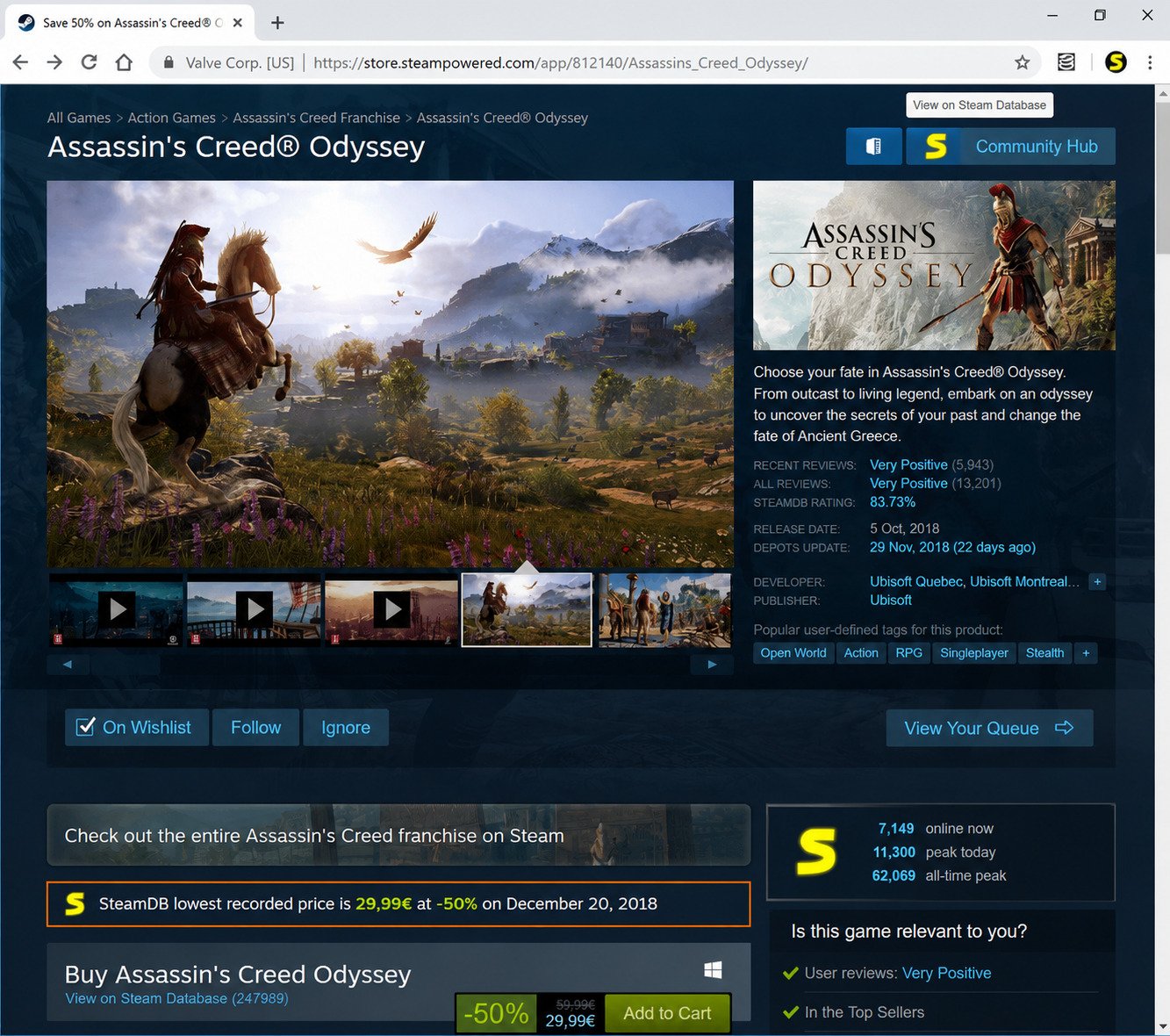
SteamDB is a third-party, independent website that catalogs data on every game, DLC, and piece of software listed on Steam. It isn’t run by Valve — it’s a community-built project maintained by a small team, most notably its founder, known online as xPaw.
What makes it stand out is depth. Instead of just showing a store page, SteamDB pulls raw data from Steam’s public API and turns it into readable charts, tables, and historical records that the official Steam store simply doesn’t show you.
What Is SteamDB Used For?
People turn to SteamDB for a handful of recurring reasons:
- Checking whether a sale price is actually the lowest it’s ever been
- Tracking live player counts for a game before buying it
- Watching upcoming or unreleased games get flagged in the backend before they’re announced
- Following patch and update history for technical or curiosity reasons
- Calculating the total value of a Steam library (their own or someone else’s)
How Does SteamDB Work?
SteamDB continuously queries Steam’s official API and web store, then archives the results. Every price change, every update, every shift in player count gets logged with a timestamp. Over years of operation, this has built up one of the largest historical records of Steam activity that exists anywhere — including data Valve itself doesn’t publicly display.
SteamDB Game Tracker and Database Features
At its core, SteamDB functions as a game tracker. Every app on Steam — game, demo, tool, or DLC — gets its own profile page showing:
- Current and historical prices across regions
- Player count graphs (current, 24-hour peak, and all-time peak)
- Update and patch history
- Store page change history (descriptions, tags, screenshots)
- Technical metadata like app IDs and depot information
How to Use SteamDB
How to Search for Steam Games on SteamDB
The fastest way in is the search bar on the homepage. You can search by:
- Game title (e.g., “Elden Ring”)
- Steam App ID, if you already know it
- A Steam profile link, to jump straight to the account calculator
How to Check Steam Game Information and Statistics
Once you land on a game’s page, everything is organized into tabs — pricing, charts, patches, and store info. This is the fastest way to answer questions like “has this ever been cheaper?” or “is this game still actively updated?”
How to Use SteamDB Tracking Tools
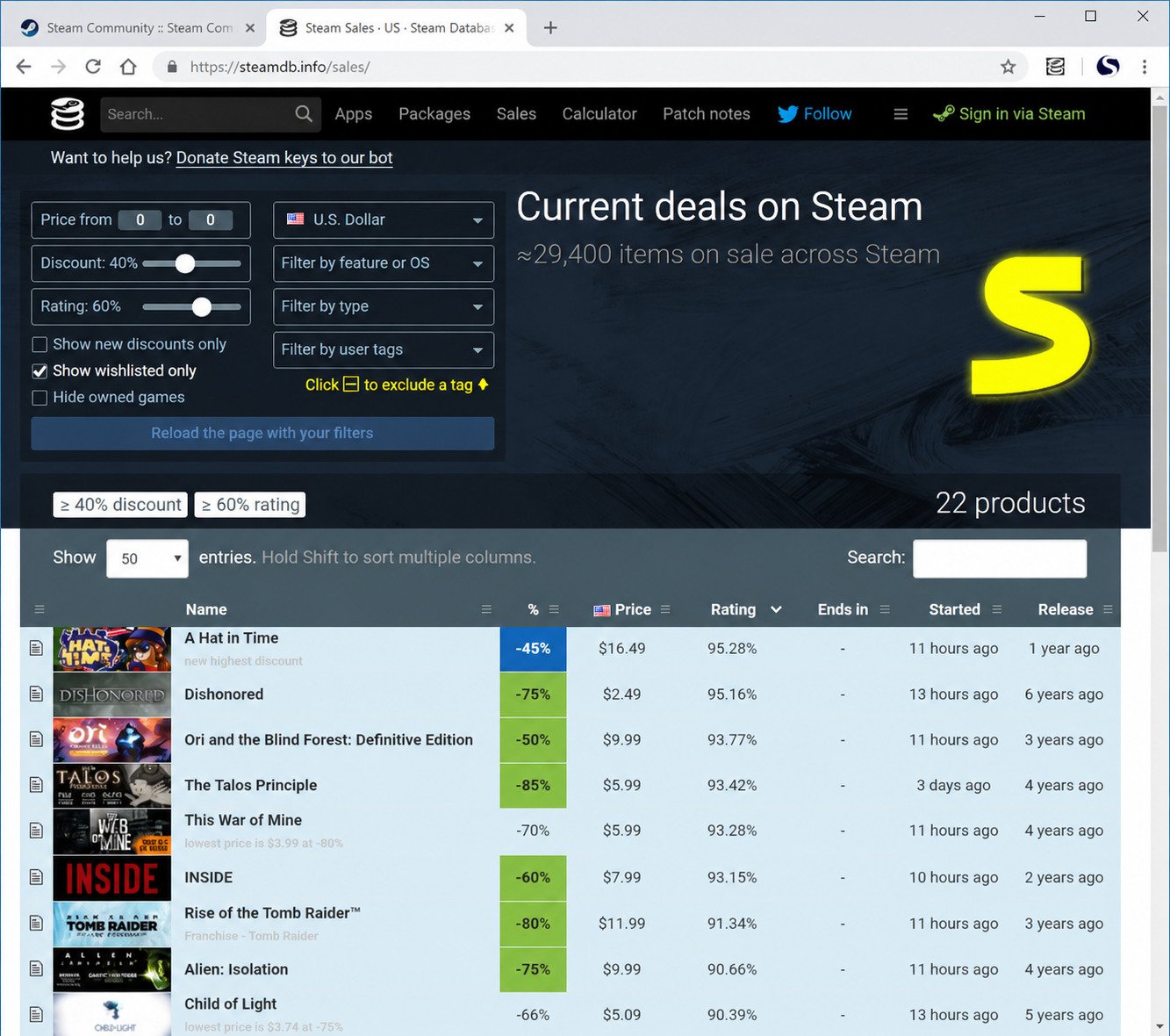
Beyond individual game pages, SteamDB also runs a live sales page, an upcoming releases section, and a Steam account calculator that estimates the total dollar value of any public Steam library.
Understanding SteamDB Data and Game Pages
Each game page is essentially a timeline. Scrolling through it tells a story: when the game launched, when it went on sale, when it got a major content update, and how its player base has grown or shrunk over time.
SteamDB Game Database
Steam Database Games and Game Information
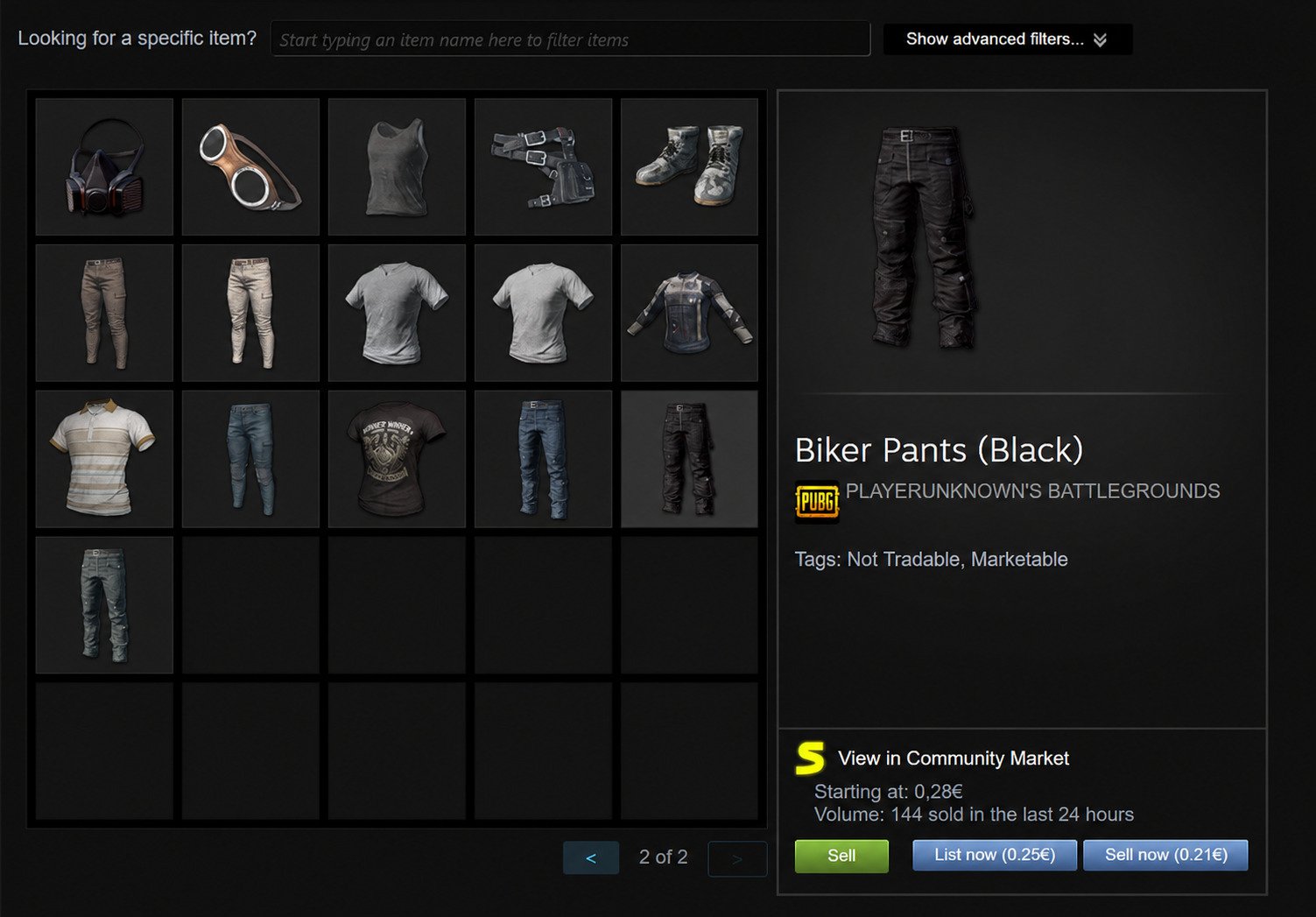
SteamDB doesn’t just cover big-name releases — it indexes essentially everything that’s ever touched the Steam platform, including delisted games, beta builds, and software tools.
Steam Game History and Update Tracking
For developers, this update history is genuinely useful. You can see exactly when a competitor’s game shipped a patch, what changed in the depot files, and how frequently a title is maintained.
Steam Tools for Game Data and Analysis
Journalists, analysts, and spreadsheet enthusiasts use SteamDB’s raw data (and its API) to study broader trends — genre popularity, pricing strategies across publishers, and seasonal sale patterns.
Steam Profile History and Related Tracking Information
The calculator tool doubles as a way to view a public Steam profile’s game library, total playtime, and estimated collection value, which is a popular way to browse a friend’s account before a gift-buying decision.
SteamDB Prices and Price History
SteamDB Price Tracker
This is arguably SteamDB’s most-used feature. Every price change for every game, in every supported currency, gets logged and graphed.
How to Check Steam Game Price History
Open a game’s page and look for the price history chart — it plots price against time, with sale periods clearly marked, so you can see at a glance whether now is a good time to buy.
Steam Game Historical Prices and Lowest Price History
Next to the chart, SteamDB usually displays the all-time low price directly. This single number answers the most common question players have before clicking “buy.”
Steam Database Sale History
Because SteamDB has been recording data for years, it can show you patterns like which games reliably go on sale during the Steam Summer or Winter Sale, and by how much.
Steam Price History by Region
Steam prices vary by country due to regional pricing and currency differences. SteamDB lets you switch regions to compare, which matters if you’re using a VPN or gifting to someone abroad.
Steam Game Price Tracker by Country
| Feature | What It Shows |
|---|---|
| Regional price table | Current price converted and listed per country |
| Currency history | How pricing has shifted with exchange rates |
| Regional lowest price | The cheapest that region has ever seen the game |
SteamDB Price Comparison and Steam Sales
Steam Game Price Comparison Tool
While SteamDB isn’t a multi-store price comparison site (it only covers Steam), its historical data effectively lets you compare the same game’s price across time and region, which is often more useful than comparing across storefronts.
Comparing Steam Game Prices by Region
Because taxes, currency, and regional pricing tiers differ, the same game can cost noticeably different amounts depending on where an account is registered — SteamDB’s region switcher makes this visible instantly.
Tracking Steam Sales and Discounts
The sales page aggregates every current Steam discount into one sortable, filterable list — far faster to browse than scrolling the official store.
Finding the Best Steam Price History Website
For Steam specifically, SteamDB is widely considered the most complete and longest-running price history resource, largely because of how long it’s been collecting data and how granular that data is.
SteamDB Player Count and Concurrent Players
Steam Game Player Count Tracker
Every game page includes a player count graph showing how many people are playing right now, and how that’s trended over recent days, months, and years.
Steam Concurrent Players by Game
This is genuinely useful before buying a multiplayer game — a title with a shrinking concurrent player count might mean longer matchmaking queues down the road.
Steam Live Player Count Tracker
The numbers update frequently throughout the day, giving a near-real-time view rather than a stale daily snapshot.
Steam Game Peak Player Count
SteamDB also tracks all-time peak concurrent players, which is a good gauge of a game’s biggest moment — usually its launch or a major content drop.
How to Check Steam Game Player Count
Go to the game’s page and open the “Charts” tab; the graph defaults to a recent time window but can be expanded to show the game’s entire history on Steam.
SteamDB Charts and Steam Game Statistics
Steam Database Charts
Beyond individual games, SteamDB runs sitewide charts showing the top games by concurrent players across all of Steam at any given moment.
Steam Game Charts and Player Trends
These charts are a quick way to see what’s trending — new releases spiking, live-service games holding steady, or older titles fading.
SteamDB Game Statistics
Statistics extend beyond player counts to review scores, tag popularity, and release timing data pulled directly from the store.
Steam Game Player Statistics and Historical Data
Because the historical archive goes back years for most major titles, you can compare a game’s player base today against its numbers at launch.
Does SteamDB Show Live Player Count?
Yes. Player counts update at frequent intervals throughout the day, making SteamDB one of the more current sources for this kind of data, though it isn’t a true real-time, second-by-second feed.
SteamDB Steam Games and App Information
Finding Steam Games in the Steam Database
Since SteamDB indexes essentially the entire Steam catalog, even niche or delisted titles usually still have a page, unlike the official store, which removes delisted content entirely.
Steam App IDs, Packages, and Game Data
Every product on Steam has a numeric App ID, and SteamDB is the easiest place to look one up — useful for developers, modders, and anyone working with Steam’s API.
Tracking Steam Game Updates and Changes
The patch history tab shows exactly what files changed in an update, which is popular among data-miners looking for early hints of upcoming content.
Using SteamDB to Research Games Before Buying
Checking a game’s price history, player count trend, and update frequency before buying takes about thirty seconds and can save you from an impulse purchase you’ll regret.
SteamDB vs Steam Charts and Other Tools
SteamDB vs Steam Charts
SteamCharts focuses narrowly on player count graphs with a simpler interface. SteamDB covers the same player data plus pricing, updates, and store history — more comprehensive, but a steeper learning curve.
SteamDB vs SteamCharts
| Tool | Strength | Best For |
|---|---|---|
| SteamDB | Price history, updates, full database | Deep research, deal-hunting |
| SteamCharts | Simple player count graphs | Quick player-count checks |
SteamDB vs the Steam Store
The official Steam Store is built for purchasing and discovery. It doesn’t show historical pricing or long-term player trends — that gap is exactly what SteamDB fills.
SteamDB vs SteamSpy
SteamSpy historically focused on estimating sales figures and ownership numbers using API-derived approximations. SteamDB doesn’t estimate sales; it focuses on verifiable data like prices, updates, and player counts.
SteamDB Alternatives
Other tools in this space include Steambase, Steam Ladder, and various third-party trackers — but most cover only a slice (player counts or pricing alone) of what SteamDB combines into one site.
Is SteamDB Safe and Legit?
Is SteamDB Safe to Use?
Yes. It’s a long-running, well-known project in the Steam community, and browsing the site doesn’t require an account or any personal information.
Login safety tip: If you ever sign in with your Steam account (for the calculator tool), always verify you’re on the genuine Steam login page and not a look-alike popup, since phishing sites sometimes impersonate third-party tools like this one.
Is SteamDB Legit?
Yes, it’s operated transparently, and its founder has been publicly identified and active in the Steam community for years.
Is SteamDB Free?
Yes, entirely free to browse. The project is supported by donations rather than ads blocking core functionality.
Is SteamDB an Official Steam or Valve Website?
No. SteamDB is an independent, unofficial project. It uses Steam’s public API but has no formal affiliation with Valve.
How Accurate Is SteamDB?
Where Does SteamDB Get Its Data?
Directly from Steam’s own API and store pages — SteamDB doesn’t estimate or guess; it archives what Steam itself publishes and reports.
How Accurate Are SteamDB Prices and Player Statistics?
Prices reflect exactly what’s listed on the store at the time they’re recorded, and player counts come from Steam’s own concurrent-user API, so accuracy is generally very high for both.
How Often Does SteamDB Update?
Most data refreshes frequently throughout the day — price changes and sales typically appear within minutes of going live on Steam.
Understanding Data Delays and Historical Records
Occasionally, very new or newly-added apps can take a little longer to appear fully populated, but once indexed, historical records are considered reliable and rarely change retroactively.
SteamDB and Steam Price Tracking
How SteamDB Tracks Steam Game Prices
Automated systems poll the Steam store catalog on a schedule, comparing prices against the last recorded value and logging any change instantly.
Tracking Regional Prices and Currency Changes
Because Valve periodically adjusts regional pricing to account for currency shifts, SteamDB’s regional history is one of the few places you can actually see when and how much those adjustments were.
Checking Historical Discounts and Sales
Every discount percentage and sale window is logged, so you can verify claims like “biggest sale ever” against the actual historical record.
Rule of thumb: If a game is currently priced near its all-time low, it’s rarely worth waiting for a better deal.
Steam Download, Login, and Account Tools
Steam Download and Game Installation Basics
Downloading and installing games still happens entirely through the official Steam client — SteamDB is a research tool, not a download or installation service. If you’re setting up related tools on Windows, our guide to the PuTTY Key Generator (PuTTYgen) download for Windows covers another handy utility worth having on hand.
Steam Login and Account Access
Signing into SteamDB with your Steam account is optional and only needed for the calculator tool. Always do this through the genuine Steam OpenID page, never a popup window.
Steam Calculator and Other Steam Tools
The calculator estimates the total value of a public Steam library based on the games it contains and their current prices — a fun way to see what a collection is “worth.”
Understanding Steam Account and Game History
Public profiles let you view a library and playtime stats, but private profiles will show limited or no information, respecting each user’s own privacy settings.
SteamDB Features Review
SteamDB Features and Tools
| Feature | Description |
|---|---|
| Price tracker | Historical and regional pricing for every game |
| Player charts | Live and historical concurrent player counts |
| Update history | Patch and depot change logs |
| Sales page | Live list of current discounts |
| Account calculator | Estimated value of a Steam library |
SteamDB Pros and Cons
Pros
Free, extremely detailed, no account required to browse, long historical archive, transparent data sourcing.
Cons
The interface can feel dense for first-time visitors, and some of the more technical tabs (depots, packages) are aimed at developers rather than casual shoppers.
Who Should Use SteamDB?
Deal-hunters checking sale prices, competitive gamers gauging a game’s player base, developers tracking updates, and journalists researching industry trends all get real value from it.
Is SteamDB Worth Using for Steam Game Research?
For anyone who buys more than the occasional Steam game, yes — it turns guesswork about pricing and popularity into something you can actually verify in a few clicks.
Frequently Asked Questions About SteamDB
What is SteamDB?+
SteamDB is a free, independent website that tracks prices, player counts, and update history for every game and app on Steam.
What is SteamDB used for?+
It’s mainly used to check price history, live player counts, and update logs for Steam games before buying or researching them.
How does SteamDB work?+
It pulls data continuously from Steam’s own API and store pages, then archives every change into searchable charts and tables.
How do I use SteamDB?+
Search for a game by name or App ID, then browse its price, chart, and update tabs to see historical and current data.
Is SteamDB safe and legit?+
Yes, it’s a long-established, transparent project — just make sure any Steam login always happens on Steam’s genuine page.
Is SteamDB free to use?+
Yes, browsing and searching SteamDB is completely free, with no account required.
How accurate is SteamDB?+
Very accurate, since its prices and player counts come directly from Steam’s own official API rather than estimates.
Final Thoughts
SteamDB fills a gap the official Steam store never bothered to cover: real, verifiable history. Instead of trusting a “limited time sale!” banner at face value, you can actually check whether that’s true.
The Verdict
Whether you’re hunting for the best possible deal, sizing up a multiplayer game’s active community, or just curious how a title has changed since launch, SteamDB is one of the rare third-party tools that genuinely earns a permanent spot in your bookmarks.
4 Responses