BZMiner Download, Features, Setup, and Alternatives
Picking the wrong mining software can quietly cost you real money — a few extra percent in dev fees or a misconfigured GPU setting adds up fast over weeks of runtime. BZMiner has built a reputation as one of the fastest, most flexible GPU miners available, and this guide covers everything from what it actually does to how to configure it correctly.
Below, you’ll find a full breakdown of BZMiner’s features, supported hardware, setup steps, and how it compares to alternatives like lolMiner — so you can decide if it’s the right miner for your rig.
What Is BZMiner?
BZMiner is a high-performance GPU (and limited CPU) cryptocurrency mining program built for Windows and Linux, supporting NVIDIA, AMD, and Intel graphics cards. It’s distributed as a command-line tool with an accompanying browser-based GUI for monitoring and remote management.
It’s developed and actively maintained on GitHub, with frequent releases adding new algorithms, performance improvements, and bug fixes.
What Is BZMiner Used For?
BZMiner is used to mine cryptocurrencies by putting your graphics card’s processing power to work solving the algorithms behind coins like Kaspa, Ergo, and Alephium, then submitting completed shares to a mining pool in exchange for rewards.
BZMiner Mining Software Overview
At a glance, BZMiner combines speed, broad hardware support, and remote monitoring in a single package, which is why it’s become a common choice among both hobbyist miners and larger mining operations.
BZMiner GPU Miner and Cryptocurrency Mining
Unlike CPU-focused miners, BZMiner is built primarily around GPU mining, taking advantage of the parallel processing power in graphics cards to run memory-hard and compute-heavy algorithms efficiently.
How BZMiner Works
You configure BZMiner with your chosen algorithm, mining pool address, and wallet, then launch it from the command line or a batch/shell script. From there, it continuously mines and reports live stats through its web dashboard.
BZMiner Features
BZMiner’s feature list goes well beyond basic hashing.
GPU Mining Support
The software is optimized for CUDA (NVIDIA) and OpenCL (AMD/Intel) mining paths, with regular updates aimed at squeezing more hashrate out of each supported card generation.
NVIDIA, AMD, and Intel GPU Support
BZMiner stands out for covering three GPU vendors in one tool — NVIDIA, AMD, and Intel Arc — rather than requiring separate software for each brand.
Supported Mining Algorithms and Cryptocurrencies
The miner supports a wide algorithm list, including KawPow, Autolykos v2, Etchash, Ethash, and more, giving flexibility to switch coins as profitability shifts.
GPU Performance and Hashrate Monitoring
Built-in monitoring tracks core temperature, memory temperature, hashrate, and power draw, with throttling notifications so you know immediately if a card is running into thermal limits.
Dual Mining Support
BZMiner supports multi-algorithm mining on a single GPU, using parallel, alternating, or DAG-generation-only strategies depending on the coin combination.
Command-Line Mining and Configuration
For advanced users, everything can be controlled through command-line flags or a config file, making it scriptable and easy to automate across multiple rigs.
Mining Pool and Wallet Configuration
Each algorithm can be pointed at its own pool and wallet address, and settings can be applied per device, giving granular control over mixed-hardware rigs.
BZMiner Supported GPUs and Platforms
Hardware and operating system compatibility play a big role in choosing a miner, and BZMiner covers most common setups.
BZMiner for NVIDIA GPUs
NVIDIA cards are fully supported through CUDA, with ongoing optimization across recent architectures like Ampere and Ada Lovelace.
BZMiner for AMD GPUs
AMD GPUs run through OpenCL, and while performance parity with NVIDIA varies by algorithm, most major coins are supported on AMD hardware as well.
BZMiner for Intel GPUs
Support for Intel Arc graphics cards is present, though it’s often labeled experimental or beta for specific algorithms, so results can vary more than on the two established vendors.
BZMiner for Windows
On Windows, BZMiner runs as a straightforward executable launched via batch file, with no special drivers required beyond your GPU vendor’s standard mining-compatible drivers.
BZMiner for Linux
Linux support is equally solid and is the preferred platform for many larger mining farms due to lower overhead and easier remote management.
Does BZMiner Work on macOS?
Recent BZMiner builds have added macOS support, including Apple Silicon GPU mining through Metal for select algorithms, alongside CPU-based mining for others.
BZMiner Supported Coins and Algorithms
BZMiner’s algorithm list changes over time as new coins launch and old ones get deprecated, but the current lineup covers most of the popular GPU-mineable coins.
| Coin | Algorithm | Notes |
|---|---|---|
| Kaspa | kHeavyHash | Popular fast-block coin |
| Ergo | Autolykos v2 | Memory-hard, GPU only |
| Ravencoin | KawPow | Also covers Neoxa, Meowcoin, Clore |
| Ethereum Classic | Etchash | Legacy Ethash-family algorithm |
| ETHW | Ethash | Ethereum PoW fork |
| Alephium | Blake3 | Growing GPU-mining option |
BZMiner Kaspa Mining
Kaspa (KAS) mining runs on the kHeavyHash algorithm and has become one of BZMiner’s most widely used coins thanks to its fast block times and active community.
BZMiner Ergo and Autolykos
Ergo uses the Autolykos v2 algorithm, which is memory-hard and requires a GPU with enough VRAM to build its multi-gigabyte dataset before mining begins.
BZMiner Ravencoin and KawPow
Ravencoin and its KawPow-algorithm siblings (Neoxa, Meowcoin, Clore, Neurai) are all supported under one shared algorithm implementation, which simplifies switching between them.
BZMiner Ethereum Classic and Etchash
Since Ethereum’s move to proof-of-stake, Ethereum Classic has remained one of the more established Etchash coins BZMiner continues to support.
BZMiner ETHW and Ethash
ETHW, the Ethereum PoW fork, continues to run on the original Ethash algorithm and remains an option for miners who kept their rigs after Ethereum’s merge.
BZMiner Xelis, Warthog, and Verus
Newer and niche coins like Xelis, Warthog, and Verus round out BZMiner’s algorithm list, some of which support CPU mining alongside GPU mining.
BZMiner Dual Mining
Dual mining lets you combine a primary GPU-heavy algorithm with a secondary lighter one, squeezing extra value out of the same hardware without dramatically increasing power draw.
BZMiner Download
Downloading BZMiner correctly matters, since mining software is a common target for fake, malware-laced copies.
Only ever download BZMiner from its official GitHub releases or the official site. Third-party file-sharing links are a common source of malware disguised as mining software.
How to Download BZMiner
Always download BZMiner from its official GitHub releases page or the official BZMiner website — never from third-party file-sharing sites.
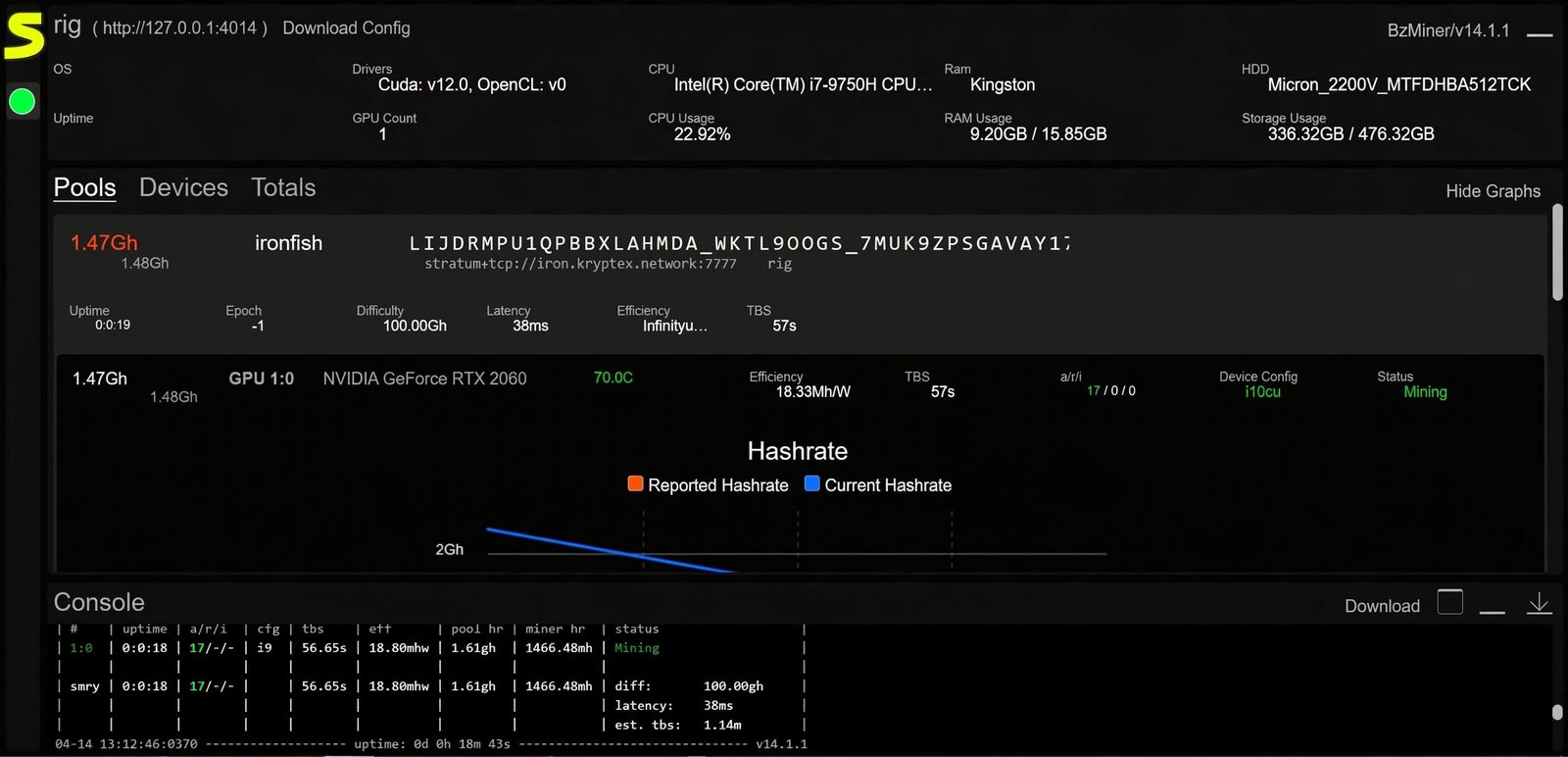
BZMiner Download for Windows
The Windows build comes as a ZIP archive containing the executable, sample batch files, and configuration templates ready to edit.
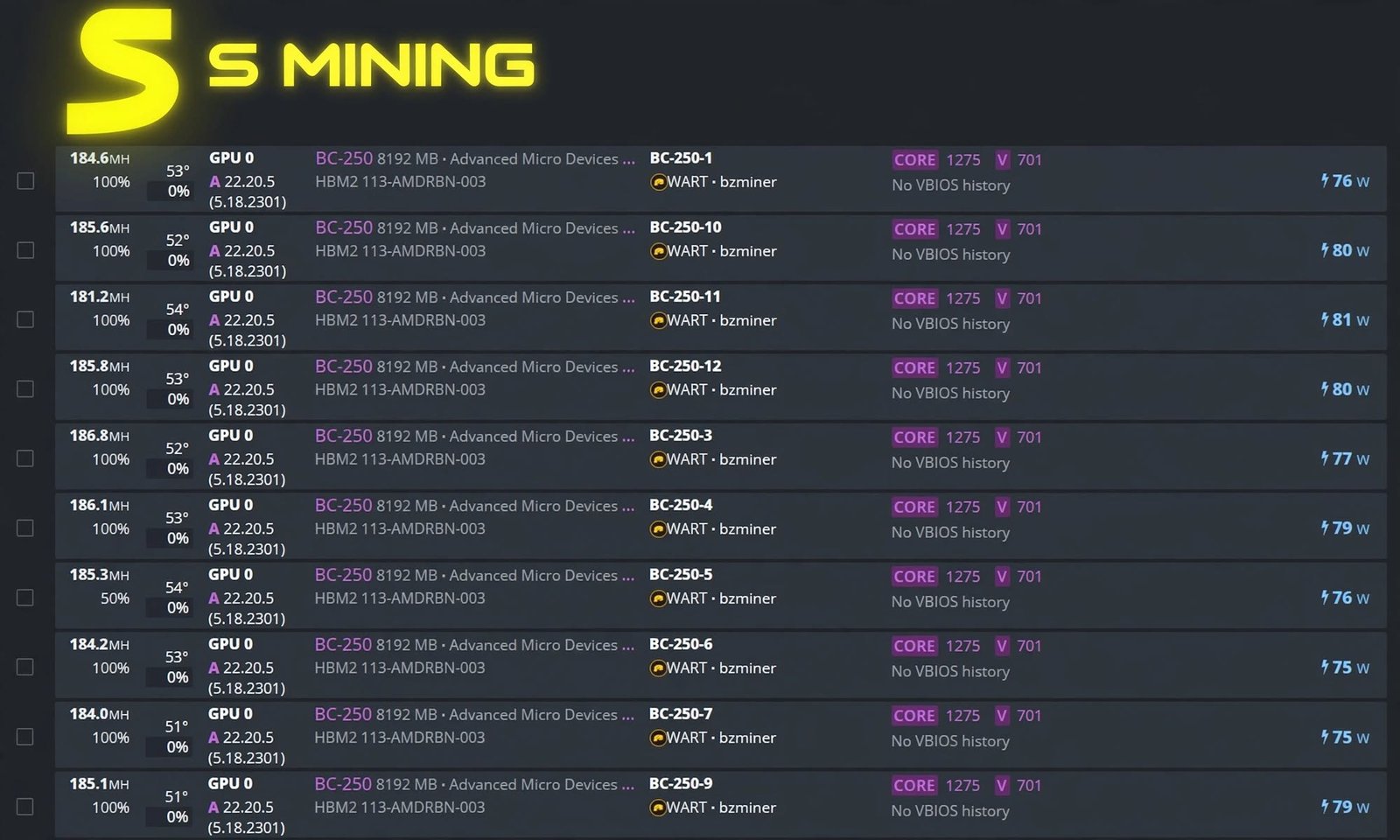
BZMiner Download for Linux
The Linux version is distributed as a compressed tarball, extractable with a standard tar -xvf command before running the binary directly.
BZMiner Mining Software Download Requirements
You’ll need a compatible GPU with up-to-date drivers, a stable internet connection, and enough system RAM to handle memory-intensive algorithms like Ergo’s Autolykos v2.
How to Set Up BZMiner
Getting BZMiner running for the first time is straightforward once you understand the basic file structure.
BZMiner Setup Guide for Beginners
- Download and extract the BZMiner archive
- Choose the batch/shell script matching your target coin
- Edit the pool address and wallet inside that script
- Save the file and run it
- Confirm hashrate appears in the console or web GUI
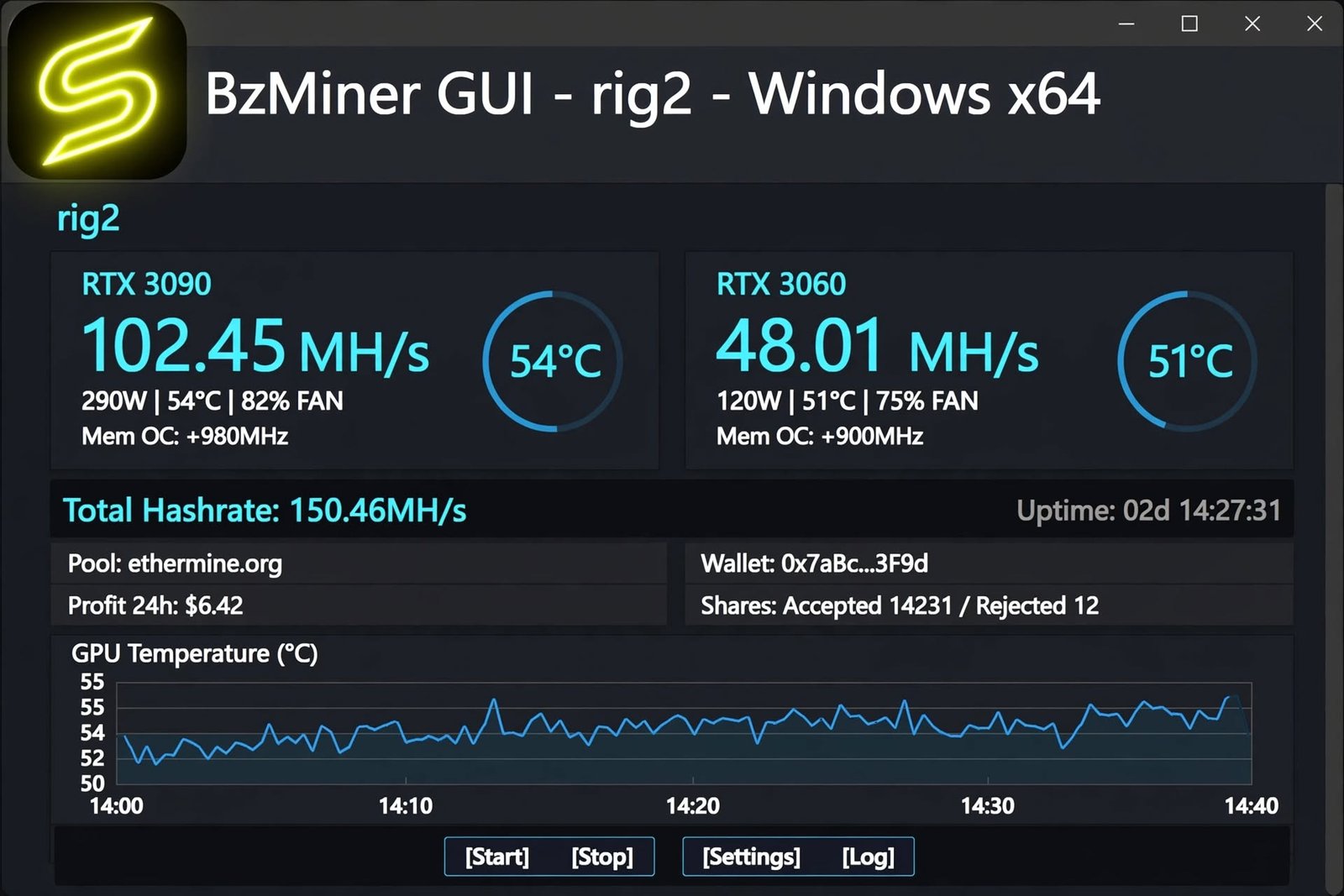
How to Set Up BZMiner for GPU Mining
Edit the algorithm flag (-a) in your startup script to match the coin you want to mine, then point the pool (-p) and wallet (-w) flags at your chosen destination.
How to Configure a Mining Pool
Most mining pools publish a stratum URL and port specifically for BZMiner or generic stratum-compatible miners — paste that directly into the -p flag.
How to Configure a Wallet in BZMiner
Your wallet address goes in the -w flag, and a --worker name can be added to identify individual rigs when mining from multiple machines under one account.
How to Start Mining With BZMiner
Once your script is configured, simply double-click it on Windows or run it from the terminal on Linux, and BZMiner will begin connecting to the pool automatically.
BZMiner Configuration and Settings
Beyond the basics, BZMiner offers deep configuration options for anyone optimizing a serious mining operation.
BZMiner Configuration File
Settings can live in a config.txt file instead of command-line flags, which keeps longer configurations organized and easier to edit later.
BZMiner Config and Command-Line Options
Command-line flags always take priority and can override values from the config file, which is useful for quick testing without editing the saved configuration.
BZMiner GPU Settings
Individual GPU behavior — including which devices are active — can be controlled through the --devices flag, letting you exclude specific cards from a mining session.
BZMiner Hashrate Settings
The --avg_hr_ms flag adjusts how hashrate is averaged and displayed, which is helpful for getting a more stable reading on volatile algorithms.
BZMiner automatically pulls back overclocks during DAG generation to avoid invalid data — don’t override this manually unless you know exactly what you’re doing, since it can produce rejected shares.
BZMiner Overclock Settings
Overclocks can be applied per device and even per algorithm when dual mining, with BZMiner automatically pulling back overclocks during DAG generation to avoid invalid data.
BZMiner GPU Configuration and Optimization
Fine-tuning core clock, memory clock, and power limit settings for your specific card model typically yields the biggest hashrate and efficiency gains beyond default settings.
BZMiner Dual Mining Configuration
Dual mining configuration involves setting a primary and secondary algorithm, pool, and wallet, along with choosing between parallel, alternating, or DAG-only mining strategies.
How to Use BZMiner
Day-to-day use of BZMiner revolves around monitoring and adjusting your running configuration.
How to Mine With BZMiner
Once launched, BZMiner runs continuously in the background, automatically reconnecting to your pool if the connection drops and logging shares as they’re accepted.
How to Monitor Mining Performance
The built-in web GUI, accessible through your browser, displays live hashrate, temperatures, and per-device stats without needing to watch the console window.
How to Optimize GPU Mining With BZMiner
Small adjustments to memory clock offsets and power limits often improve efficiency (hashrate per watt) more than pushing raw hashrate higher through aggressive overclocking.
How to Change BZMiner Mining Settings
Most settings can be changed live through real-time console hotkeys while mining, without needing to fully restart the miner for every small adjustment.
BZMiner Review
Does BZMiner actually deliver on its reputation? Here’s an honest breakdown.
BZMiner Performance and Mining Efficiency
BZMiner consistently ranks among the top-performing miners for algorithms like Kaspa and Alephium, with regular updates specifically targeting hashrate improvements.
BZMiner Ease of Setup and Configuration
The initial setup is simple for common coins, though the config file format and advanced flags can feel a bit technical for complete beginners.
BZMiner Pros and Cons
Pros
- Strong hashrate on major algorithms
- Wide NVIDIA/AMD/Intel support
- Frequent updates and active development
- Dual mining and remote management
Cons
- Command-line-first, less beginner-friendly than GUI-only miners
- Dev fees vary by algorithm (roughly 0.5–2%)
- Documentation is spread across GitHub and community sites
- Some algorithms remain experimental
Is BZMiner a Good GPU Miner?
For miners who want strong performance across a wide range of algorithms and don’t mind a command-line-based workflow, BZMiner is a genuinely competitive choice.
BZMiner Troubleshooting
Even a well-built miner runs into occasional hiccups — here’s how to handle the most common ones.
Common BZMiner Mining Problems
Typical issues include GPUs not being detected, incorrect pool addresses, and driver mismatches that prevent the miner from starting properly.
BZMiner GPU Detection Issues
If a card isn’t detected, confirm your GPU drivers are current and that the card isn’t disabled in Device Manager or excluded by a --devices flag left over from testing.
BZMiner Configuration Errors
Double-check that pool URLs include the correct port and protocol prefix, and that wallet addresses match the coin you’re actually mining — a mismatch is one of the most common setup mistakes.
How to Fix BZMiner Performance and Connection Problems
- Update GPU drivers to the latest stable version
- Lower overclocks if you’re seeing crashes or rejected shares
- Switch to a different pool server if latency is high
- Check power supply headroom if multiple GPUs are underperforming together
Frequently Asked Questions About BZMiner
BZMiner is a free GPU mining program for Windows, Linux, and macOS that supports NVIDIA, AMD, and Intel graphics cards across multiple cryptocurrency algorithms.
Yes, it’s primarily a GPU miner, though select algorithms also support CPU mining.
BZMiner supports NVIDIA, AMD, and Intel Arc GPUs, with Apple Silicon support added for macOS users.
Yes, both vendors are fully supported, with most algorithms available across both.
Yes, BZMiner runs natively on Windows through a downloadable executable and batch file setup.
Yes, Linux is fully supported and commonly used for larger mining rigs due to its lower system overhead.
Download the software, edit the pool and wallet details in the startup script for your chosen coin, then run the script to begin mining.
Configuration is handled through command-line flags or a config.txt file, covering pool, wallet, algorithm, and device-specific settings.
Yes, it supports mining two algorithms simultaneously on the same GPU using parallel, alternating, or DAG-only strategies.
Supported coins include Kaspa, Ergo, Ravencoin, Ethereum Classic, ETHW, Alephium, Xelis, and several others, with the list updated regularly.
BZMiner Alternatives
If BZMiner isn’t the right fit, a few other established miners are worth comparing.
Best BZMiner Alternatives
lolMiner, SRBMiner-MULTI, and Rigel are among the most commonly used alternatives, each with slightly different algorithm strengths and dev fee structures.
BZMiner vs lolMiner
BZMiner and lolMiner are close competitors, and the two projects have actually collaborated on shared algorithm code for coins like Nexa, with performance differences varying by GPU generation and specific algorithm rather than one miner being universally faster.
Best GPU Mining Software Alternatives
| Miner | Notable Strength |
|---|---|
| BZMiner | Broad multi-vendor GPU support |
| lolMiner | Strong Nexa and Ethash-family performance |
| SRBMiner-MULTI | Wide CPU and GPU algorithm coverage |
| Rigel | NVIDIA-focused optimization |
Which BZMiner Alternative Is Best for Your GPU?
The right choice often comes down to your specific GPU model and target coin, since hashrate leadership shifts between these miners with nearly every update cycle.
Final Verdict on BZMiner
Should You Download and Use BZMiner?
If you’re mining on NVIDIA, AMD, or Intel hardware and want a fast, actively developed miner with genuine multi-algorithm flexibility, BZMiner deserves a serious look. Its combination of broad GPU support, dual mining options, and consistent updates makes it a dependable core tool for most home mining setups.
That said, always weigh electricity costs and current coin profitability before committing hardware to any mining software, since even the best-performing miner can’t change the underlying economics of your setup. Test it on a single rig first, compare your real-world hashrate against alternatives like lolMiner, and let the numbers guide your final decision.
Managing multiple rigs or algorithms? Our Awesome Miner guide covers a dashboard tool built specifically for overseeing larger mining operations. For the latest official releases and full changelog history, visit the BZMiner GitHub repository.