By Click Downloader Download, Features, Setup, and Alternatives
You open a video you love, and you know it might disappear tomorrow. Maybe it is a lecture, a family clip, or a tutorial you keep going back to. Saving a copy feels smart.
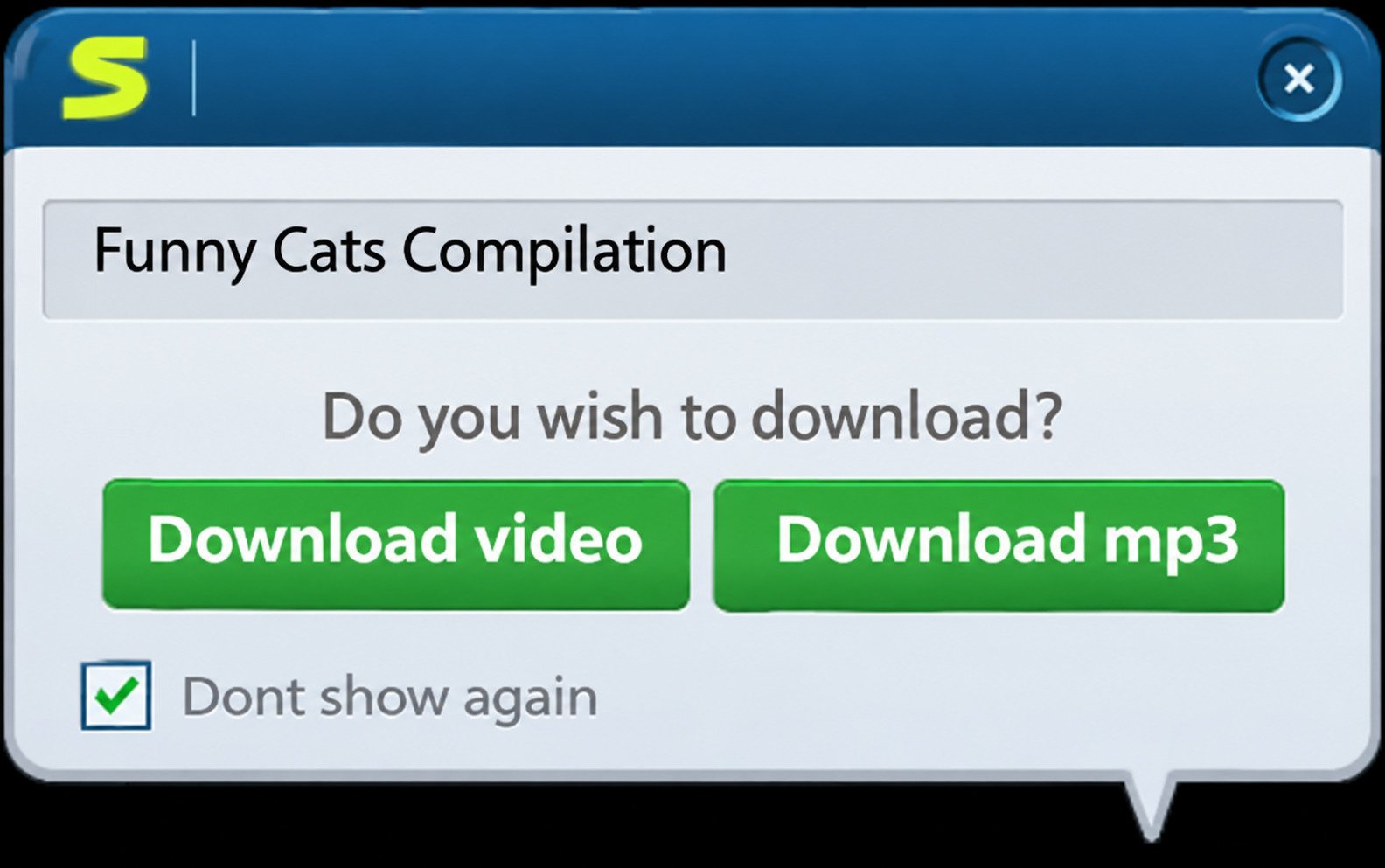
By Click Downloader is a Windows program built for exactly that moment. It watches your browser, spots a video, and offers to save it in one click. This guide explains how it works, what it costs, how to set it up, and what to do when it stops working, plus safer alternatives and a plain look at the legal side. Get the program from the official ByClick website.
What Is By Click Downloader and How Does It Work?
Software Overview
The developer describes it as software that automatically detects the YouTube page you opened and offers a one-click download. It also supports playlists and whole channels. Third-party listings claim more than 40 platforms, including YouTube, Dailymotion, and Facebook. Treat that as a vendor claim, since sites change often.
For Windows and PC
It is a Windows-first product. Searches for Android, Mac, Linux, or portable editions do not prove native support. If you see an “APK” or “Mac version”, be careful and use only the official site or a trusted directory.
How It Detects Online Videos
According to the developer, the auto-detect popup supports Chrome, Firefox, Internet Explorer, and Edge. Open a video page, pick video or MP3, click once, and the download begins.
Free vs Premium
A free version exists with limitations, and a paid license unlocks unrestricted downloading.
| Plan | What you get | Best for |
|---|---|---|
| Free | Basic downloads with limits | Testing the tool |
| Premium | Fewer limits, extra features | Regular users |
One reviewer noted that after moving to a new PC, they needed a new activation code. Keep your license email safe.
By Click Downloader Features
One-Click Download and Automatic Detection
You browse normally, and the program offers a download button when it finds a video. There are no links to copy and paste.
YouTube and Other Websites
The vendor lists Facebook, Instagram, Twitter, Vimeo, Dailymotion, and YouKu. Results depend on each site’s current setup. If one site fails, test another before assuming your install is broken.
Playlist and Channel Downloads
You can download entire playlists or all videos of a channel with one click. Only download what you have the right to save.
Video and Audio Options
| Format | Type | Good for |
|---|---|---|
| MP4 | Video | Phones, laptops, TVs |
| MKV | Video | High-quality archives |
| WEBM | Video | Web use |
| MP3 | Audio | Music, podcasts |
| M4A | Audio | Apple devices |
| WAV | Audio | Editing |
Subtitles, Speed and File Management
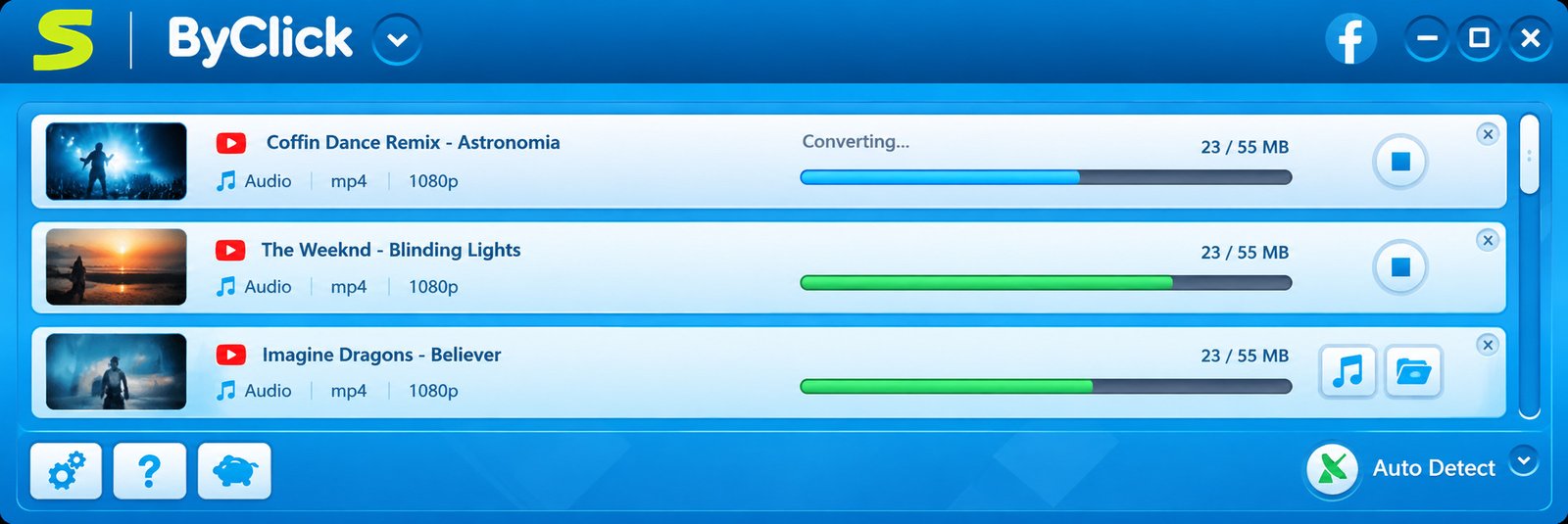
The tool downloads YouTube subtitles, tags MP3s with artist and title, and handles videos over an hour. Dozens of downloads can run at once, but three or four at a time is often faster and steadier.
By Click Downloader Download and Latest Version
Go to the official ByClick website and avoid random “free download” pages promising cracked versions. The developer says it releases a new version every few weeks, so update before troubleshooting. Install the free version first and test it on a public video you have permission to save. Premium pricing changes, and reviews disagree on trials, so verify current terms before paying.
How to Install and Set Up By Click Downloader
Installation on Windows
- Download the installer from the official site.
- Right-click the file and scan it with your antivirus.
- Double-click to run it and follow the prompts.
- Read each screen and decline anything extra.
- Restart your browser so detection can start.
Folder, Quality and Format
Create a folder such as Videos\ByClick and keep it off a nearly full drive, since an 8K video can take several gigabytes. Choose a default such as 1080p MP4, and pick 4K or 8K only when the video and your screen justify it.
Proxy and Activation
Use a proxy only if your network requires one and you trust it. A wrong proxy is a classic cause of failed downloads. If you buy premium, enter the activation code in settings and save it, since you may need it on a new computer.
How to Download Videos With By Click Downloader
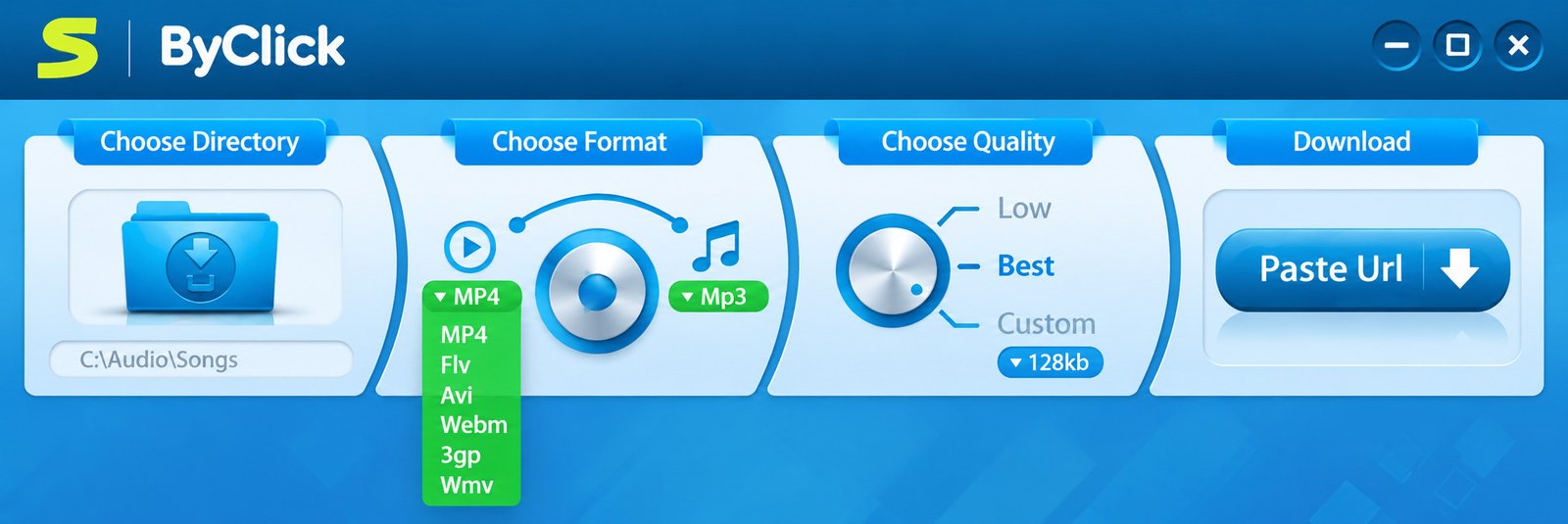
- Open a supported video page.
- Wait for the By Click popup.
- Choose video or MP3.
- Pick quality if asked.
- Click download and check your folder.
If the popup does not appear, restart the browser and the program, and check that your browser is supported. Match quality to your use: 720p MP4 for phones, 1080p or 4K MP4 for TVs, MP3 for listening, and MKV at best quality for archiving. Do not leave big batches running on a weak connection.
By Click Downloader YouTube Downloader
Open the YouTube video, click the popup, and choose your format. A teacher, for example, might save a public-domain science documentary for a classroom with poor Wi-Fi. The program runs locally, so nothing depends on a website that may disappear, though that is no guarantee of future compatibility.
The developer lists 720p, 1080p, 4K, and 8K, but the video must exist in that resolution. A 720p upload will never become 4K. MP4 is the safest choice because almost every device opens it.
YouTube MP3 and Audio Downloads
This suits podcasts, lectures, and royalty-free music, and a one-hour talk may be just a few dozen megabytes. Check the tags afterward, and only save music you have rights to.
| Format | Size | Quality | Use it when |
|---|---|---|---|
| MP3 | Small | Good | You want easy playback |
| M4A | Small | Slightly better | You use Apple devices |
| WAV | Large | Uncompressed | You plan to edit |
If you mostly want music, see our StreamFab guide for a broader streaming-focused option.
Download YouTube Playlists and Channels
This is where By Click saves the most time. Check the video count first, since a 200-video playlist takes real time and space. Split large jobs into batches of 20 or 30, and set a quality cap: 1080p instead of 4K can cut a huge playlist’s size by more than half. Only download channels whose creators allow it, or your own content.
Video Quality and Formats
Ultra-high resolution needs a strong PC and large storage, and most laptops cannot display 8K. For most people, 1080p is the sweet spot. MP4 works everywhere, AVI suits legacy devices, and MKV is popular for archiving. Set defaults in settings to save repeated clicks.
Facebook, Instagram, Vimeo, and Other Sites
Public videos are the most likely to work, and private posts usually will not. Vimeo owners may disable downloads, which you should honor, and Dailymotion region locks can still block a video. TikTok was not clearly listed, so test before you count on it. No downloader supports everything all the time.
Subtitles and Special Features
Subtitle downloads are confirmed by the developer. Shorts are regular YouTube videos in vertical format, so they usually work. Private video support applies only to videos you own or are authorized to access. Live stream support may be limited. Liked and recommended videos, iTunes export, and the MP3 cutter or ringtone maker could not be verified in current sources, so treat them as unconfirmed.
By Click Downloader Troubleshooting
Not Working
- Restart the program and browser.
- Update to the newest version.
- Test a different public video.
- Turn off VPN or proxy.
- Reinstall.
If the popup fails, check for an unsupported browser, disabled extension, unfinished page load, protected or private video, or a program not running in the background. YouTube changes often, so downloaders may break for days until updated. Check disk space and connection, try a lower quality, and note the error text. If a video will not play in your browser, it will not download. For activation problems, run the installer as administrator and contact support, which the developer says answers within 24 hours.
| Symptom | Most likely cause | First fix |
|---|---|---|
| No popup | Browser integration | Restart browser |
| YouTube fails | Site changed | Update app |
| MP3 fails | Converter blocked | Try M4A |
| Slow speed | Too many tasks | Lower parallel jobs |
| Activation error | Wrong code or new PC | Contact support |
Is By Click Downloader Safe and Legitimate?
The product has existed for years and remains active, but safety also depends on the copy you download and the options you accept. Avoid torrent sites, cracked installers, and unknown mirrors. Browser-integrated tools can see the pages you visit, so review permissions and keep your browser updated.
By Click Downloader Review
The one-click popup is the best part, setup is short, and playlists and channels turn a tedious job into a quick one. The free version is a fair way to test, and premium makes sense if you download often.
Pros
- One-click browser detection
- Playlists and channels
- Wide format list, MP3 tagging
- Simple, beginner-friendly setup
Cons
- Windows-first, unclear support elsewhere
- Site support can break after changes
- Activation may need redoing on a new PC
- Some listings repeat unverified claims
- Legal responsibility stays with you
By Click Downloader Alternatives
| Tool | Best for | Notes |
|---|---|---|
| 4K Video Downloader+ | Ease and cross-platform use | Freemium |
| yt-dlp | Power users | Free, open source, command line |
| JDownloader | Batch downloads | Free, busier interface |
| StreamFab | Streaming service downloads | Paid, see our StreamFab guide |
For YouTube only, 4K Video Downloader+ and yt-dlp are strong, actively maintained picks, and yt-dlp or JDownloader handle big playlists well. When choosing, look for:
- Regular updates
- Clear list of supported sites
- Transparent pricing
- No bundled extras
- Honest legal guidance
- Responsive support
Frequently Asked Questions About By Click Downloader
What Is By Click Downloader?
It is a Windows program that detects online videos and saves them as video or MP3 with one click.
Is By Click Downloader Free?
There is a free version with limits, and a paid license removes them.
Is By Click Downloader Safe?
It is described as safe and active, but download only from the official site and scan the file.
Can By Click Downloader Download YouTube Playlists and Channels?
Yes, the developer says it can download whole playlists and channels with one click.
Can By Click Downloader Download 4K and 8K Videos?
It lists 4K and 8K options, but the source video must offer that resolution.
Why Is By Click Downloader Not Working?
Usually the app is outdated, the site changed, or the browser add-on is off. Update first.
Does By Click Downloader Have an Android or APK Version?
I could not confirm one. Treat it as Windows-only, and avoid unofficial APK files.
Final Verdict on By Click Downloader
It suits students, teachers, and casual Windows users who want simple, browser-based detection and quick MP3 or MP4 saves. Playlists, subtitles, and long videos add real value. Start with the free version and upgrade only if you hit limits. Power users may prefer yt-dlp or 4K Video Downloader+.
Conclusion: One click, one file, and your favorite lecture or clip is safe on your own drive. Keep it updated, save only what you have the right to save, and respect creators.
One Response