AssetRipper Download: Unity Asset Extractor, Bundle Viewer & Export Tool
If you’ve ever wanted to peek inside a compiled Unity game and pull out its models, textures, or audio, chances are you’ve already stumbled across the name AssetRipper. It’s one of the most talked-about tools in the modding and game-preservation community, and for good reason — it turns a locked, compiled build back into something you can actually open, inspect, and reuse.
In this guide, we’ll walk through exactly what AssetRipper is, how to download and install it on Windows, Mac, or Linux, how to extract assets step by step, and how it stacks up against alternatives like AssetStudio. No fluff — just what you need to get it running.
What Is AssetRipper?
AssetRipper Software Overview
AssetRipper is a free, open-source application that reads Unity’s compiled game files — the .assets, .bundle, and .unity3d files that ship inside a finished game — and converts them back into a workable Unity project. It’s built in C# and distributed under the GNU General Public License v3.0, which means the source code is public and anyone can inspect or contribute to it.
The project has gone through a few names and hands over the years (it grew out of an earlier tool called uTinyRipper), but under its current maintainers it has become the de facto standard for Unity asset recovery.
What Is AssetRipper Used For?
People reach for AssetRipper for a handful of common reasons:
- Modders who want to understand how a game’s assets are structured before building a mod
- Developers recovering their own lost source files from a shipped build
- QA and studio teams checking for dependency assets or debug content that accidentally got bundled into a release
- Researchers and preservationists archiving assets from older or discontinued games
- Students learning how Unity organizes scenes, prefabs, and serialized data
AssetRipper as a Unity Asset Extractor
At its core, AssetRipper’s job is deserialization — reading Unity’s internal binary format and mapping it back to human-readable, editable data. Rather than giving you a jumble of raw bytes, it reconstructs an actual folder structure that mirrors what the original Unity project probably looked like, complete with recognizable asset names and hierarchy.
Supported Unity Assets and Game Files
AssetRipper can recognize and extract a wide variety of asset types, including:
| Asset Type | Extraction Support |
|---|---|
| 3D Models & Meshes | Yes, exportable to standard formats |
| Textures & Sprites | Yes, full resolution where possible |
| Audio Clips | Yes |
| Animations & Animator Controllers | Yes |
| Materials & Shaders | Yes, with some shader limitations |
| Prefabs & Scenes | Yes, reconstructed where dependencies exist |
| Scripts (compiled) | Partial — recovers structure, not always original source |
| Fonts & UI Elements | Yes |
AssetRipper Unity Version Support
One of AssetRipper’s biggest strengths is its version range. It currently supports Unity builds from version 3.5.0 all the way up to the Unity 6000.x series, though the maintainers are upfront that extraction quality can vary slightly depending on which specific Unity version a game was built with — older or extremely new engine versions sometimes need extra troubleshooting.
AssetRipper Download and Latest Version
AssetRipper Download
The official and safest place to download AssetRipper is its GitHub repository, maintained under the AssetRipper organization. Downloading from GitHub directly avoids the risk of bundled adware or fake installers that sometimes show up on third-party download sites — a real problem with popular modding tools.
AssetRipper Latest Version and Release
The project follows a rolling release schedule, with new builds typically pushed out weekly (usually Sunday or Monday). This means bug fixes and new Unity version support land quickly, but it also means it’s worth checking the releases page each time you plan to use it on a new or unusual game build.
AssetRipper Free Download
The core AssetRipper application is completely free and open-source. There is also an optional Premium tier, unlocked through a small Patreon subscription, which adds extra features and refinements — but the free version covers the vast majority of everyday extraction needs.
AssetRipper Portable Version
AssetRipper ships as a self-contained application — there’s no complicated installer to run. You download the archive for your operating system, extract it to any folder you like, and run the executable directly. This effectively makes it portable: you can run it from a USB drive or any folder without touching the Windows registry or system files.
AssetRipper GitHub and Project Updates
Because it’s hosted on GitHub, you can track every update, bug report, and community discussion in one place. The project also maintains an active Discord server where users troubleshoot extraction issues and share tips — genuinely useful if you hit a snag with a specific game.
AssetRipper for Windows, Mac and Linux
One thing that sets AssetRipper apart from a lot of older Unity extraction tools is genuine cross-platform support.
AssetRipper for Windows 11
Windows 11 users get full support out of the box. Just download the Windows build, extract the archive, and launch the executable — no additional runtime installation is usually required.
AssetRipper for Windows 10
Windows 10 is equally well supported. If you run into a missing dependency error on launch, installing the latest .NET runtime usually resolves it.
AssetRipper Windows x64 and ARM64
Builds are available for both traditional x64 systems and newer ARM64 Windows devices, so it runs natively whether you’re on a standard desktop or one of the newer ARM-based Windows laptops.
AssetRipper for macOS
Mac users aren’t left out — AssetRipper offers native macOS builds, though you may need to approve the app in System Settings > Privacy & Security the first time you run it, since it isn’t distributed through the App Store.
AssetRipper Mac Intel and Apple Silicon
There are separate builds for Intel-based Macs and Apple Silicon (M1/M2/M3/M4) machines, so you’ll want to grab the correct architecture for smooth, native performance rather than relying on Rosetta translation.
AssetRipper for Linux
Linux users get a dedicated build as well, which is a big deal since many older Unity extraction tools were Windows-only and required Wine or a virtual machine to run on Linux.
AssetRipper Linux x64 and ARM64
Just like on Windows, Linux builds come in both x64 and ARM64 flavors, covering most desktop distributions and increasingly common ARM-based Linux systems.
AssetRipper Unity Asset Extraction Features
Unity Asset Extractor
The extraction engine is the heart of the tool. Point it at a Unity data folder or a bundle file, and it parses the serialized structure, matches asset references, and lays everything out in a browsable format.
Unity Asset Bundle Extractor
Beyond loose .assets files, AssetRipper specializes in unpacking AssetBundles — the compressed, packaged files Unity uses to deliver downloadable content, streaming assets, or platform-specific resources.
Unity Asset Viewer and Unpacker
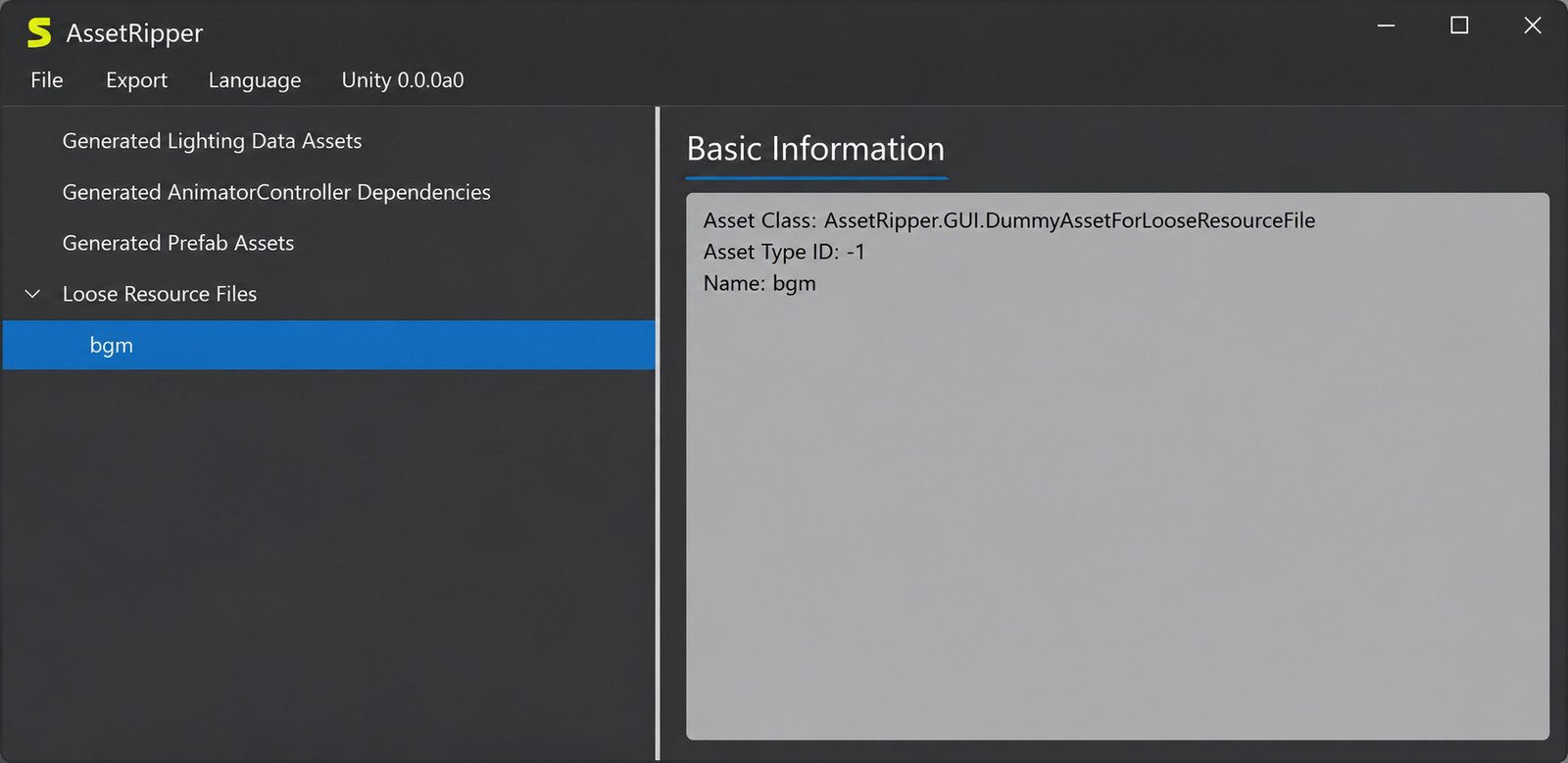
Before exporting anything, you can browse assets directly inside AssetRipper’s interface — previewing textures, checking mesh names, and confirming you’ve got the right files before committing to a full export.
Unity Game Asset Extractor
For a compiled game (rather than raw Unity project files), AssetRipper reads the _Data folder that ships alongside most Unity executables and reconstructs assets from there.
Unity Project Export
Perhaps its most powerful feature: AssetRipper can export an entire importable Unity project, not just individual files. This means you can open the result directly in the Unity Editor and start working with scenes and prefabs as if you had the original source.
Unity Asset Bundle Export
If you only need specific bundles re-exported (rather than a whole project), AssetRipper supports targeted export of individual asset bundles too.
AssetRipper Supported Asset Types
To summarize the extraction coverage in one place:
| Category | Examples |
|---|---|
| Visual | Meshes, textures, sprites, materials, shaders |
| Audio | Music tracks, sound effects, voice clips |
| Animation | Animator controllers, animation clips, blend shapes |
| Structural | Scenes, prefabs, GameObjects, hierarchies |
| Text/Data | ScriptableObjects, text assets, localization files |
Unity Asset Bundle Extraction With AssetRipper
What Is a Unity Asset Bundle?
An AssetBundle is Unity’s packaging format for shipping assets separately from the main game executable — commonly used for downloadable content, mods, or platform-optimized assets. These files typically carry the .bundle or .unity3d extension.
Unity Asset Bundle Extractor and Viewer
AssetRipper reads the bundle’s internal directory table, decompresses the contents (bundles are often LZ4 or LZMA compressed), and presents the individual assets inside as if they were regular files.
How to Extract Unity Asset Bundles
- Launch AssetRipper
- Load the folder or specific bundle file containing your target assets
- Let it parse and index the contents
- Browse the asset tree to confirm what’s inside
- Export either the whole set or selected assets
How to Extract Unity3D Bundle Files
The process for older .unity3d bundle files is functionally identical — AssetRipper auto-detects the bundle format and handles the decompression automatically, so you don’t need to manually specify which version of the format you’re working with.
How to Open .bundle and .unity3d Files
Simply drag the file (or its containing folder) onto AssetRipper’s interface, or use the File > Load menu option. There’s no need to rename extensions or pre-process anything.
Exporting Assets From Unity Asset Bundles
Once loaded, right-click any asset (or select multiple) and choose Export. You can export individual assets in their native format or export the whole bundle as a reconstructed Unity project folder.
How to Install and Set Up AssetRipper
How to Install AssetRipper on Windows
- Download the Windows .zip release from the official GitHub releases page
- Extract it to a folder of your choice — no installer needed
- Run the .exe file inside the extracted folder
- If Windows SmartScreen flags it (common for unsigned open-source tools), click “More info” then “Run anyway”
How to Set Up AssetRipper
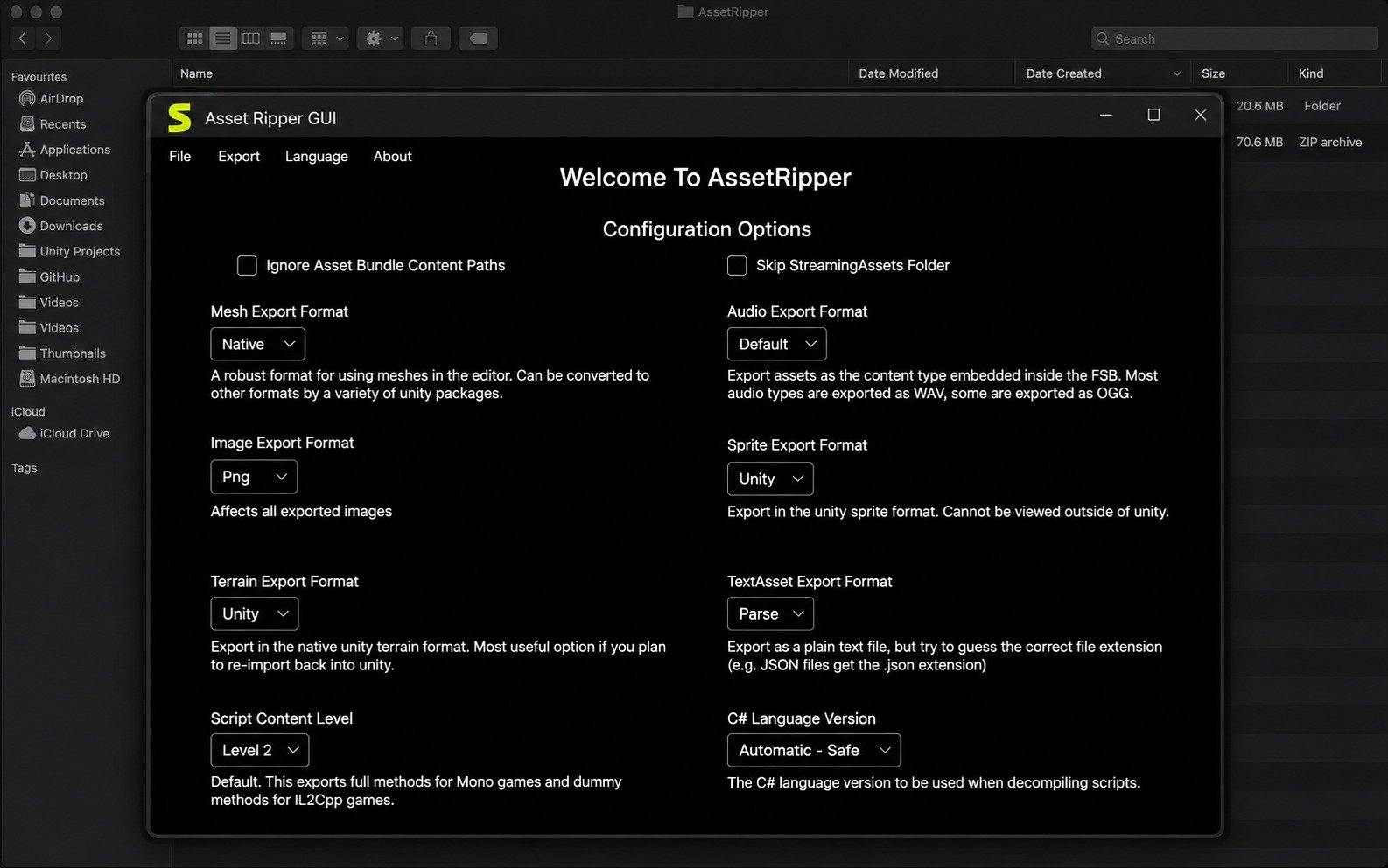
There’s genuinely very little setup involved. Once the app opens, you’re ready to load files immediately — no account creation, no license key, no configuration wizard.
AssetRipper Setup for Unity Asset Extraction
If you’re extracting from a full game rather than a single bundle, point AssetRipper at the game’s root installation folder rather than a single file. It will automatically scan for the _Data directory and associated resource files.
AssetRipper Tutorial for Beginners
If this is your first time using an asset extraction tool, start small: pick a game you own, load just one asset bundle, and export a single texture or model first. Get comfortable with the interface before attempting a full project export, which can take longer and produce a much larger output.
How to Use AssetRipper
How to Use AssetRipper to Extract Unity Assets
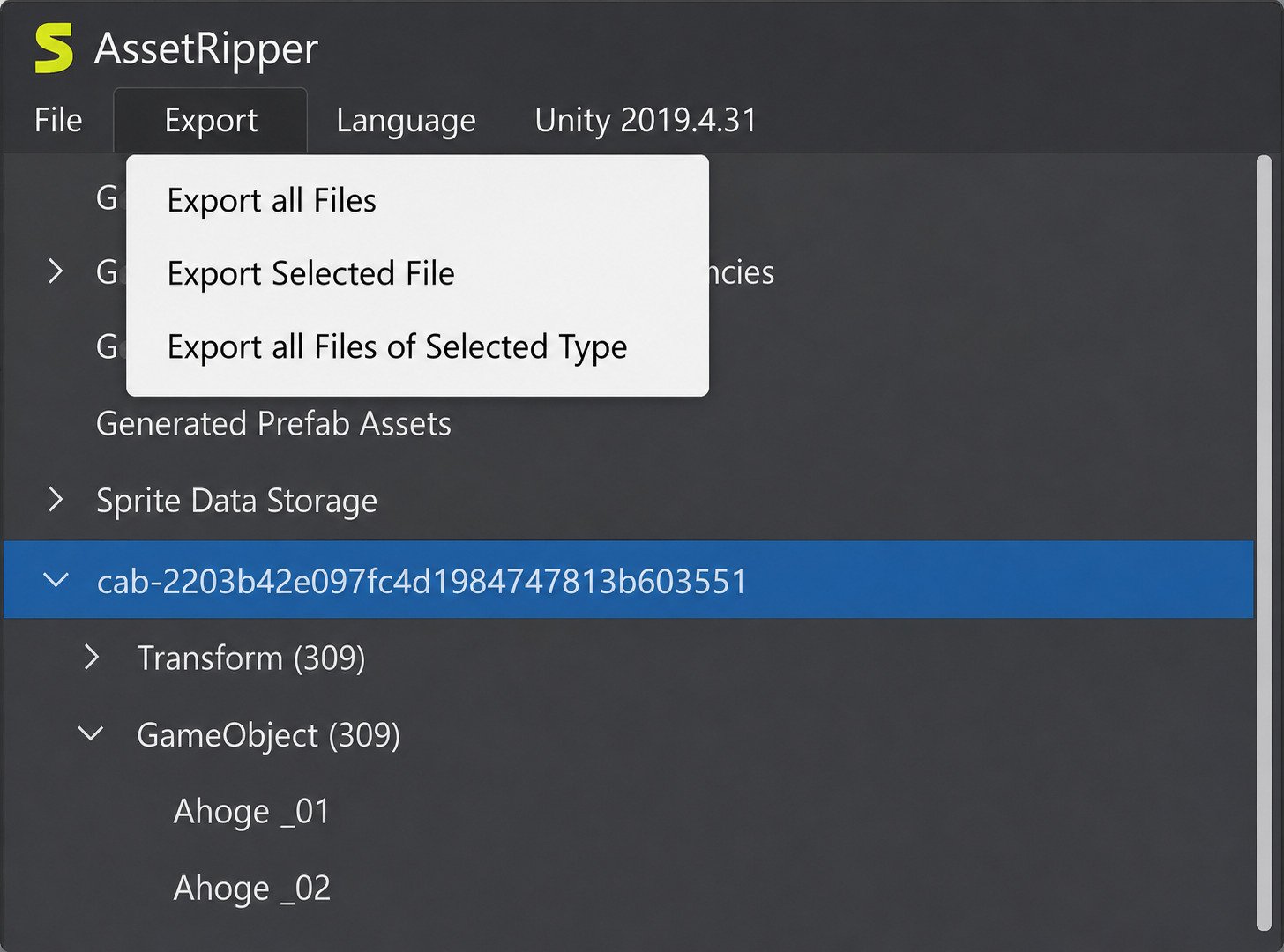
Open the app, load your target files via File > Open, wait for indexing to finish, then browse the tree view on the left to locate the assets you want.
How to Open Unity Files With AssetRipper
AssetRipper can open both loose serialized files (like .assets) and compiled game folders directly — you don’t need to convert anything beforehand.
How to Extract Unity Asset Bundles With AssetRipper
As covered above, loading a bundle works the same way as loading any other supported file — the app detects the format automatically.
How to Export a Unity Project With AssetRipper
Use the Export > Export All Files or Export Selection option, depending on whether you want everything or just specific assets. For a full, editor-ready project, choose the “Export Unity Project” option in the menu.
How to Convert Unity Game Files to a Unity Project
This is AssetRipper’s signature move: instead of exporting scattered files, it reconstructs a complete Assets folder structure and generates the supporting project files so you can open the result directly in the Unity Editor.
How to Extract Unity Game Assets
How to Extract Assets From Unity Games
Point AssetRipper at the installation directory of the game (where the .exe and its _Data folder live), let it index everything, and then filter by asset type in the browser panel to find exactly what you’re looking for.
How to Extract Unity Models
Filter the asset tree by Mesh type, select the models you want, then export them — commonly to FBX format for use in external 3D software.
How to Extract Unity Textures
Textures typically export cleanly to PNG or TGA. Filter by Texture2D, preview to confirm resolution and content, then export.
How to Extract Unity Sprites
Sprites (2D assets sliced from texture atlases) are grouped separately from raw textures in AssetRipper’s browser, making it easy to pull individual UI icons or 2D character frames.
How to Extract Unity Audio Files
Audio clips typically export as WAV or OGG depending on how they were originally compressed inside the Unity project.
How to Export Unity Assets to a Project
Rather than exporting isolated files, choosing the full project export option preserves references between assets — so a material still points to its correct texture, and a prefab still references its correct mesh.
AssetRipper FBX and 3D Model Export
AssetRipper FBX Export
Extracted meshes, skeletons, and blend shapes can be exported in the widely supported FBX format, which is compatible with Blender, Maya, 3ds Max, and virtually every other 3D content tool.
Extracting 3D Models From Unity Games
Because Unity stores meshes as serialized binary vertex/index data, AssetRipper handles the conversion back into a standard mesh format automatically — no manual math required on your part.
Exporting Unity Models for Further Editing
Once exported to FBX, you can freely reshape, retexture, rig, or repurpose models in your 3D software of choice, subject of course to the licensing terms of the original game.
Unity Asset Extraction and 3D File Formats
Beyond FBX, some asset types can also be exported in other common formats depending on the asset category — useful if your downstream pipeline expects something other than FBX.
AssetRipper vs AssetStudio
Both tools solve a similar problem, but they take different approaches, and picking the right one depends on what you’re trying to do.
AssetRipper vs AssetStudio: Key Differences
| Feature | AssetRipper | AssetStudio |
|---|---|---|
| Full project export | Yes | No (asset-by-asset only) |
| Interface | Modern, actively maintained | Functional, less actively updated |
| Bundle support | Extensive | Extensive |
| Cross-platform (Win/Mac/Linux) | Yes | Primarily Windows |
| Scene reconstruction | Yes | Limited |
| Learning curve | Moderate | Low |
AssetRipper Strengths
- Full, editor-ready Unity project export
- True cross-platform builds
- Reconstructs scene hierarchies and references
- Actively maintained with weekly releases
AssetStudio Strengths
- Lighter weight, quicker for single assets
- Very low learning curve
- Fast for one-off texture or mesh grabs
- Simple, no-frills interface
AssetRipper and AssetStudio Extraction Features
AssetStudio tends to be faster for quickly pulling out a handful of individual assets — it’s lightweight and gets straight to the point. AssetRipper, on the other hand, is built for the bigger job of reconstructing an entire workable project.
Which Unity Asset Extractor Should You Use?
If you just want to grab a texture or two, AssetStudio’s simplicity might be quicker. But if your goal is to actually open the game’s content inside the Unity Editor and work with it as a real project, AssetRipper is the stronger choice.
AssetRipper vs AssetStudio for Unity Project Export
This is really where AssetRipper pulls ahead — its ability to regenerate an importable Unity project with intact scene hierarchies and asset references isn’t something AssetStudio was designed to do.
AssetRipper Alternatives and Related Unity Tools
Unity Asset Extractor Alternatives
Besides AssetStudio, a few other tools occasionally come up in modding communities for niche or older Unity builds, though most have narrower feature sets or limited ongoing maintenance compared to AssetRipper.
Unity Asset Bundle Extraction Tools
UABE (Unity Asset Bundle Extractor) is another long-standing option, particularly popular for quick bundle edits rather than full project reconstruction.
AssetRipper vs Other Unity Extraction Software
What generally separates AssetRipper from the pack is its combination of active weekly updates, broad Unity version coverage, and true cross-platform builds — a combination few competing tools match today.
Criware Unity Asset Extractor and Related Tools
Some games use additional proprietary packaging layers (like CRIWARE middleware) on top of Unity’s own format, which may require a separate, specialized tool alongside AssetRipper to fully unpack certain audio or video assets.
AssetRipper Troubleshooting
_Data directory, not just the executable itself._Data folder, not just a single isolated file.Frequently Asked Questions About AssetRipper
AssetRipper is a free, open-source tool that extracts assets from compiled Unity games and converts them back into an editable Unity project.
Yes. The core application is completely free, with an optional paid Premium tier available through Patreon for extra features.
The safest source is the official AssetRipper GitHub repository’s releases page, which hosts verified builds for every supported platform.
Load your target game files or bundle, let the app index them, browse the asset tree, and export either individual assets or a full Unity project.
Yes. It natively supports .bundle and .unity3d files and automatically detects and decompresses their contents.
Yes, this is one of its standout features — it can rebuild a complete, editor-ready Unity project rather than just isolated files.
Yes. Meshes typically export to FBX and textures export to common image formats like PNG.
Yes, 3D models, skeletons, and blend shapes can be exported to the widely compatible FBX format.
Yes. There are native builds for Windows (x64/ARM64), macOS (Intel/Apple Silicon), and Linux (x64/ARM64).
AssetRipper supports Unity builds from version 3.5.0 up through the modern 6000.x series, according to the official AssetRipper GitHub repository, though extraction quality can vary by version.
Conclusion
AssetRipper has earned its reputation for a simple reason: it does the hard part — reverse-engineering Unity’s serialized format — reliably and for free. Whether you’re a modder curious about a game’s internals, a developer recovering lost source files, or just someone who wants to peek behind the curtain of a favorite title, it lowers a technical barrier that used to require deep reverse-engineering knowledge.
Just remember that extraction is only half the picture — what you do with the output matters too, especially around copyright.
Final Verdict
Used responsibly, AssetRipper remains one of the most capable, actively maintained tools in the Unity modding ecosystem. If you’re exploring more tools for extracting and converting media on your system, our guide to StreamFab covers another popular extraction utility worth knowing about.
2 Responses