User Profile Wizard Download, Features, Setup, and Alternatives
Updated October 2026
Contents
Joining a PC to a new domain can wipe out a person’s desktop, files and settings in seconds. Windows creates a fresh, empty profile, and the old one just sits there on disk.
That is exactly the problem User Profile Wizard solves. This guide covers what it does, what it costs, how to use it, where it stops, and what to try instead.
What Is User Profile Wizard and What Does It Do?
User Profile Wizard (ProfWiz) is a Windows tool from ForensiT that attaches an existing user profile to a new account, such as a domain, Azure AD or local account. It works on the same computer.
When you join a machine to a new domain, Windows creates a new profile and you lose your data and settings. User Profile Wizard solves this.
What Is User Profile Wizard, and What Is ProfWiz?
ProfWiz is the nickname for User Profile Wizard, and the two names mean the same tool. It is a workstation migration utility. It joins the PC to a domain and links the old profile to the new account.
How It Migrates Windows User Profiles
By default, it does not move, copy or delete any data. It configures the existing profile “in place” for the user’s new account. That makes migrations fast and low-risk.
Local and Domain Accounts
It handles local accounts, Active Directory domains and Entra ID (Azure AD) accounts. It can also move a domain profile back to a local account.
Who Should Use It?
- IT administrators handling domain changes or mergers
- Technicians connecting standalone PCs to a domain
- Small businesses moving to Microsoft 365 or Entra ID
- Home users joining a work network for the first time
User Profile Wizard Features
The core idea is simple: keep the profile and change who owns it. Several workflows come from that.
| Capability | What It Means |
|---|---|
| Local-to-domain migration | A standalone user becomes a domain user with all data intact |
| Domain-to-domain migration | Useful after mergers or restructures |
| Entra ID / Azure AD support | Migrate profiles to and from Entra ID / Azure AD user accounts |
| Workgroup option | Join a workgroup, and delete or disable local accounts |
Enterprise Profile Migration
Larger editions add automation, scripting and push migrations of remote machines. We cover those in the edition sections below.
Migration Without Recreating the Environment
Users keep their desktop layout, browser data, documents and app settings. That is the biggest time saver, because nobody spends an afternoon rebuilding a workspace.
A Note on Moving Between PCs
ProfWiz does not move profiles between two computers. Support says it migrates a profile to a new AD, Azure or local account on the same computer. For cross-PC moves, ForensiT offers a separate tool called Transwiz (compared below).
User Profile Wizard for Windows 10 and Windows 11
Yes. The current release works on Windows 10 and Windows 11.
ForensiT offers a Freeware Edition of Release 24 for Windows 10, Windows 11 and Windows 7.
Migrating a Windows 10 or 11 Profile
The steps are almost identical on both systems. Sign in as an administrator, run the wizard, pick the profile and name the target account.
Moving a Local Profile to a Domain on Either Version
Join the PC to the domain through the wizard, then map the old local profile to the domain user. The next sign-in loads the familiar desktop.
Windows 10 vs. Windows 11 Considerations
| Area | Windows 10 | Windows 11 |
|---|---|---|
| Wizard steps | Same | Same |
| Common issue | Old apps tied to the local SID | Newer Microsoft account sign-in prompts |
| Best practice | Test on one PC first | Test on one PC first |
Windows 11 more aggressively pushes Microsoft account sign-in. Check which account type you actually need before you start.
User Profile Wizard Local Account Migration
What Is a Local Windows User Profile?
A profile is the folder where Windows stores your desktop, documents, downloads, app data and personalised settings. A local profile belongs to an account that exists only on that computer.
Migrating a Local Account to a Domain Account
This is the classic ProfWiz job. A standalone PC joins the company domain, and the wizard assigns the old local profile to the new domain account. No files are copied, so nothing goes missing.
Converting Without Losing Data
Because the tool works in place, users keep their files. Still, back up first. A backup costs ten minutes and removes the worst-case scenario.
Common Scenarios
- A home-office laptop joins the company network
- A freelancer moves to a small-business domain
- A shared PC changes from a local login to a named staff account
- An employee’s device moves from a local account to Entra ID
User Profile Wizard Domain Migration
Migrating a Profile to a Domain
Whether the profile is local or already on another domain, the process is the same. Pick the profile, enter the new domain account and finish the wizard.
Domain-to-Domain Migration
After a merger, staff often move from OLDDOMAIN\jsmith to NEWDOMAIN\jsmith. ProfWiz re-points the profile so the person logs in to the same desktop under the new identity.
Domain Profile to Another Computer
This one needs Transwiz or a similar tool. ProfWiz alone won’t do it.
Domain Migration for IT Administrators
ForensiT has been used to migrate millions of workstations, including over a VPN, and supports Active Directory and Samba domains. Larger projects usually use the Corporate Edition’s scripting.
User Profile Wizard Computer and PC Migration
This section trips people up, so here is the plain version. ProfWiz changes who owns a profile. It does not relocate the profile to a new machine.
Moving a Profile to a New PC
Use Transwiz instead. Transwiz backs up the profile to a transfer file that you restore on the new computer.
Preparing an Existing Profile for a New Environment
A smart combination for PC replacement projects:
- Move the profile to the new PC with Transwiz or another transfer tool.
- Join the new PC to the domain.
- Use ProfWiz if the account itself must change.
Enterprise Computer Upgrades
For refresh cycles, many teams pair a transfer tool with a domain-migration tool. Plan which job each tool does before the first machine.
How to Use User Profile Wizard
Back up, run the wizard as an administrator, choose the profile, enter the new account, finish, restart and verify.
- Prepare Windows. Update Windows, back up data and note the old and new usernames.
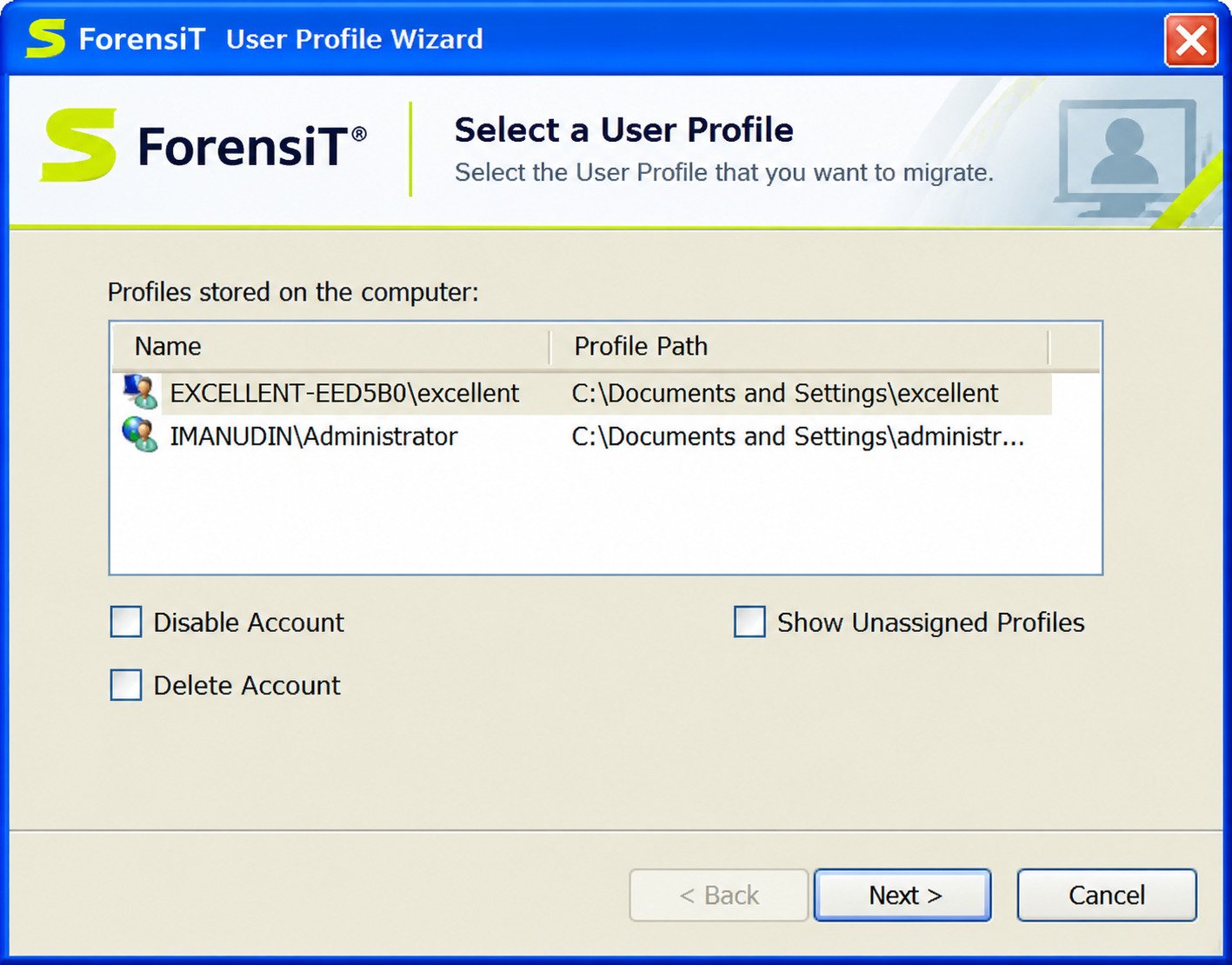
- Select the profile. If unsure which to pick, check the profile path.
- Choose the target account. Type the domain or computer name and username.
- Map the profile. Confirm the old profile links to the correct account.
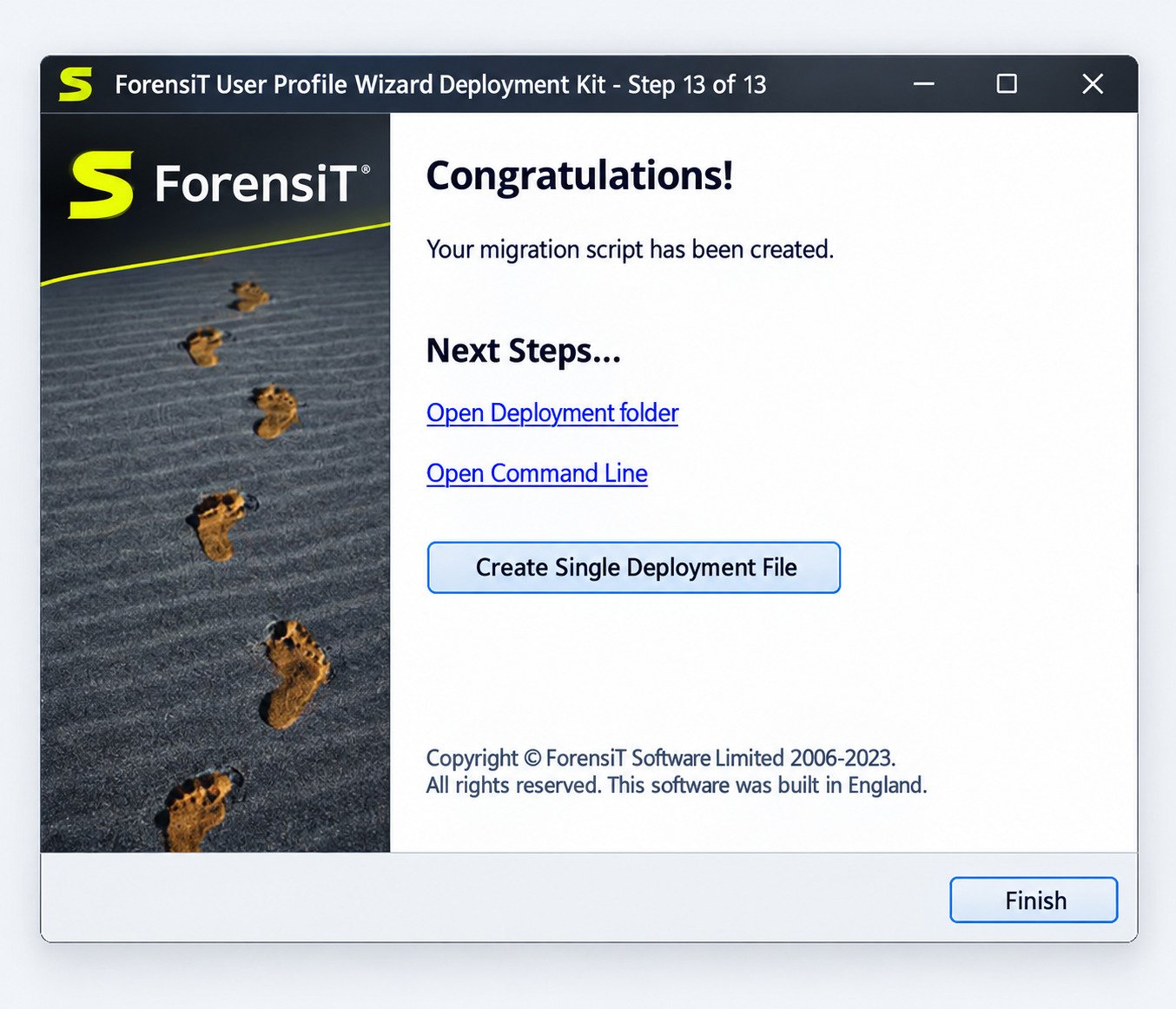
- Complete the migration. The wizard joins the domain if needed and prompts a restart.
- Sign in. Use the new account.
- Verify. Check files, browser bookmarks, printers, mapped drives, email and key apps.
Afterwards, keep an eye on sign-in errors. Centralised log collection can help here, and our guide to Winlogbeat shows how to ship Windows event logs for review.
User Profile Wizard Setup and Configuration
System Requirements
It supports Windows 10, Windows 11 and Windows 7, per ForensiT’s download page. You need administrator rights, network access to the target domain and working DNS.
How to Download and Install
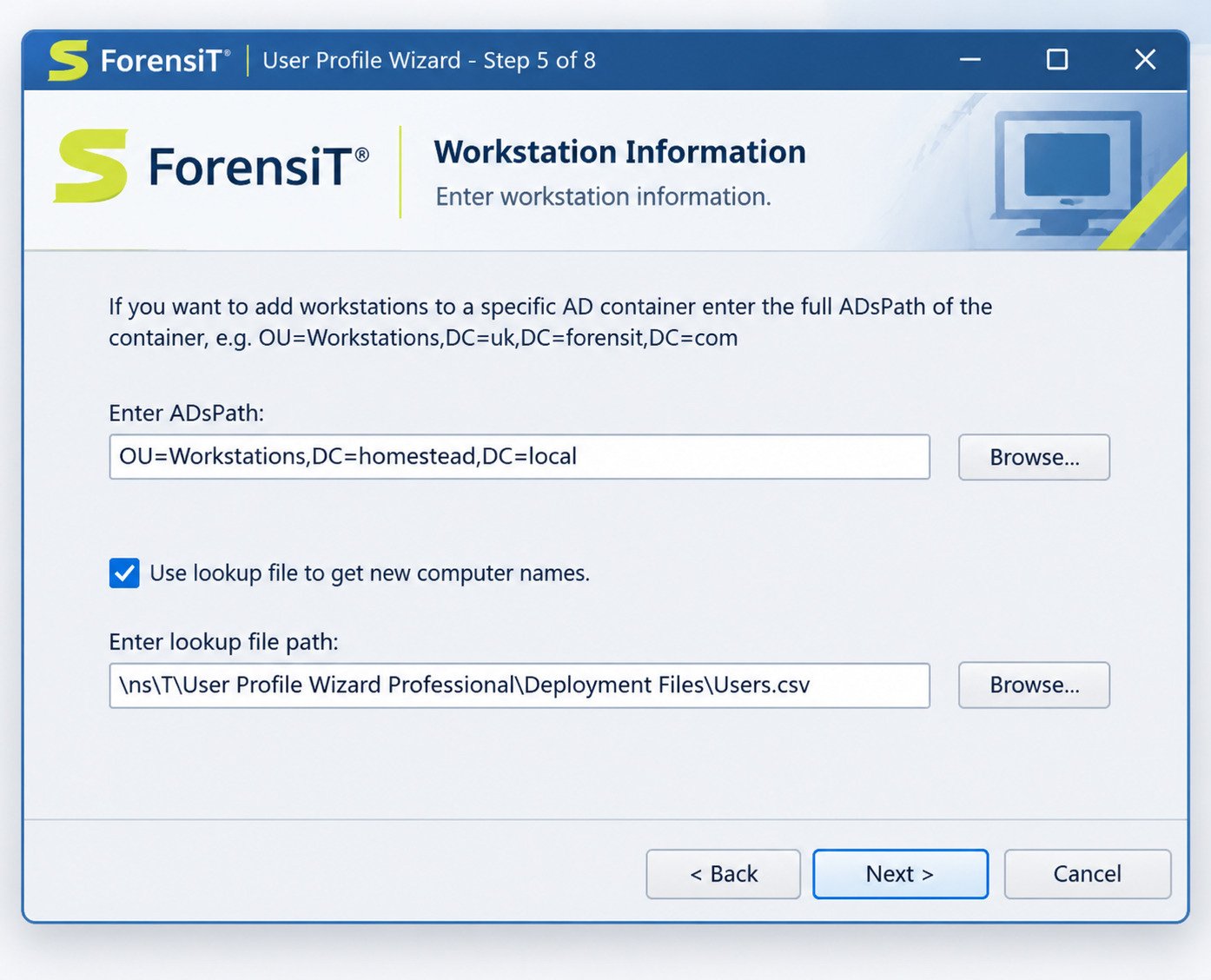
Get it from the official ForensiT site only. The Freeware Edition is a standalone executable and does not need to be installed or uninstalled. The Professional setup program adds start-menu shortcuts, including the Deployment Files folder.
Configuration Options
Paid editions let you save settings to a config file, rename the computer, rename the profile folder and place machines in a specific Active Directory container.
Preparing for Domain Migration
- Confirm the PC can reach a domain controller
- Check that the target account already exists
- Keep local admin credentials handy
- Time-sync the PC with the domain
User Profile Wizard Professional Edition
The Professional Edition is the paid, per-technician version for IT professionals who migrate many machines.
It is designed for IT professionals who migrate workstations at different sites, and it does not include automation and scripting.
Professional vs. Free
| Feature | Personal (Free) | Professional | Corporate |
|---|---|---|---|
| Wizard-based migration | Yes | Yes | Yes |
| Migrate all profiles on a machine | No | Yes | Yes |
| Push migrations of remote machines | No | Yes | Yes |
| Rename computers | No | Yes | Yes |
| Command line and full automation | No | No | Yes |
| Maintain SID History | No | No | Yes |
This table reflects ForensiT’s own feature comparison.
When You Need It
Choose Professional when you handle many PCs, need batch features or support several customers.
Download
Buy it from the ForensiT store. The listed price is $149.95 per technician with unlimited machines and free updates.
Is User Profile Wizard Free?
Yes, the Personal Edition is free. Professional and Corporate are paid.
What the Free Version Includes
Wizard-based migration, domain joining, Entra ID support, workgroup joining and local account deletion or disabling.
Licensing and Activation
Professional is a one-time purchase per technician. Corporate runs around $3.50 per seat per year, with a year of updates and email support. Prices change, so check the store before budgeting.
Business Considerations
Read the End User License Agreement. If you’re a company migrating many machines, the free edition’s limits will cost you more in time than a licence would in money.
Is ProfWiz Safe and Legitimate?
Yes, when downloaded from forensit.com. ForensiT Software Limited is a UK company with long-running forums, documentation and support.
How It Handles Profiles
Because the tool re-assigns profiles in place, there is less risk than with copy-and-delete tools.
Checks Before You Start
- Download only from the official site
- Verify the file against a malware scanner
- Test on a non-critical PC
- Document the current profile path and account
Back Up First
Even safe tools meet unexpected problems. Copy C:\Users\username to external storage, or take a system image.
Best Practices
- Migrate during off-hours
- Do one pilot machine
- Keep the old account until verified
- Record every step
- Avoid migrating on a battery-only laptop
ProfWiz vs. Transwiz
ProfWiz changes the account that owns a profile on the same PC. Transwiz moves a profile from one PC to another.
ForensiT’s own support says the two tools do different jobs.
| Question | ProfWiz | Transwiz |
|---|---|---|
| Main job | Re-assign profile to new account | Transfer profile between PCs |
| Moves data? | No, works in place | Yes, via a transfer file |
| Azure / Entra support | Yes | No |
| Domain join | Yes | No |
| Typical use | Domain change | PC replacement |
Which Scenario Fits Which Tool?
- New laptop, same user: Transwiz
- Same laptop, new domain: ProfWiz
- New laptop and new domain: both, in sequence
User Profile Wizard for Enterprise IT Migration
For IT Administrators
The Corporate Edition adds fully automated migrations, scripting support, VPN migrations, SID History and a command-line console.
Domain Changes and PC Replacement
Mergers, tenant moves and refresh cycles all share one risk: user downtime. In-place migration keeps that downtime short.
Planning a Large-Scale Project
- Inventory every machine and profile
- Pick a pilot group of 5 to 10 users
- Create a rollback plan
- Communicate the schedule to staff
- Migrate in waves
- Track failures in a shared log
Reducing User Downtime
Run the work overnight, pre-stage the target accounts and automate sign-in checks. Most users should return to work with nothing visibly changed.
User Profile Wizard Troubleshooting
Why Isn’t It Working?
Most failures come from DNS, permissions or a missing target account. Start with the basics.
| Problem | Likely Cause | Fix |
|---|---|---|
| Can’t join domain | DNS or firewall | Point DNS at domain controller, test with ping |
| Profile not mapped | Wrong username format | Use DOMAIN\user or UPN correctly |
| Access denied | Weak permissions | Run as administrator |
| Temporary profile on login | Mapping error | Reboot, then check the profile path |
| License error | Wrong edition or key | Re-check order email |
After a Failed Migration
Do not delete anything. The old profile folder is usually still intact and can be re-mapped.
- Don’t delete anything.
- Sign in with a local admin.
- Confirm the old profile folder still exists.
- Check the account mapping.
- Rerun the wizard or restore from backup.
User Profile Wizard Review
Strengths
- Keeps data in place, so it’s fast
- Free edition covers common cases
- Strong Entra ID and domain support
- Mature, well-documented, widely used by IT teams
Limitations
- Doesn’t move profiles between computers
- Interface looks dated
- Automation requires the Corporate Edition
- It’s for Windows only
Ease of use is good. The wizard is a few screens, though domain work always rewards careful preparation.
User Profile Wizard Alternatives
When to Look Elsewhere
Consider an alternative if you need cross-PC transfers, application migration or cloud-based management.
| Tool | Best For | Notes |
|---|---|---|
| Transwiz | Moving profiles to a new PC | Same vendor, freeware edition available |
| Microsoft USMT | Large enterprise refreshes | Free, scriptable, command-line heavy |
| EaseUS Todo PCTrans | Files and apps between PCs | Listed as the top alternative, with a free tier |
| Zinstall WinWin | Whole-PC transfers | Paid |
| Laplink PCmover | Apps plus profiles | Paid |
For enterprise planning, Microsoft’s own User State Migration Tool documentation is a trustworthy starting point.
How to Choose
Ask three questions. Is the account changing? Is the hardware changing? How many machines are involved? Your answers point to the right tool.
Frequently Asked Questions About User Profile Wizard
It is a ForensiT tool that links an existing Windows profile to a new domain, Entra ID or local account.
The Personal Edition is free. Professional and Corporate editions are paid and add batch and automation features.
Yes, if you download it from forensit.com. It works in place, but you should still back up first.
ProfWiz changes a profile’s account on one PC. Transwiz transfers a profile to another PC.
Yes. The current Freeware Edition supports both.
Yes. That is its main purpose, and users keep their files and settings.
No. Use Transwiz or a similar transfer tool for that.
Final Thoughts on User Profile Wizard
User Profile Wizard solves one specific problem very well. When a PC changes domains, people keep their desktop, files and settings. For anyone who has watched a user’s face drop at an empty desktop, that is a real relief.
Just match the tool to the job. Use ProfWiz for account changes, Transwiz for PC moves, and always back up first. Do that, and migration day becomes a quiet one.