Advanced Installer Download, Features, Setup, and Alternatives
If you’ve ever tried to package a Windows application for deployment and got tangled up in MSI tables, registry entries, and prerequisite checks, you already know why a dedicated packaging tool matters. Advanced Installer by Caphyon is one of the most established tools for exactly that job — building MSI, MSIX, and EXE installers without hand-editing installer scripts.
This guide covers what Advanced Installer actually does, how the editions differ, how to build your first package, and how it compares to alternatives like InstallShield and the Visual Studio Installer Projects extension.
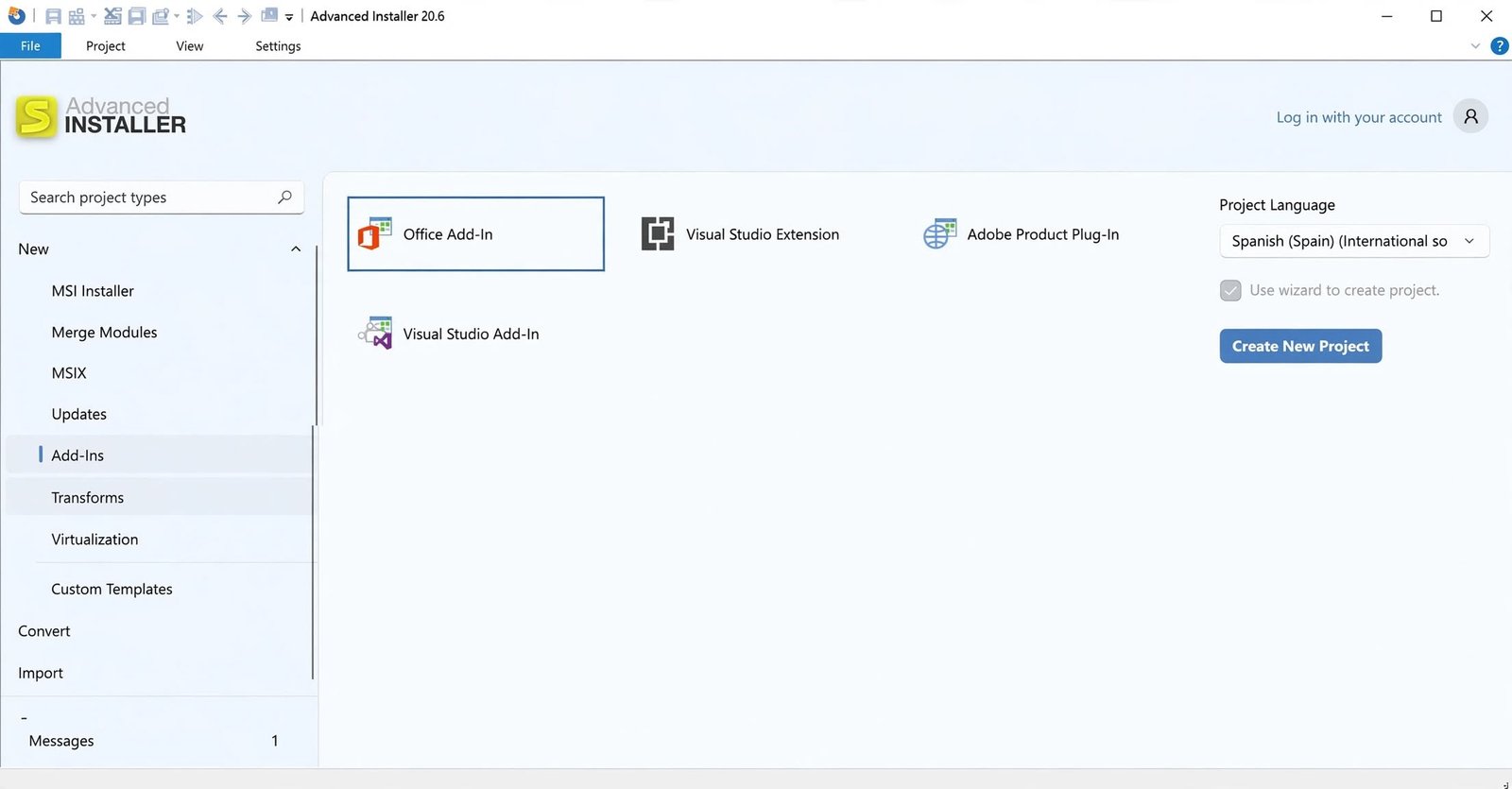
What Is Advanced Installer and How Does It Work?
Advanced Installer Overview
Advanced Installer is a Windows installer authoring tool that lets developers and IT professionals build, edit, and deploy MSI, MSIX, EXE, and App-V packages through a visual interface instead of writing raw installer code.
Advanced Installer Software and Installer Development
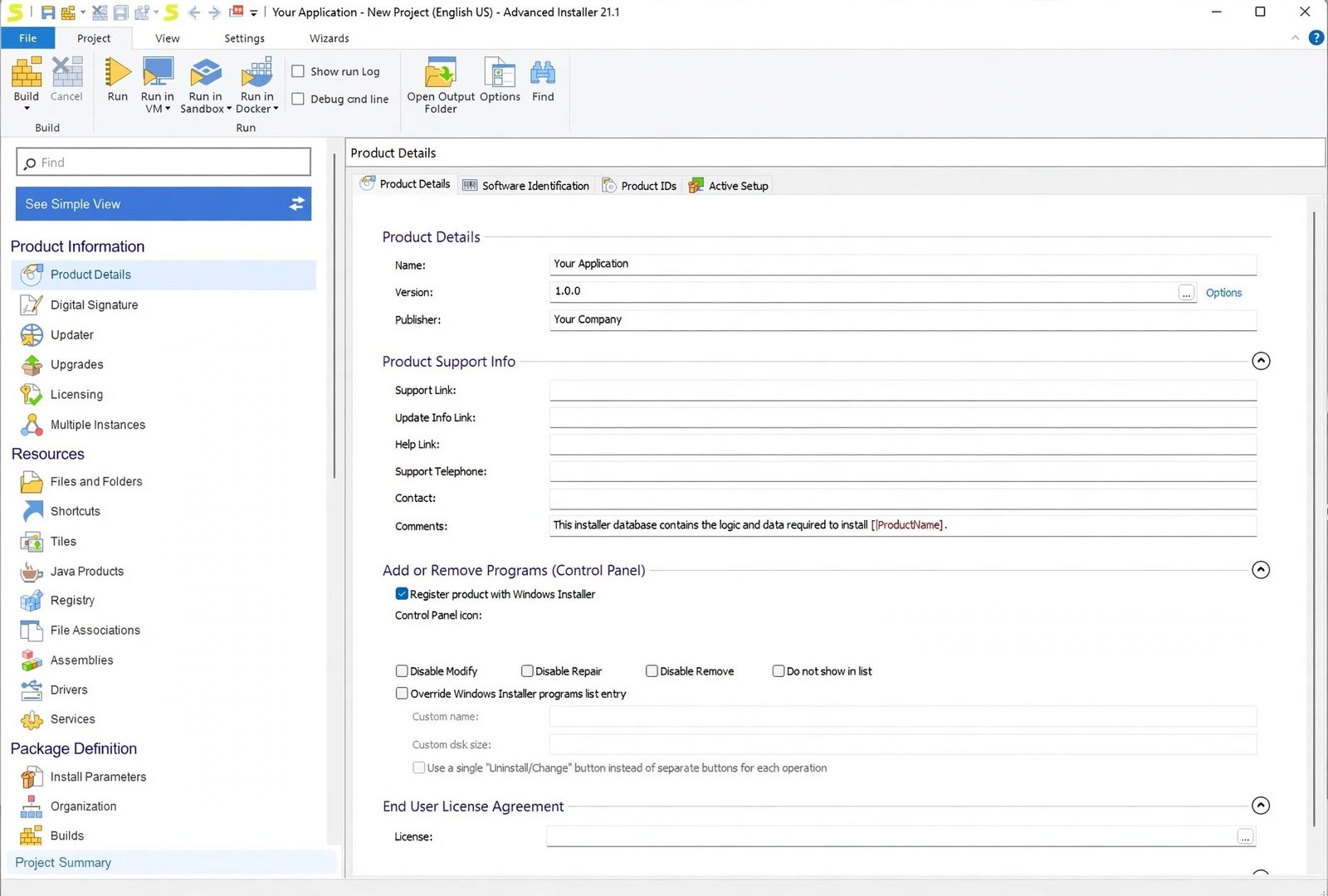
Rather than hand-coding installer logic, you work through a project-based interface — adding files, shortcuts, registry entries, and prerequisites through dialogs and property panels, with the tool generating the underlying package format behind the scenes.
What Can You Build With Advanced Installer?
You can build MSI packages for enterprise deployment, MSIX packages for modern Windows Store-style distribution, EXE bootstrapper installers for simpler consumer software, and even App-V virtualized applications for environments that still rely on application virtualization.
Advanced Installer vs Windows Installer
The Windows Installer service (msiexec) is the underlying engine that actually installs MSI packages on a machine — Advanced Installer is the authoring tool that builds those packages, similar to how a word processor produces a document that a printer then prints.
This distinction trips up a lot of newcomers to Windows packaging. Windows Installer itself has existed since Windows 2000 and hasn’t fundamentally changed its execution model, but authoring a compliant MSI by hand requires understanding a fairly dense specification of tables, sequences, and conditions. Advanced Installer exists precisely to absorb that complexity so you’re working with concepts like “files,” “shortcuts,” and “registry entries” instead of raw database rows.
Advanced Installer Features
MSI and Windows Installer Authoring
The core feature set covers full MSI authoring: components, features, registry keys, custom actions, upgrade logic, and conditions, all exposed through a structured visual editor rather than raw XML.
MSIX Packaging and Deployment
Advanced Installer supports building native MSIX packages, including converting existing MSI or EXE installers into MSIX format for modern deployment through Intune or the Microsoft Store.
EXE Installer and Setup Creation
For simpler distribution scenarios, Advanced Installer can generate a traditional EXE bootstrapper that bundles prerequisites (like .NET Framework or Visual C++ Redistributables) alongside your main installer.
Application Packaging and Repackaging
Beyond building installers from scratch, the Repackager module can capture an existing application’s installation footprint and turn it into a clean MSI or MSIX package — useful when the original installer isn’t suitable for enterprise deployment.
Installer Automation and Command-Line Tools
Advanced Installer includes a full command-line interface for scripting builds, letting teams integrate installer generation directly into CI/CD pipelines without manual intervention.
Advanced Installer Updater and Automatic Updates
The built-in Updater feature lets published applications check for and download new versions automatically, similar to how many commercial desktop apps handle self-updating.
MSI Installer and MSI Package Creation
What Is an MSI Installer?
An MSI (Microsoft Installer) package is a structured database file that describes exactly how an application should be installed — which files go where, which registry keys to create, and how to handle upgrades or uninstalls — interpreted by the Windows Installer service.
MSI Authoring and Packaging Tools
Building an MSI by hand means writing installer XML and compiling it through the Windows SDK — Advanced Installer replaces that entire workflow with a visual project structure that non-specialists can learn relatively quickly.
MSI Deployment and Enterprise Application Packaging
For IT teams managing software across hundreds of machines, MSI’s built-in support for silent installation, group policy deployment, and Microsoft Endpoint Configuration Manager (MECM) makes it the standard format for enterprise rollout.
MSIX Packaging and Application Deployment
What Is MSIX?
MSIX is Microsoft’s modern Windows app packaging format, designed to improve on MSI with cleaner uninstalls, better sandboxing, and native support for automatic updates through the Microsoft Store or enterprise distribution tools like Intune.
MSI to MSIX Conversion
Advanced Installer can take an existing MSI project and convert it to MSIX, letting teams modernize their packaging without rebuilding the entire installer from scratch.
MSIX Application Packaging and Deployment
Because MSIX packages run in a lightweight container, they reduce the “installer conflicts” problem common with traditional MSI installs — though not every legacy application behaves correctly once containerized, so testing after conversion is essential.
Not every legacy application survives MSIX containerization cleanly. Always test converted packages on a representative machine before rolling them out broadly.
EXE Installer and Setup Creator
What Is an EXE Installer?
An EXE installer is a self-contained executable that bundles your application files along with any needed prerequisites, running its own installation logic rather than relying on the Windows Installer database format.
MSI to EXE Conversion
Wrapping an MSI inside an EXE bootstrapper is common when you need to install prerequisites first — Advanced Installer automates this bundling so the end user just runs a single file.
Application Repackaging and Software Packaging
What Is Application Repackaging?
Repackaging captures the changes an installer makes to a clean reference machine — files copied, registry keys written — and converts that snapshot into a new, standardized package, typically MSI or MSIX.
MSI Repackaging and MSI Repackager
This process matters most when a vendor only provides a poorly behaved EXE installer that doesn’t support silent deployment or proper uninstall — repackaging turns it into something IT can actually manage at scale.
App-V Packaging and Repackaging
For environments still using Microsoft App-V for application virtualization, Advanced Installer’s editor lets you create and modify App-V packages alongside traditional MSI and MSIX projects.
App-V Packaging and Application Virtualization
What Is App-V Packaging?
App-V isolates applications into virtual containers so they run without being fully installed on the underlying OS — useful for legacy or conflicting applications in managed enterprise environments.
Advanced Installer App-V Editor
The App-V editor lets you adjust virtualized package settings without needing Microsoft’s separate sequencing tools for every minor change.
Advanced Installer for Visual Studio
Advanced Installer Visual Studio Extension
A dedicated Visual Studio extension lets developers build and manage installer projects directly inside their existing IDE, rather than switching to a separate standalone application.
Import a Visual Studio Solution Into Advanced Installer
Advanced Installer can automatically detect project outputs, dependencies, and build configurations from an existing Visual Studio solution, saving the manual work of re-adding every file individually.
Advanced Installer PowerShell and Automation
Advanced Installer PowerShell Automation
PowerShell scripting support lets teams programmatically create, modify, and build installer projects — useful for generating slightly different package variants for different clients from a single template.
Advanced Installer Command Line and CLI
The command-line tool accepts build commands and parameters, making it straightforward to trigger installer builds automatically as part of a nightly build or release pipeline.
Advanced Installer Updater and Software Updates
Advanced Installer Automatic Updates
The Updater component checks a specified update feed and can silently or interactively prompt users to install new versions, removing the need to build a custom update-checking mechanism from scratch.
Advanced Installer Download and Latest Version
Advanced Installer Free Download
Advanced Installer offers a free Freeware edition covering basic MSI creation, alongside a full-featured trial of the paid editions for evaluation before purchase.
Advanced Installer Latest Version
Caphyon releases regular updates to Advanced Installer, typically adding support for newer Windows features, updated MSIX capabilities, and refinements to existing packaging workflows — checking the official changelog before a major deployment project is a good habit.
Advanced Installer Editions, Pricing, and License
Is Advanced Installer Free?
Yes, partially — the Freeware edition is genuinely free for basic MSI installer creation, but MSIX support, repackaging, PowerShell automation, and enterprise features require a paid edition.
Advanced Installer Pricing and License
| Edition | Best For | Key Features |
|---|---|---|
| Freeware | Simple personal or small projects | Basic MSI installer creation |
| Professional | Independent developers | MSI, EXE, MSIX creation, PowerShell automation, Visual Studio integration |
| Enterprise | Development teams | Adds CI/CD integration, team management, auto-updates |
| Architect | IT and packaging specialists | Adds Repackager, full MSI/MSIX editing, MECM/Intune integration |
Licensing is typically perpetual and royalty-free, meaning you pay once for a version and can distribute unlimited installers built with it, though ongoing updates and support require an active maintenance plan.
Is Advanced Installer Worth Paying For?
For a solo developer shipping a single desktop app, the free or Professional tier likely covers everything needed; for IT teams managing enterprise software deployment across many machines, the Architect edition’s repackaging and MECM/Intune integration quickly justify the higher cost.
It’s also worth noting the licensing model itself is a point in Advanced Installer’s favor compared to some competitors. Because licenses are perpetual rather than subscription-based, a one-time purchase keeps working indefinitely for building installers — even if you eventually let the optional annual maintenance and support plan lapse, you simply won’t receive new feature updates until you renew it.
Advanced Installer System Requirements and Compatibility
Advanced Installer Requirements
Advanced Installer runs on modern Windows 10 and Windows 11 systems, with reasonable hardware requirements — a standard developer workstation with a few gigabytes of RAM handles it comfortably.
Visual Studio and Development Environment Compatibility
The Visual Studio extension supports recent Visual Studio versions, letting teams keep installer authoring inside the same environment used for the application’s actual source code.
How to Install and Set Up Advanced Installer
How to Install Advanced Installer
Download the installer from Caphyon’s official site, run it with administrator privileges, and choose your edition during setup — the trial unlocks full functionality for evaluation before you decide on a license.
How to Create Your First Installer
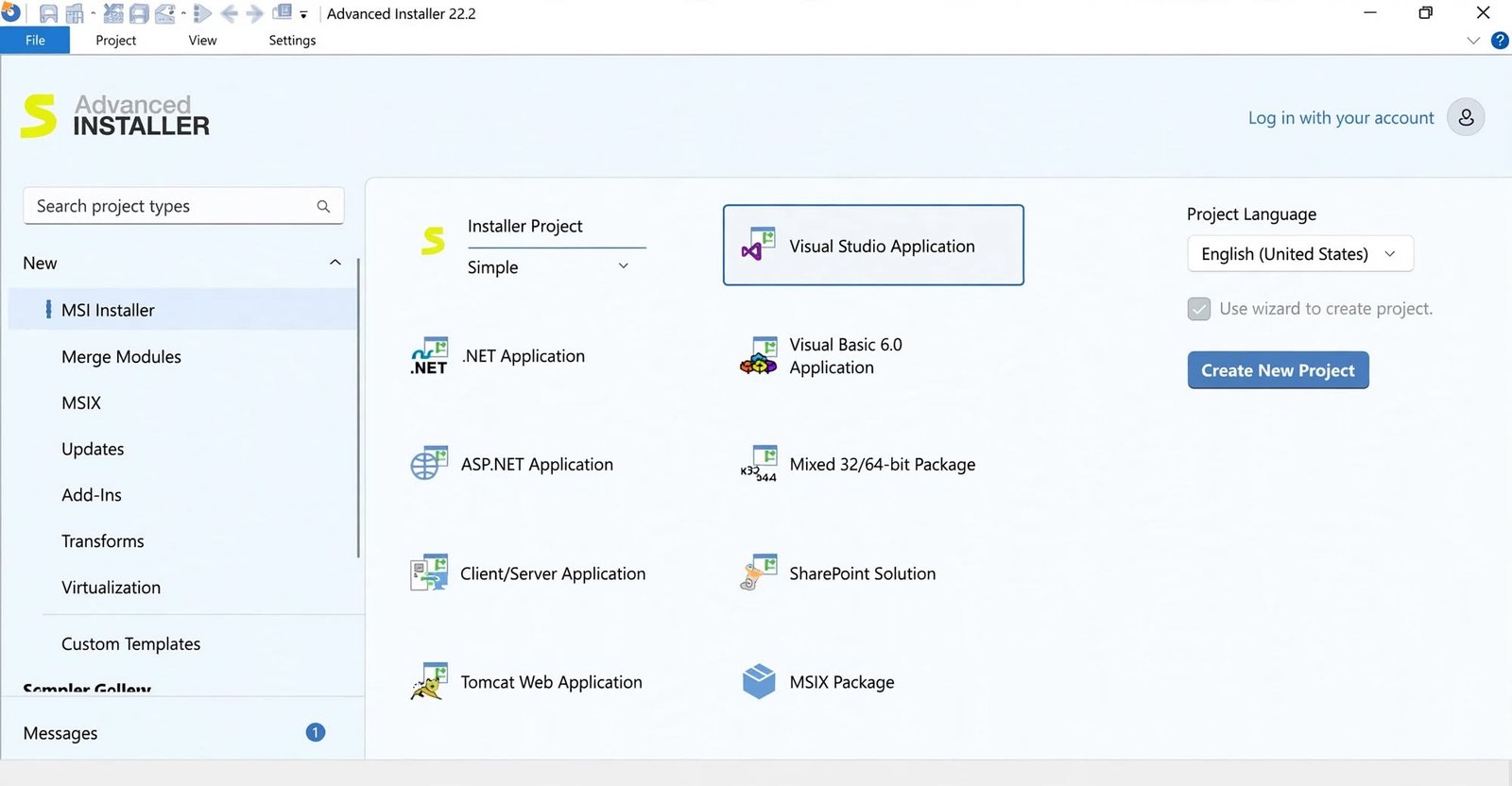
- Launch Advanced Installer and choose a project template (Simple, Professional, or Enterprise).
- Add your application’s files, folders, and shortcuts under the Files and Folders view.
- Configure the product name, version, and manufacturer under Product Details.
- Add any required prerequisites (like .NET Framework) under Predefined Prerequisites.
- Set up registry entries if your application needs them.
- Click Build to compile the installer package.
- Test the resulting MSI or EXE on a clean virtual machine before distributing it.
Advanced Installer Tutorial: How to Build Windows Installers
Add Files, Shortcuts, Registry Entries, and Prerequisites
Each of these lives in its own dedicated view within the project, so you’re never editing raw installer tables directly — dragging files into the Files and Folders view, for instance, automatically generates the correct MSI component structure behind the scenes.
Build and Test the Installer
Always test a freshly built installer on a clean machine or virtual machine rather than your development box, since your dev environment likely already has dependencies installed that would mask a missing prerequisite.
Advanced Installer for Application Deployment
Enterprise Application Deployment
For organizations deploying software across many endpoints, MSI’s silent-install switches and MSIX’s containerized model both integrate cleanly with tools like Microsoft Endpoint Configuration Manager and Intune, letting IT push updates without user interaction.
MSIX Deployment
MSIX deployment through the Microsoft Store or a private app repository benefits from automatic update delivery, reducing the manual patching burden that traditional EXE installers often create.
Advanced Installer Errors and Troubleshooting
Advanced Installer Not Working: Common Causes and Fixes
| Symptom | Likely Cause | Fix |
|---|---|---|
| Build fails immediately | Missing or corrupted project reference | Re-import the affected files or Visual Studio project |
| MSI won’t install on target machine | Missing prerequisite or Windows Installer version mismatch | Confirm target OS meets minimum requirements; bundle missing prerequisites |
| MSIX package won’t install | Certificate/signing issue | Ensure the package is properly signed with a trusted certificate |
| License activation error | Incorrect key or expired maintenance | Verify license key and check maintenance plan status in your account |
| Repackager captures incomplete changes | Reference machine wasn’t fully clean | Rebuild the capture on a freshly imaged virtual machine |
Installer Build Failed
Most build failures trace back to a missing file reference or an invalid custom action — checking the build log’s specific error line almost always points directly to the broken step.
MSI Package Not Installing
When an MSI builds successfully but fails on the target machine, the culprit is usually environmental rather than a flaw in the package itself — an outdated Windows Installer service version, a missing .NET or Visual C++ prerequisite, or insufficient permissions on the target system. Reviewing the Windows Event Viewer’s Application log during a failed install often surfaces the exact missing dependency.
Always confirm you have administrator privileges and a supported Windows Installer version before troubleshooting further — many “failed install” reports trace back to one of these two basics.
Advanced Installer Review: Is It Worth Using?
Advanced Installer Pros and Cons
Pros
- Supports MSI, MSIX, EXE, and App-V from one tool
- Strong repackaging capabilities for legacy installers
- Deep Visual Studio and PowerShell integration
- Perpetual, royalty-free licensing model
- Regular updates tracking new Windows packaging standards
Cons
- Paid editions can be a significant upfront cost for enterprise features
- Learning curve for advanced MSI customization and custom actions
- MSIX conversion doesn’t guarantee every legacy app will behave correctly post-conversion
Who Should Use Advanced Installer?
Independent software vendors shipping desktop applications, IT departments packaging software for enterprise rollout, and DevOps teams needing CI/CD-integrated installer builds are all a strong fit.
Advanced Installer for Enterprise Application Packaging
Larger IT teams tend to lean on the Architect edition specifically for its repackaging and endpoint-management integrations, since manually converting a batch of poorly behaved vendor installers into standardized MSI or MSIX packages is exactly the kind of repetitive work that eats an IT department’s time without the right tooling.
Advanced Installer Alternatives and Competitors
Best Advanced Installer Alternatives
| Tool | Best For | Notes |
|---|---|---|
| InstallShield (Revenera) | Large enterprise packaging | Long-established, higher price point |
| WiX Toolset | Developers comfortable with XML | Free, open-source, code-first MSI authoring |
| Visual Studio Installer Projects | Simple internal tools | Free Microsoft extension, limited feature set |
| InstallAware | Alternative commercial packager | Competitive pricing, similar feature scope |
| NSIS | Lightweight EXE installers | Free, script-based, popular for open-source projects |
For readers also managing dual-boot or multi-OS environments as part of their deployment testing, this related resource on Grub2Win is worth a look.
Advanced Installer vs Visual Studio Installer
Microsoft’s free Visual Studio Installer Projects extension covers only basic MSI creation with none of Advanced Installer’s MSIX conversion, repackaging, or automation tooling — a reasonable choice for simple internal tools, but not for anything approaching enterprise deployment.
According to Microsoft’s own MSIX documentation, MSIX combines features of MSI, App-V, and ClickOnce into a modern packaging format for Windows applications.
Advanced Installer FAQs
A free Freeware edition exists for basic MSI creation, but MSIX support and advanced features require a paid Professional, Enterprise, or Architect license.
Yes, MSI authoring is the core function of the tool, available even in the free edition with basic functionality.
Yes, MSIX creation and MSI-to-MSIX conversion are available starting with the Professional edition.
Yes, through the Repackager module, which captures an EXE installer’s system changes and rebuilds them as a clean MSI package.
Yes, a dedicated Visual Studio extension lets you build and manage installer projects directly within the IDE.
Yes, PowerShell automation is supported for programmatically creating and building installer projects, available from the Professional edition upward.
MSI is Windows’ traditional structured installer database, MSIX is the modern containerized packaging format, and EXE is a flexible self-contained installer executable that can bundle either format with prerequisites.
Final Verdict: Is Advanced Installer the Right Installer and Packaging Tool?
For any team shipping Windows software beyond the simplest internal tool, Advanced Installer earns its reputation as a genuinely time-saving packaging solution. Supporting MSI, MSIX, EXE, and App-V from a single interface means you’re not juggling separate tools as deployment standards shift, and the repackaging capabilities alone solve a real, recurring IT headache.
Whether it’s worth the paid tiers really comes down to scale — a solo developer might comfortably live in the free edition for years, while an enterprise IT department packaging dozens of applications will likely find the Architect edition pays for itself the first time it saves a full day of manual repackaging work.