Cellebrite UFED Download, Features, Setup, and Alternatives
If you’ve ever watched a crime show where investigators pull deleted texts off a suspect’s phone in minutes, there’s a good chance the real-world tool behind that scene is Cellebrite UFED. It’s one of the most widely deployed mobile forensics platforms in the world, used by law enforcement and intelligence agencies across more than 100 countries.
This guide breaks down what Cellebrite UFED actually is, how it works, who can access it, and how it compares to other forensic tools on the market — all in plain, non-technical language.
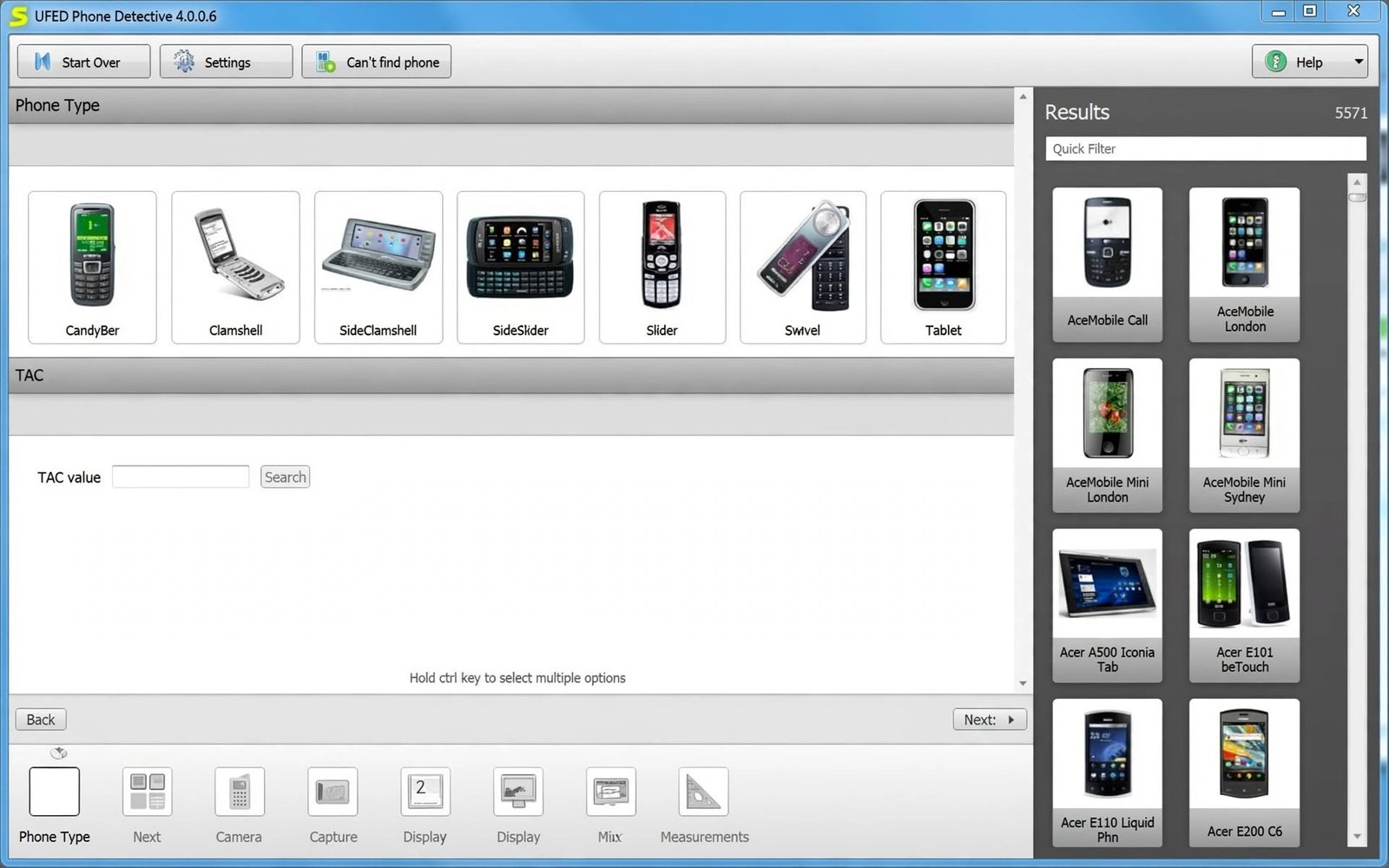
What Is Cellebrite UFED and What Is It Used For?
Cellebrite UFED Software, Tool, Device, and System Explained
UFED, short for Universal Forensic Extraction Device, is a mobile forensics platform developed by the Israeli company Cellebrite. It’s used to extract, decode, and analyze data stored on mobile phones and other portable devices during authorized investigations.
What Is UFED Used For in Mobile Device Forensics?
UFED pulls data such as messages, call logs, photos, app data, and even deleted content from a seized or examined device, then organizes that data into a report investigators can use as evidence.
Mobile Data Extraction and Digital Evidence Collection
The platform is built specifically for chain-of-custody-safe evidence collection, meaning extractions are documented and preserved in a way that holds up in court.
Mobile Phone, Smartphone, and Digital Forensic Investigations
UFED supports thousands of device profiles across smartphones, feature phones, tablets, and even GPS units, making it a near-universal tool for digital forensic labs.
UFED for Law Enforcement and Forensic Investigators
Direct answerCellebrite UFED is used by law enforcement, military, intelligence agencies, and corporate security teams to lawfully extract and examine data from mobile devices as part of criminal or internal investigations.
Cellebrite UFED Features
Mobile Device Forensic Extraction
UFED’s core function is pulling data off a device without corrupting or altering the original evidence — a principle known as forensic soundness.
Phone and Smartphone Data Extraction
It covers thousands of phone models, from current flagship smartphones to older legacy devices still occasionally found in investigations.
Digital Evidence Collection and Examination
Beyond just extraction, the platform organizes recovered data into structured, searchable reports for examiners.
Android and iPhone Forensic Support
Both major mobile ecosystems are supported, with Cellebrite continuously updating support as new OS versions and security patches roll out.
Mobile Forensic Investigation and Evidence Analysis
UFED integrates with Cellebrite Physical Analyzer for deeper analysis, letting investigators search, filter, and cross-reference recovered data.
Cellebrite UFED Extraction Methods
UFED Logical Extraction
Logical extraction pulls data that’s directly accessible through the device’s own operating system — contacts, messages, call logs, and similar user-facing data.
UFED Physical Extraction
Physical extraction captures a full bit-by-bit copy of the device’s storage, including data not normally visible through the OS, such as deleted files that haven’t been overwritten yet.
UFED File System and Full File System Extraction
File system extraction retrieves the device’s actual file and folder structure, often revealing app databases and cached data logical extraction alone would miss.
UFED Selective File System Extraction
This method targets specific data categories or app types rather than pulling the entire file system, which can speed up time-sensitive investigations.
UFED Advanced Logical Extraction
An enhanced version of standard logical extraction, pulling additional metadata and app-specific data beyond the basics.
UFED Mobile and Digital Evidence Extraction
| Extraction Type | What It Captures | Typical Use Case |
|---|---|---|
| Logical | Contacts, messages, call logs | Quick, low-risk data pulls |
| File System | App data, databases, cache | Deeper investigation needs |
| Physical | Full storage image, deleted data | Complex or serious cases |
| Selective | Specific data categories | Time-sensitive triage |
Cellebrite UFED Android Extraction and Forensics
Android Phone and Device Data Extraction
Android’s open architecture historically made certain extraction methods more accessible compared to iOS, though modern Android security has closed many of those gaps.
Android Logical and Physical Extraction
Both logical and physical methods are supported across a wide range of Android manufacturers, including Samsung, Google, and other major brands.
Android File System and Full File System Extraction
File system extraction on Android often reveals app-specific databases (like messaging app data) that aren’t exposed through standard logical pulls.
Android Mobile Forensic Investigation
Direct answerCellebrite UFED supports thousands of Android device profiles for forensic extraction, with method availability depending on the specific device model, chipset, and security patch level.
Cellebrite UFED iPhone and iOS Forensics
iPhone Data and Evidence Extraction
iPhone extraction capability has always depended heavily on the specific iOS version and device model, since Apple continuously strengthens its security architecture.
iOS Logical and Physical Extraction
Logical extraction remains broadly available across iOS devices; physical-level access has become significantly more limited on newer iPhones due to Apple’s hardware-based encryption.
iOS File System and Full File System Extraction
File system extractions on supported iPhones can reveal app data, cached content, and system-level information beyond a standard backup.
iPhone Mobile Forensic Examination
Support changes oftenCellebrite has historically marketed advanced unlocking capabilities for iOS devices under premium service tiers, though exact supported models and iOS versions change frequently as Apple patches vulnerabilities.
Cellebrite UFED 4PC
What Is UFED 4PC?
UFED 4PC is the software version of UFED that runs on a standard Windows computer rather than requiring Cellebrite’s dedicated touchscreen hardware unit.
UFED 4PC Software and PC-Based Extraction
It provides the same core extraction engine as the hardware UFED Touch devices, just delivered as installable software connected to the target device via USB.
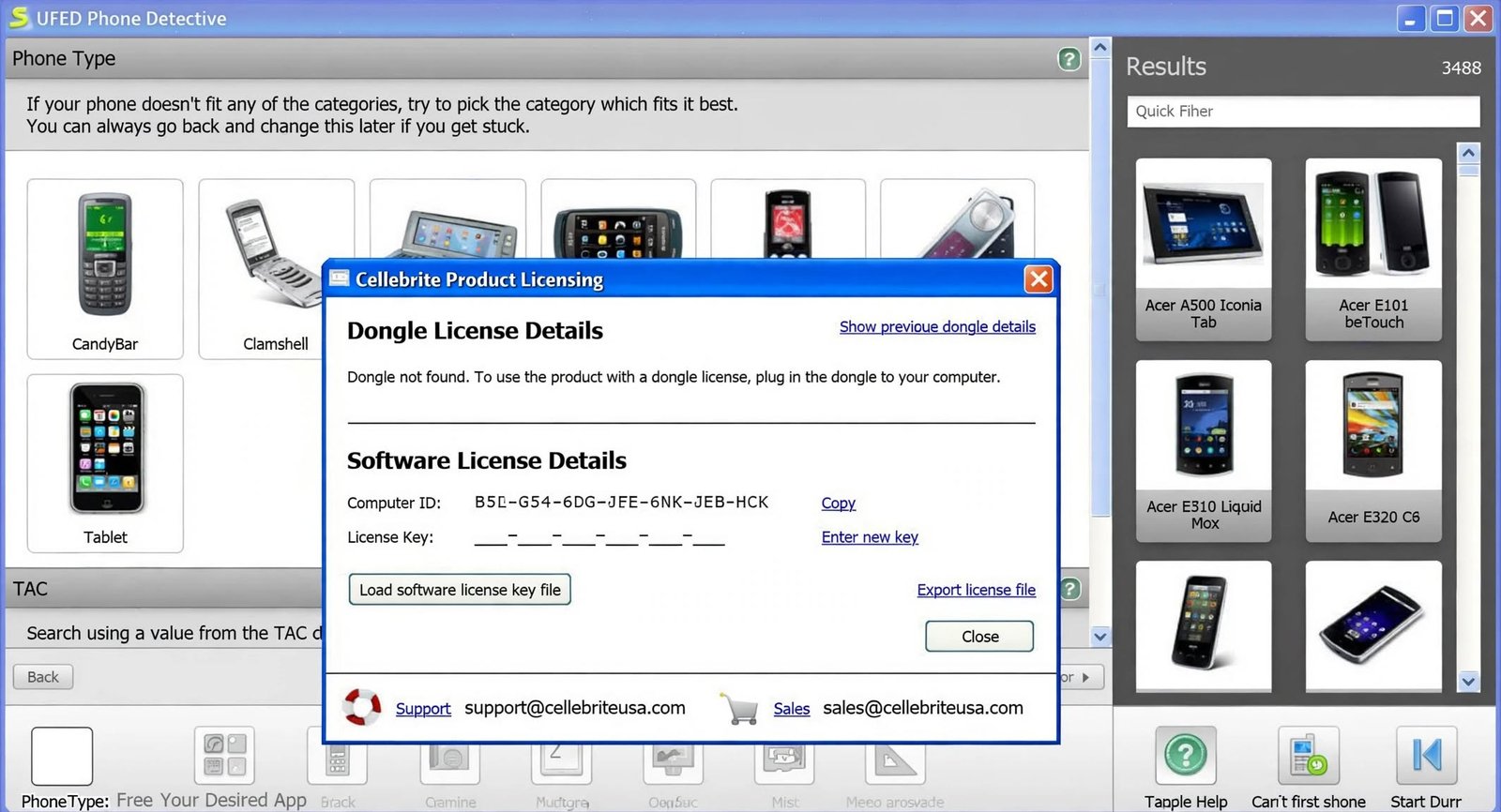
UFED 4PC Features and Supported Forensic Workflows
UFED 4PC supports the same logical, file system, and physical extraction methods, along with report generation and case management tools.
UFED 4PC Installation and Setup
Installation is handled through Cellebrite’s licensed software distribution, typically requiring a valid organizational license tied to law enforcement or authorized forensic use.
UFED 4PC Tutorial and User Guide
Cellebrite provides official documentation and training resources exclusively to licensed customers, since the software isn’t intended for general public use.
Cellebrite UFED Touch and UFED Touch3
UFED Touch Device and Mobile Forensics
UFED Touch is Cellebrite’s dedicated hardware unit — a touchscreen device built specifically for field-based extractions without needing a laptop.
UFED Touch3 and Mobile Evidence Collection
Touch3 is a more compact, ruggedized evolution of the original Touch device, designed for portability in field investigations.
UFED Device-Based Forensic Workflows
These hardware units are commonly used by field officers who need to perform an initial extraction on-site before a device goes to a full forensic lab.
Cellebrite Physical Analyzer
What Is Cellebrite Physical Analyzer?
Physical Analyzer is Cellebrite’s companion software used to decode, search, and analyze data after it’s already been extracted by UFED.
Physical Analyzer Software for Digital Evidence Analysis
It parses raw extracted data into a readable, organized format — messages, app data, and deleted content are reconstructed and made searchable.
Analyzing UFED Extractions With Physical Analyzer
Investigators load a completed UFED extraction file into Physical Analyzer to filter results, cross-reference timelines, and build case reports.
Physical Analyzer Data, Evidence, and Forensic Examination
The tool includes features like keyword search, timeline reconstruction, and media categorization to speed up large-scale evidence review.
Physical Analyzer Tutorial and User Guide
Like UFED itself, full documentation is provided to licensed users through Cellebrite’s official customer support channels.
Cellebrite UFED Download and Latest Version
Cellebrite UFED Software Download
Not a public downloadUFED software isn’t available as a public download. It’s distributed directly by Cellebrite to verified law enforcement, government, and authorized enterprise customers under license.
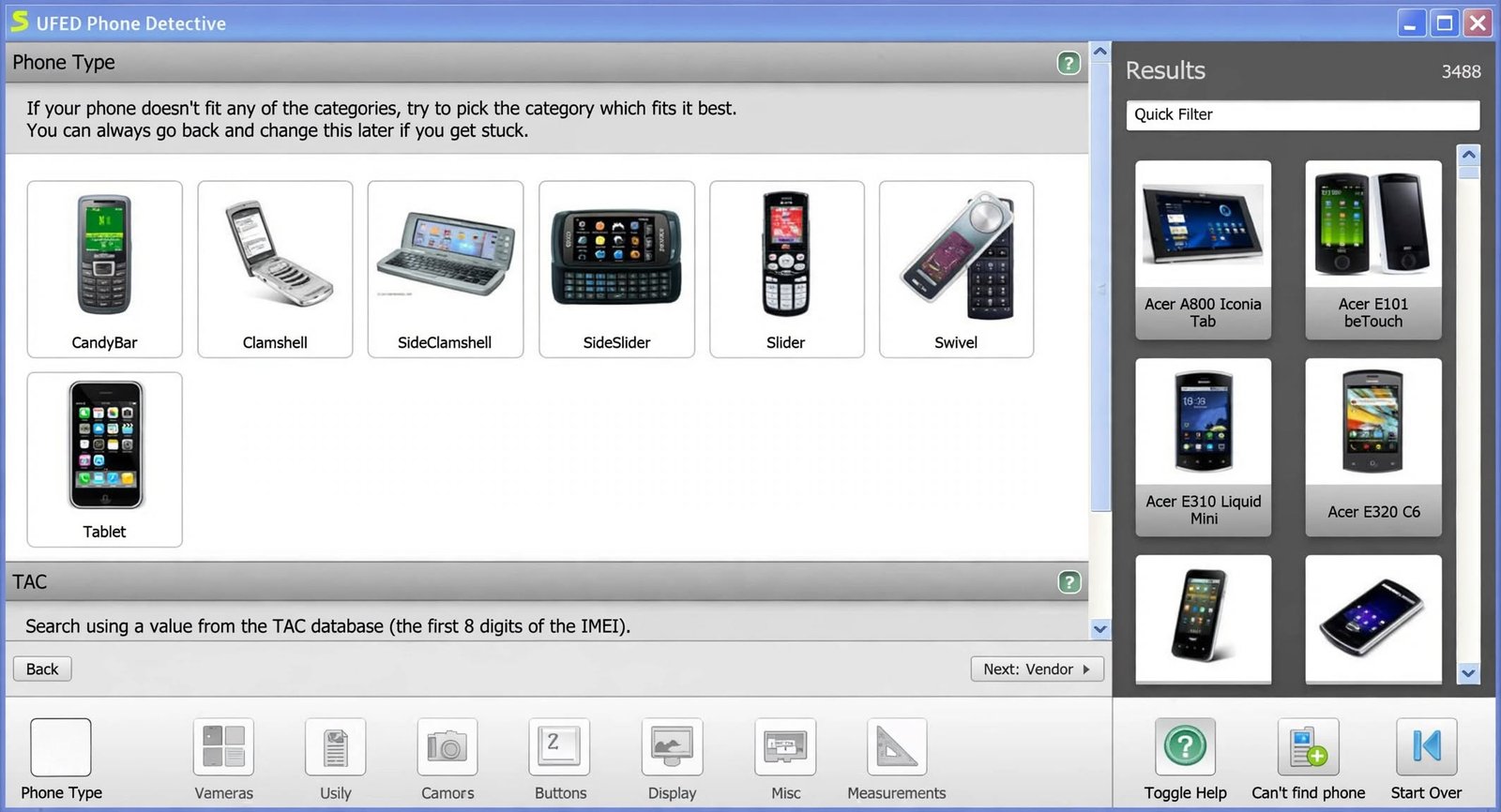
Cellebrite UFED Latest Version and Updates
Cellebrite regularly updates UFED to maintain compatibility with new phone models, chipsets, and operating system releases, with update cadence tied to each customer’s licensing agreement.
UFED 4PC Download and Software Availability
Access to UFED 4PC installers is provided exclusively through Cellebrite’s customer portal, gated behind an active license.
Cellebrite UFED Documentation and User Guide
Full manuals and release notes are shared with licensed customers rather than published publicly, which is standard practice for forensic and security-sensitive tools.
Cellebrite UFED System Requirements and Compatibility
Supported Computers and Operating Systems
UFED 4PC runs on standard Windows-based systems meeting Cellebrite’s published hardware specifications, typically requiring a modern multi-core processor and ample RAM for handling large extractions.
Mobile Device and Platform Compatibility
The platform supports an extensive device database spanning Android, iOS, and legacy feature phones.
Android and iOS Compatibility
Compatibility details for specific device models and OS versions are maintained in Cellebrite’s regularly updated support matrix, available to licensed customers.
Hardware and Connectivity Requirements
Extractions typically connect via USB cable, with Cellebrite providing device-specific cables and adapters as part of its hardware kits.
How to Install and Set Up Cellebrite UFED
-
Cellebrite UFED Installation
For UFED 4PC, installation follows a standard licensed-software process: download from Cellebrite’s customer portal, run the installer, and activate using your organization’s license credentials.
-
UFED Software Setup and Configuration
Initial setup includes configuring case management preferences and ensuring the device database is fully updated before conducting extractions.
-
Connecting a Mobile Device for Forensic Collection
Devices are connected via USB using the appropriate cable, after which UFED identifies the device model and presents available extraction methods.
-
UFED Updates and Software Configuration
Because supported extraction methods change as manufacturers patch security vulnerabilities, keeping UFED updated is essential for maintaining device compatibility.
Cellebrite UFED Tutorial: Understanding a Forensic Extraction Workflow
-
Preparing a Mobile Device for Evidence Collection
Before any extraction, investigators document the device’s condition and ensure proper legal authorization is in place.
-
Selecting an Appropriate Extraction Method
The examiner chooses logical, file system, or physical extraction based on the device model, case requirements, and what level of data access is legally authorized.
-
Collecting Mobile Device Evidence
The device is connected, UFED identifies it, and the extraction process runs — duration varies from minutes to several hours depending on the method and storage size.
-
Reviewing and Examining Extracted Data
Once complete, the extraction is loaded into Physical Analyzer for review, search, and reporting.
-
Documenting and Preserving Digital Evidence
Every step is logged for chain-of-custody purposes, ensuring the extraction can be verified and admitted as evidence if needed.
Cellebrite UFED Supported Mobile Devices and Evidence Types
Smartphones and Mobile Phones
UFED’s device database spans thousands of models across every major manufacturer.
Android Devices
Coverage includes major Android OEMs, with method availability varying by chipset and security patch level.
iPhone and iOS Devices
iOS coverage depends heavily on device generation and current iOS version, since Apple’s security updates directly affect extraction capability.
Mobile Device Data and Digital Evidence
Recoverable evidence types typically include messages, call logs, photos, videos, location data, and app-specific data.
Files, Communications, and Other Extracted Data
Depending on extraction depth, investigators may also recover deleted files, cached data, and metadata not visible through normal device use.
Cellebrite UFED for Digital Forensics and Investigations
Mobile Digital Forensics
UFED sits at the center of most modern mobile forensics labs, used alongside broader digital forensics toolkits covering computers and cloud data.
Digital Evidence Extraction and Collection
Its role is specifically the mobile device layer — cloud-based evidence collection typically involves separate, complementary Cellebrite products.
Forensic Evidence Examination
Once extracted, evidence examination and reporting happen largely within Physical Analyzer or integrated case management systems.
Mobile Device Investigation Software
Investigators pair UFED with case management and reporting software to build a complete evidentiary package for prosecutors or internal review boards.
Forensic Workflows for Investigators
A full investigation workflow generally spans device seizure, extraction, analysis, reporting, and legal review — UFED covers the extraction and, alongside Physical Analyzer, the analysis stage.
Is Cellebrite UFED Available to the Public?
Cellebrite UFED Access and Intended Users
Restricted to verified organizationsNo. UFED is sold exclusively to verified organizations — primarily law enforcement, government, military, and select corporate security or eDiscovery teams — not to individual consumers.
UFED Availability for Organizations and Investigators
Cellebrite requires customers to go through a verification and licensing process before gaining access to the software or hardware.
Authorized Use and Digital Forensics
This restricted access model exists specifically because of the tool’s ability to bypass device security, which makes controlled distribution a core part of Cellebrite’s business and compliance practices.
How Much Does Cellebrite UFED Cost?
Cellebrite UFED Pricing and Licensing
Cellebrite doesn’t publish public pricing. Costs are quoted directly to organizations based on hardware, software modules, and support level required.
UFED 4PC Price and Licensing
UFED 4PC licensing is typically sold as an annual subscription tied to update access, though exact figures require a direct sales quote.
Cellebrite Software Plans and Access
Enterprise and government customers often negotiate multi-product bundles covering UFED, Physical Analyzer, and additional Cellebrite forensic tools.
Why UFED Pricing May Vary
Pricing depends on factors like device coverage needed, number of licensed seats, hardware units required, and support tier selected.
Cellebrite UFED Review: Features, Workflow, and Use Cases
Mobile Forensic Capabilities
UFED remains the industry benchmark for mobile forensics largely because of its sheer device coverage and continuously updated extraction methods.
Evidence Collection and Examination Workflow
The extraction-to-analysis pipeline (UFED → Physical Analyzer) is well integrated, reducing friction between collecting and actually making sense of recovered data.
Supported Devices and Extraction Methods
Few competitors match UFED’s combined breadth of device support and extraction depth, which is a major reason it’s so widely adopted globally.
Documentation, Reporting, and Investigation Workflow
Built-in reporting and chain-of-custody documentation make it well-suited for evidence that needs to withstand legal scrutiny.
Pros and Cons of Cellebrite UFED
Pros
- Widest device coverage in the industry
- Extraction methods continuously updated for new OS versions and security patches
- Well-integrated UFED → Physical Analyzer pipeline
- Built-in reporting and chain-of-custody documentation
Cons
- Not available to the public — verification and licensing required
- No public pricing; custom quotes, typically an annual subscription
- Some methods can lose compatibility after manufacturer patches until an update ships
- Physical-level access is significantly more limited on newer iPhones
Cellebrite UFED Not Working and Common Problems
UFED Installation and Setup Problems
Licensing activation issues are among the most common setup problems, usually resolved through Cellebrite’s dedicated customer support.
Mobile Device Detection Problems
Detection failures often trace back to outdated device profiles or drivers — keeping the software’s device database current typically resolves this.
Extraction Errors and Failed Workflows
Failed extractions can result from unsupported device/OS combinations, requiring a different extraction method or a software update.
Software Update and Compatibility Problems
Because phone manufacturers regularly patch vulnerabilities, some extraction methods can temporarily lose compatibility until Cellebrite releases an updated build.
Common UFED 4PC Issues
USB connectivity issues and driver conflicts are common on the PC-based version, generally addressed through updated device drivers and cables.
Cellebrite UFED vs Other Mobile Forensic Tools
Cellebrite UFED vs Other Mobile Forensics Software
| Tool | Focus | Notable Strength |
|---|---|---|
| Cellebrite UFED | Mobile extraction | Widest device coverage in the industry |
| Magnet AXIOM | Mobile + computer forensics | Strong cross-platform evidence correlation |
| Oxygen Forensic Detective | Mobile + cloud forensics | Strong cloud data extraction |
| MSAB XRY | Mobile forensics | Popular in European law enforcement |
UFED vs Mobile Data Extraction Tools
Compared to narrower extraction-only tools, UFED’s advantage is its combination of extraction breadth plus tight integration with Physical Analyzer for examination.
UFED vs Digital Forensic Investigation Platforms
Broader platforms like Magnet AXIOM often appeal to labs wanting a single tool spanning mobile, computer, and cloud evidence in one interface.
Cellebrite UFED Alternatives and Related Forensic Software
Mobile Forensic Software Alternatives
- Magnet AXIOM — strong cross-device evidence correlation
- Oxygen Forensic Detective — notable cloud and app-data extraction depth
- MSAB XRY — widely used mobile forensic suite, especially in Europe
Mobile Data Extraction Software Alternatives
Some labs use open-source or specialized tools for narrower tasks, though these rarely match UFED’s breadth of supported device profiles.
Digital Forensics and Evidence Examination Tools
For examination specifically, tools like Autopsy (open-source) or EnCase handle broader digital forensics beyond just mobile devices.
If your work also involves auditing the systems these forensic tools run on, a lightweight utility like Futuremark SystemInfo can help quickly verify hardware specs on forensic workstations before deployment.
Cellebrite UFED FAQs
It’s used to extract and analyze data from mobile devices during authorized law enforcement and forensic investigations.
UFED recovers data like messages, photos, call logs, and deleted content from phones for evidentiary purposes.
It’s both — UFED exists as dedicated hardware units and as UFED 4PC, a software version that runs on Windows PCs.
No, it’s sold only to verified law enforcement, government, and authorized organizations, not individual consumers.
Pricing isn’t public; organizations receive custom quotes based on their specific licensing and hardware needs.
It’s the PC-based software version of UFED, offering the same extraction capabilities without requiring dedicated hardware.
It’s Cellebrite’s companion software for decoding, searching, and analyzing data after a UFED extraction is complete.
Final Verdict: Understanding Cellebrite UFED for Mobile Forensics
Cellebrite UFED earned its reputation the hard way — through decades of continuous updates keeping pace with ever-tightening phone security. For the law enforcement and forensic professionals who rely on it, that reliability matters more than flashy features.
It’s not a tool most people will ever install themselves, and that’s by design. Its restricted, licensed distribution model reflects just how powerful — and legally sensitive — mobile data extraction really is. For the latest on Cellebrite’s official products and licensing, Cellebrite’s own site remains the definitive source.