2fast Authenticator Review: Features, Security, and Download for Windows
Losing access to your accounts is a bad feeling. One dead phone, one wiped app, and suddenly your codes are gone.
That is why many people now look at a 2fast authenticator for Windows. It is a free, open-source desktop app that makes your two-factor codes on your PC, keeps them in one encrypted file, and works without an account.
In this review, you will learn what it does, how to install it, how to back it up, and where it falls short.
Quick answer: 2fast is a free, open-source Windows app that generates TOTP codes offline and stores them in a password-protected, AES-encrypted file.
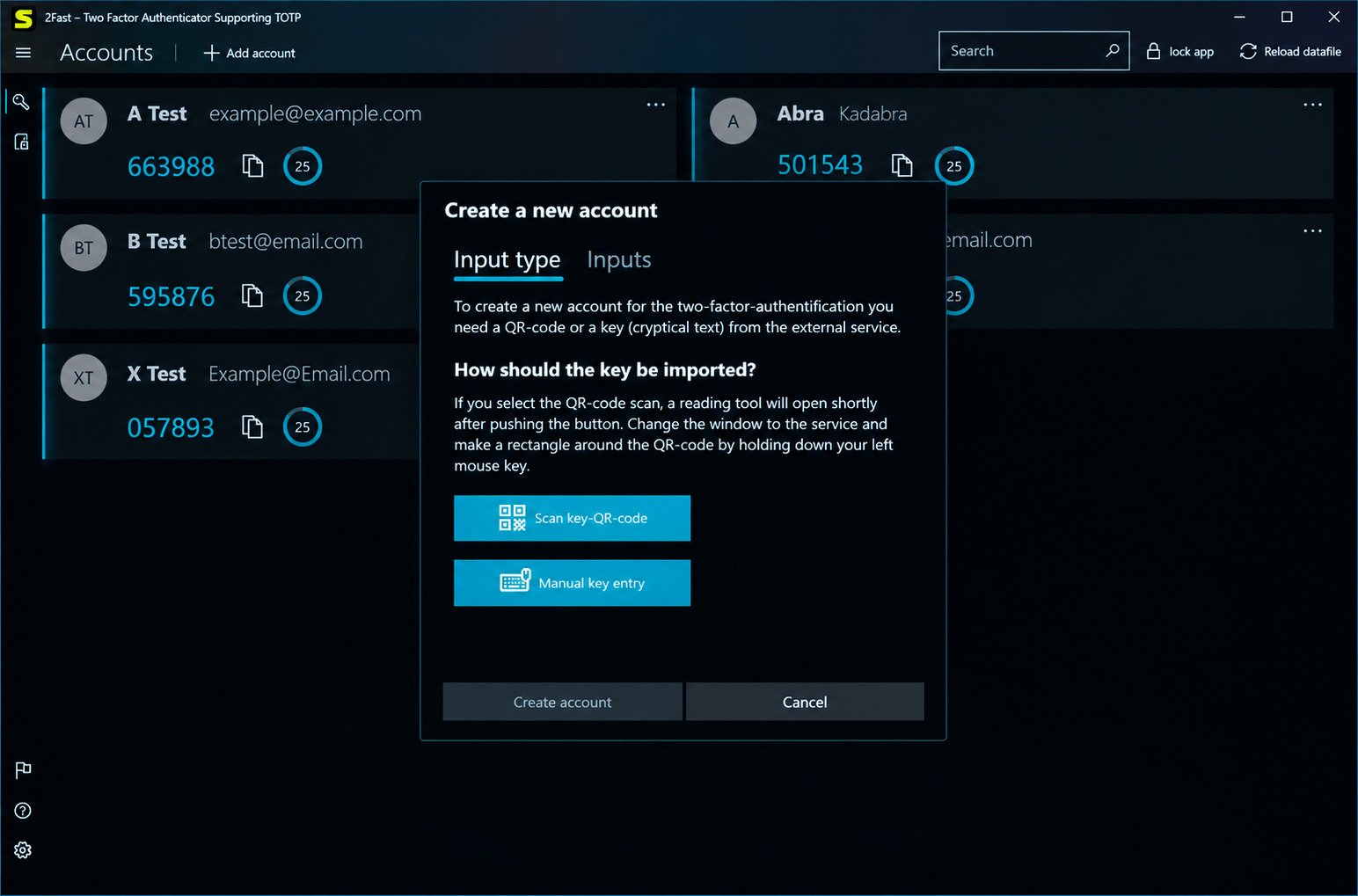
What Is 2fast Authenticator?
2fast stands for “two factor authenticator supporting TOTP.” It is built for people who want codes on their desktop, not only on a phone.
Overview of the 2fast Windows Authenticator App
2fast is a Windows app written mainly in C#, released for Windows 10 and newer as a UWP app. It was made in Germany and the project lives openly on GitHub.
How 2fast Works as a Two-Factor Authentication Tool
A website gives you a secret key, usually as a QR code. You add it to 2fast, which then creates fresh codes you type after your password.
Understanding TOTP and Time-Based One-Time Passwords
TOTP mixes your secret key with the current time to create a short code that expires quickly. 2fast follows the RFC 6238 standard, so it works with Google, Microsoft, Facebook, PayPal and more.
Who Should Use 2fast Authenticator?
Windows users who want codes on their desktop, and privacy-minded people who prefer local storage over a company cloud.
Is 2fast an Open-Source Authenticator?
Yes. The code is public on GitHub under the GNU GPLv3 license, so experts can inspect it. Open source does not automatically mean perfectly safe.
2fast Authenticator Key Features
| Feature | What it means for you |
|---|---|
| TOTP codes | Works with most 2FA-enabled websites |
| Encrypted data file | All accounts stored in one protected file |
| Password protection | Your file is locked behind your password |
| Offline use | No internet needed for code generation |
| Backup and restore | Copy one file to save everything |
| WebDAV sync | Store the file on your own server |
| Open source | Public code, GPLv3 license |
Generate TOTP Authentication Codes
Add an account and 2fast shows a rotating code beside it. Codes match as long as your PC clock is correct.
Encrypted Data File for Secure Account Storage
Everything lives in a single encrypted file, which is easier to protect, back up and move.
Password-Protected Authenticator Storage
Without your password the file is unreadable. Pick a long, unique one, because it is the key to everything.
AES Encryption and Local Data Protection
The Microsoft Store listing says 2fast uses AES with a password-based key created by PBKDF2, which slows down guessing attempts.
Offline Two-Factor Authentication
Once accounts are added, no internet is needed. Only optional WebDAV sync uses a connection.
Account Backup and Restore
Copy the file to back up; place it back and enter your password to restore.
WebDAV Synchronization
Store your data file on a server you control, such as ownCloud or Nextcloud. Check the current status, since parts have been described as work in progress.
Desktop Authentication for Multiple Online Accounts
Email, social media, banking and work tools all appear in one list.
Open-Source Security and Transparency
Public code means developers can check how encryption is used. The project has hundreds of GitHub stars.
2fast System Requirements and Windows Compatibility
Does 2fast Work on Windows 10 and Windows 11?
Yes. It is released for Windows 10 and newer, so Windows 11 is covered. Windows 8 or older is not supported.
Supported Windows Versions and System Architecture
It is built on UWP. Check the Microsoft Store listing for current architecture notes.
Storage and Installation Requirements
The app and your encrypted file are tiny, so any modern Windows PC handles it.
Does 2fast Require an Internet Connection?
Only to download it and for optional WebDAV sync. Everyday code generation works offline.
Is 2fast Available on Other Platforms?
Today only Windows is released. Android, iOS, Linux and macOS versions are in development, with a fee planned for mobile.
How to Download 2fast Authenticator for Windows
Caution: Always use official sources. Fake authenticator downloads exist, and a bad one could steal your keys.
Where to Download the Official 2fast App
Use the Microsoft Store or the project’s GitHub page. Avoid random download sites and repackaged installers.
Download 2fast From the Microsoft Store
Search for 2fast, check the developer, and click Get. With winget you can install using ID 9P9D81GLH89Q.
Download 2fast From GitHub
The 2fast-team/2fast repository offers a sideload link and release files for advanced users.
How to Check the Latest 2fast Version
Check the Store page or GitHub releases for version notes and recent activity.
Microsoft Store vs GitHub Download: Which Should You Choose?
| Option | Best for | Updates |
|---|---|---|
| Microsoft Store | Most users | Automatic |
| GitHub release | Advanced users | Manual |
| winget | Command-line fans | Via winget |
How to Install and Set Up 2fast on Windows
Setup takes only a few minutes. The important part is a strong password.
Install 2fast Using the Microsoft Store
- Search for 2fast in the Microsoft Store.
- Click Get and wait for the download.
- Open it from the Start menu. No account is needed.
Install 2fast From Its GitHub Release
Follow the sideload instructions on the repository page. You may need to allow installs from outside the Store.
Launch 2fast for the First Time
The app guides you through creating your data setup. Take your time, because these choices protect all future accounts.
Create and Secure Your Authenticator Data File
Choose a location you can easily back up, not a temporary folder.
Set a Password for Your Encrypted Storage
Use a long passphrase and never reuse your email or banking password.
Complete the Initial Authenticator Configuration
Close and reopen the app to test your password before adding important accounts.
How to Use 2fast Authenticator
Understanding the 2fast User Interface
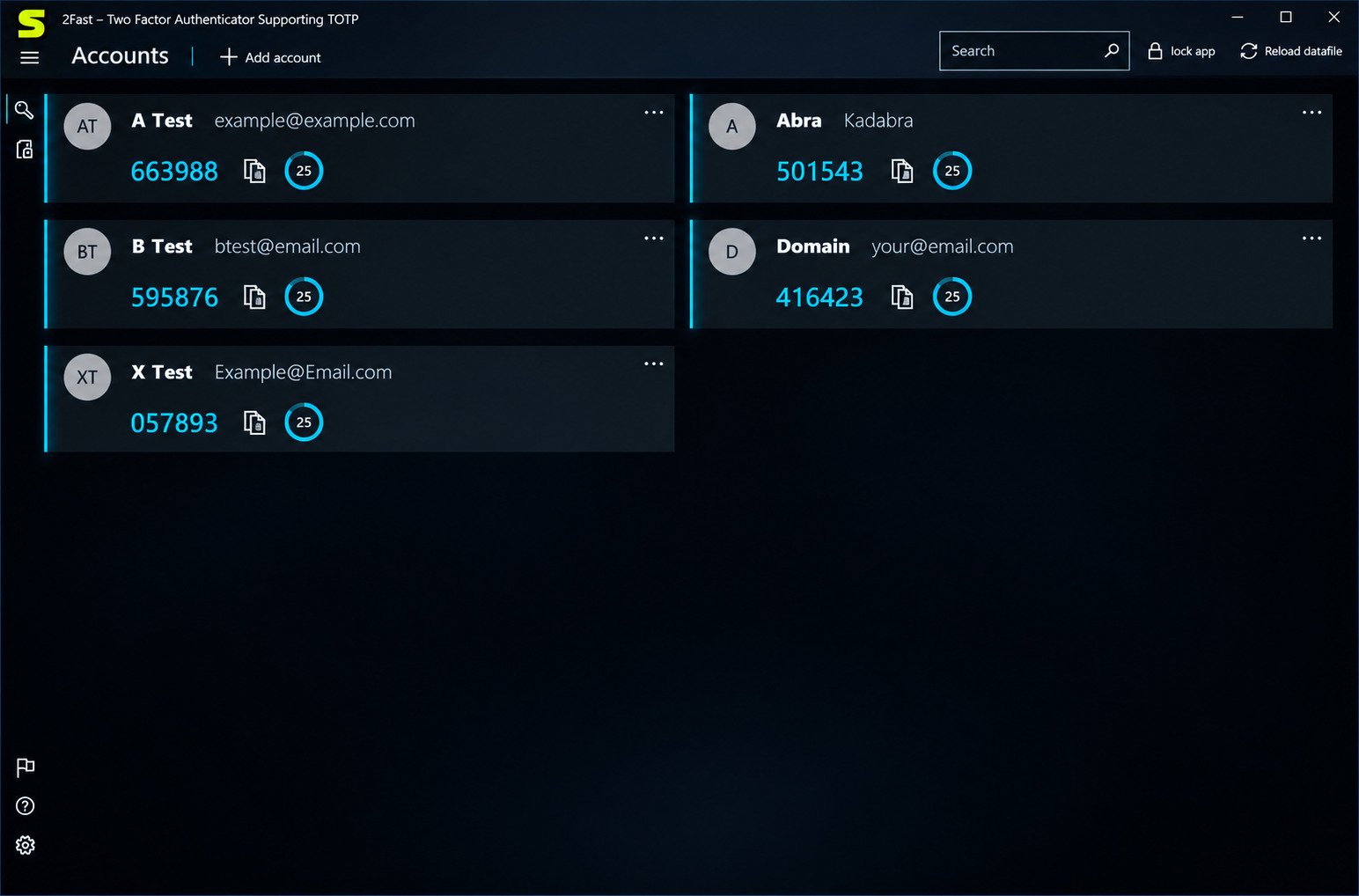
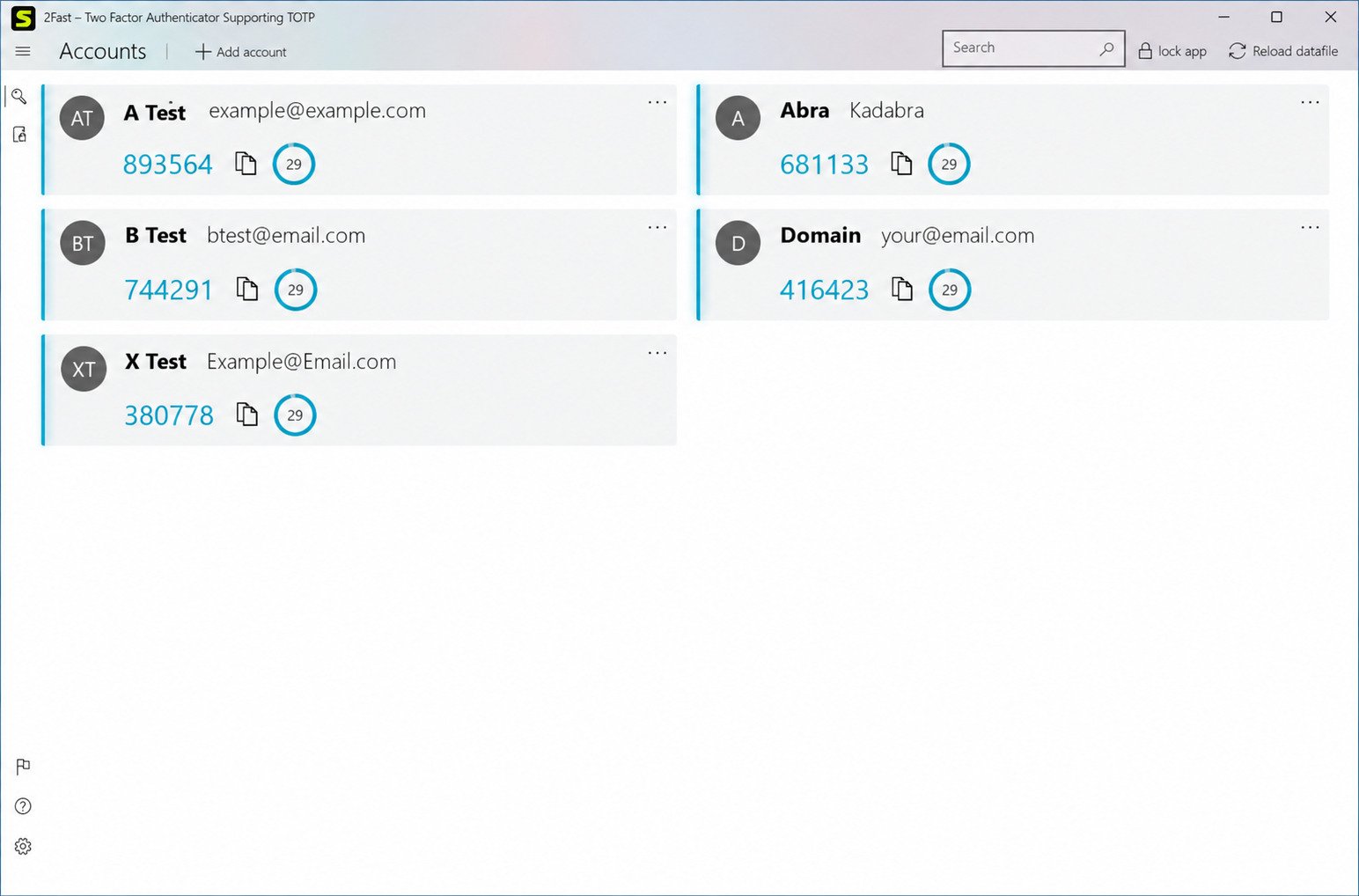
Each entry shows a name and a current code with a countdown. It is clean and easy to learn.
How to Add Accounts to 2fast
- Turn on 2FA in the website’s security settings.
- Choose the authenticator app option.
- Add the account in 2fast using a QR code or secret key.
How to Scan a QR Code or Enter a Secret Key
Use the scan option, or paste the text key the site offers. Check the account name afterward.
How to Generate TOTP Authentication Codes
Unlock your file and codes appear, refreshing every 30 seconds on most services.
How to View and Copy Two-Factor Authentication Codes
Select an account, copy the code and paste it into the login box. Clear the clipboard if you share your PC.
How to Manage and Organize Authenticator Accounts
Rename entries clearly, such as “Work Email,” and remove accounts you no longer use.
How to Set Up 2fast for Google Account Authentication
Open Security, then 2-Step Verification, choose the authenticator app option and scan the QR code. Save Google’s backup codes.
How to Use 2fast With Microsoft Account Authentication
Add a new sign-in method, choose an authenticator app, pick the option for a different authenticator and scan the code.
2fast Encryption and Security Features
How 2fast Protects Your Authentication Data
Your accounts sit in one encrypted file locked with your password, with no cloud account required.
Understanding the Encrypted Data File
Think of it as a locked box. Even if someone copies it, they still need the password.
How AES Encryption Protects Stored Information
AES scrambles data into random-looking noise. The key comes from your password, so strength matters.
How Password-Protected Storage Works
2fast derives a key from your password using PBKDF2. Right password opens the file; wrong one opens nothing.
Where 2fast Stores Your Authentication Data
Locally in the location you choose, or on your own WebDAV server.
Is Offline TOTP Generation More Private?
Generally yes, since fewer connections mean fewer chances for interception. Malware on your PC can still cause problems.
What Happens if You Forget Your 2fast Password?
Warning: With no account to recover from, assume a forgotten password cannot be reset. Keep backups and recovery codes.
How to Back Up and Restore 2fast Data
Why You Should Back Up Your Authenticator Data
If your PC fails, you could lose every account in the app. A backup takes under a minute.
How to Create a Backup of Your 2fast Data File
Copy the encrypted file to a USB drive or encrypted cloud folder, and refresh it whenever you add accounts.
How to Restore Accounts From a Backup
- Install 2fast.
- Point it to your backup file.
- Enter your password and test one login.
How to Move 2fast Data to Another Windows Device
Copy the file to the new PC, install 2fast and open it. Keep the old device untouched until all works.
Important Precautions Before Replacing or Resetting Your Data File
Caution: Never overwrite your only file. Rename the old one and avoid deleting app data without a backup.
How to Synchronize 2fast Using WebDAV
What Is WebDAV Synchronization?
WebDAV is a standard way to store files over the web. Servers like ownCloud and Nextcloud support it.
How to Configure WebDAV in 2fast
Enter your server address and login in the storage settings, then test the connection. Check the project wiki for current steps.
How to Synchronize Your Authenticator Data
Run a sync so the file saves to the server, and repeat after major changes.
How to Access Your Data Across Devices
Connect to the same WebDAV location on another device and unlock with your password.
WebDAV Synchronization vs Manual Backup
| Method | Pros | Cons |
|---|---|---|
| WebDAV | Convenient, always updated | Needs a server and setup |
| Manual backup | Simple, offline | Easy to forget |
What to Consider Before Using Cloud Synchronization
Your file is encrypted, but a self-hosted server is still your responsibility. Use strong logins and keep it updated.
Is 2fast Authenticator Free and Open Source?
Does 2fast Cost Anything to Download?
On Windows, no. The project describes it as free for desktop systems.
Is 2fast Available Through the Microsoft Store for Free?
Yes. Confirm the price on the page before installing, in case it changes.
How to Check Its Open-Source License
Open the GitHub repository and look for the LICENSE file, which shows GNU GPLv3.
Are There Any Paid Features or Limitations?
The project states a fee is required for mobile systems, which are still in development.
Is 2fast Authenticator Safe to Use?
Is 2fast a Secure Windows Authenticator?
It uses AES, password-based key derivation, local storage and open code. No independent audit was found, so keep expectations realistic.
How Encrypted Local Storage Helps Protect Your Accounts
Your secrets are not on a company server, so an attacker would need both your file and your password.
Potential Risks of Storing All Authentication Codes on One Device
Risk: If your password and codes live on the same PC, one compromise can hurt. Use a separate device for critical accounts.
What Happens if Your Windows Device Is Lost or Compromised?
Restore from an encrypted backup on another PC, or use recovery codes. Change passwords and review account security quickly.
Best Practices for Protecting Your 2FA Backup
- Use a long, unique password
- Keep two copies in different places
- Encrypt the drive that holds backups
- Update Windows and your security software
- Test your restore process once
Why You Should Keep Recovery Codes Separately
Store them in a password manager or locked drawer, away from your authenticator, so one failure cannot lock you out.
2fast Authenticator Pros and Cons
Advantages of Using 2fast on Windows
- Free and open source
- No account or sign-up needed
- Works offline
- One encrypted file for easy backup
- Optional WebDAV sync
- Works with standard TOTP services
Limitations and Potential Drawbacks of 2fast
- Windows-focused for now
- Mobile versions still in development
- Small community compared with big brands
- Sync setup needs some technical comfort
- No independent audit found
Is 2fast Suitable for Everyday Two-Factor Authentication?
Yes, for most people on Windows. If you need polished mobile sync today, consider another option.
2fast vs Other Windows Authenticator Apps
Features can change, so verify details before switching.
2fast vs 2FAS Authenticator
2FAS is better known and strong on mobile. 2fast focuses on Windows and file-based storage.
2fast vs WinAuth
WinAuth is another long-standing desktop tool. Compare update activity and storage options.
2fast vs Microsoft Authenticator
Microsoft Authenticator is a phone app with push approvals. 2fast offers desktop codes and file-level control.
2fast vs Other Desktop TOTP Authenticators
Options like 2FAGuard also exist. Browse AlternativeTo to compare more.
Which Windows Authenticator Offers the Best Security and Convenience?
| App | Best for |
|---|---|
| 2fast | Windows users wanting local encrypted storage |
| 2FAS | Mobile-first users |
| Microsoft Authenticator | Microsoft account push approvals |
| WinAuth | Classic desktop use |
There is no single winner. Your needs decide.
Common 2fast Problems and How to Fix Them
2fast Not Opening or Starting on Windows
Restart, update Windows and the app. Reinstall only after copying your data file.
TOTP Authentication Codes Not Working
Check the account and full six digits, and use the code before it expires. If it keeps failing, re-add 2FA on the website.
Incorrect Time or Expired Verification Codes
Turn on automatic time and time zone in Windows settings, sync the clock and try a new code.
Unable to Open an Encrypted Data File
Confirm you selected the right, undamaged file and not an older copy. Try your backup.
Forgotten or Incorrect Data File Password
Check caps lock and variations. If truly forgotten, use each website’s recovery codes and set up fresh.
WebDAV Synchronization Not Working
Check the server address, login and connection, and confirm WebDAV is allowed. Review the wiki.
Missing Accounts After Restoring a Backup
You may have restored an older file. Look for a newer backup or re-add accounts with recovery codes.
Frequently Asked Questions About 2fast Authenticator
Conclusion
2fast is a simple, privacy-friendly choice for Windows users who want codes on their desktop. It stays local, uses encryption, and does not ask you to create yet another account.
It is not perfect, and it is still growing. But with a strong password, a tested backup, and safely stored recovery codes, it can protect your accounts with confidence.
Like lightweight Windows tools? Read our SyncTrayzor guide. To learn how time-based codes work, see the official TOTP standard from the IETF.
One Response