Quick Heal Total Security: Complete Protection Against Online Threats
Getting hacked isn’t something that happens to “other people” anymore. It happens on a random Tuesday, while you’re checking your bank balance on public Wi-Fi or clicking a link that looked completely normal. That’s exactly why Quick Heal Total Security exists — to catch the threats you never see coming, before they cause real damage.
If you’ve been comparing antivirus software and keep landing on Quick Heal, this guide breaks down everything you actually need to know: what it does, how it protects your banking, privacy, and family, and how to download, install, and activate it correctly the first time.
What Is Quick Heal Total Security?
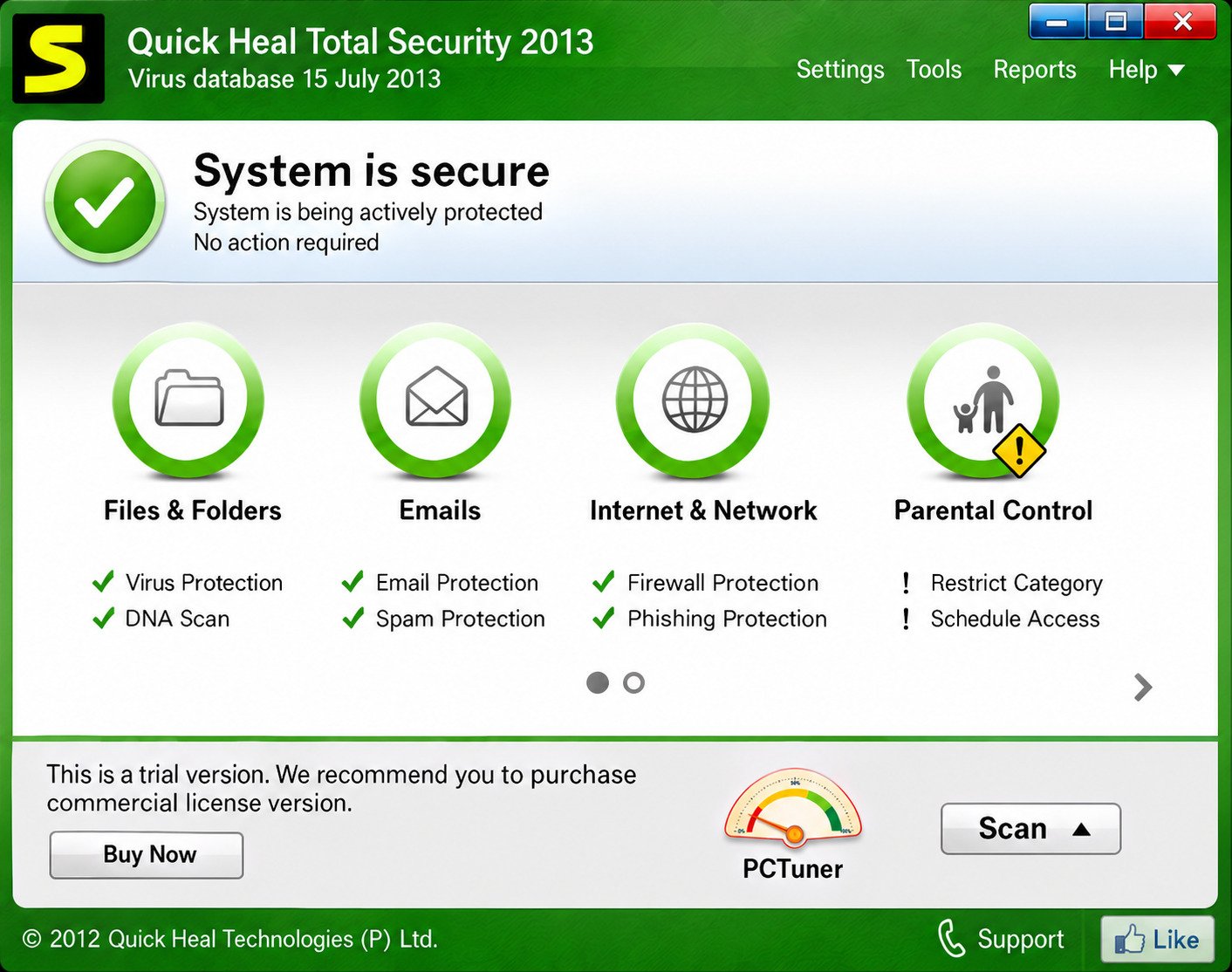
Quick Heal Total Security is an all-in-one cybersecurity suite built by Quick Heal Technologies, an Indian cybersecurity company that has been protecting home and business users for decades. It combines antivirus, firewall, anti-ransomware, safe banking, and parental control tools into a single product.
Rather than just scanning for viruses, it works as a full security layer around your digital life — covering your files, your browser, your webcam, your kids’ screen time, and your money.
Overview of Quick Heal Total Security
At its core, Quick Heal Total Security runs continuous, real-time scanning in the background. It watches for suspicious file behavior, blocks malicious websites, and stops ransomware before it can encrypt your files.
It’s built on an AI-driven detection engine that studies how programs behave, not just what they look like on the surface. That matters because modern malware is designed to slip past outdated, signature-only antivirus tools.
Here’s a quick snapshot of what it includes:
| Category | What It Covers |
|---|---|
| Malware Protection | Viruses, trojans, worms, spyware, rootkits |
| Ransomware Protection | Behavior-based file lock and encryption prevention |
| Banking Security | Isolated browser sessions for financial transactions |
| Privacy Tools | Webcam protection, data theft prevention |
| Family Safety | Parental controls, content filtering |
| Network Security | Firewall, intrusion detection, Wi-Fi scanning |
Who Should Use Quick Heal Total Security?
This suite is a solid fit for a wide range of users, not just tech-savvy ones. It’s built to be usable straight out of the box.
- Families who want to keep kids safe from inappropriate content and online predators.
- Remote workers and freelancers who handle sensitive files and client data.
- Online shoppers and bankers who need secure payment sessions.
- Small business owners managing multiple devices from one dashboard.
- Everyday users who simply want peace of mind without configuring complicated settings.
If you fall into any of these groups, chances are you’ll notice the difference within the first week of using it.
Quick Heal Total Security Features
Quick Heal Total Security isn’t a single tool — it’s a bundle of specialized protections working together. Below is a breakdown of the features that matter most.
Quick Heal Safe Banking Feature
This feature opens a dedicated, isolated browser environment whenever you visit a banking or payment website. It’s designed to stop keyloggers, screen scrapers, and malicious browser extensions from capturing your login details or card numbers.
Think of it as a locked room for your money — nothing outside that session can see or interfere with what’s happening inside.
Quick Heal Ransomware Protection
Ransomware doesn’t announce itself; it just starts encrypting your files silently. Quick Heal’s Advanced Anti-Ransomware module monitors file behavior in real time and blocks suspicious encryption activity before it spreads.
It also keeps backup copies of critical files, so even in a worst-case scenario, you have a way to recover your data without paying a criminal.
Quick Heal Dark Web Monitoring
Your email address, passwords, and even bank details can end up for sale on the dark web after a data breach — often without your knowledge. Quick Heal’s dark web monitoring scans these hidden marketplaces and alerts you if your personal data shows up.
That early warning gives you time to change passwords and lock down accounts before real damage happens.
Quick Heal Anti-Fraud Protection
Online fraud has gotten smarter, and so has this feature. It analyzes suspicious transaction patterns, fake shopping sites, and scam pop-ups, then blocks them before you can interact with them.
This is particularly useful for people who shop online frequently or use digital wallets on a daily basis.
Quick Heal Phishing Protection
Phishing remains one of the most common ways people get hacked, mainly because the fake pages look so convincing. Quick Heal’s phishing protection compares URLs and page content against a constantly updated threat database.
Quick Heal Email Phishing Protection
Malicious emails often carry infected attachments or links designed to steal credentials. This module scans incoming emails and flags or blocks anything that looks like a phishing attempt before it reaches your inbox.
Quick Heal Scam Link Protection
Whether the link arrives through social media, SMS, or a messaging app, Quick Heal checks it against known scam databases in real time. If it’s dangerous, you’re stopped before the page even loads.
Quick Heal Webcam Protection
Webcam hijacking is one of the more unsettling forms of spying, and it’s more common than most people realize. This feature blocks unauthorized applications from accessing your camera and notifies you the moment something tries to.
You stay in control of exactly which apps are allowed to use your webcam.
Quick Heal Spyware Protection
Spyware is built to hide — it quietly logs keystrokes, tracks browsing habits, and sends data back to attackers. Quick Heal’s detection engine identifies these hidden processes using behavioral analysis, not just known virus signatures.
That’s important because spyware often evolves faster than traditional detection methods can keep up with.
Quick Heal Privacy Protection
This layer focuses on keeping your personal files and browsing habits away from prying apps and trackers. It restricts unauthorized access to your documents, photos, and saved credentials.
It also helps clean up traces of your online activity, reducing your overall digital footprint.
Quick Heal Identity Protection Software
Identity theft can wreck your finances and take months to untangle. Quick Heal’s identity protection tools monitor for signs that your personal information — like your name, address, or account numbers — is being misused online.
Combined with dark web monitoring, this gives you a fairly complete early-warning system.
Quick Heal Parental Control Software
Raising kids in a connected world means dealing with risks that didn’t exist a generation ago. Quick Heal’s parental controls are designed to make that a little less stressful.
Website and Content Filtering
Parents can block categories of websites — adult content, gambling, violence — with just a few clicks. You can also customize filters based on your child’s age and maturity level.
Internet Usage Management
You can set daily time limits for internet access and schedule specific “offline hours,” like during homework time or before bed. This helps build healthier screen habits without constant arguments.
Online Safety for Children
Beyond filtering, the software can alert parents to risky search terms or attempts to access blocked content. It’s less about spying and more about staying informed as a parent.
Protection Against Viruses, Malware and Cyber Threats
This is where Quick Heal’s core engine does the heavy lifting. It’s built to catch both known threats and new ones that haven’t been documented yet.
Virus and Malware Detection
Quick Heal uses a combination of signature-based detection and heuristic analysis. Signature detection catches known viruses instantly, while heuristic analysis studies suspicious code behavior to catch new, unlisted threats.
Real-Time Threat Protection
Files are scanned the moment they’re downloaded, copied, or opened — not just during scheduled scans. This “always-on” approach closes the gap that attackers usually exploit.
Protection Against Emerging Cyber Threats
Cybercriminals constantly change their tactics, so Quick Heal relies on AI-based behavioral analysis to catch zero-day threats — malware that hasn’t been seen or catalogued before. Frequent cloud-based updates keep the detection engine current without requiring manual downloads.
Quick Heal Safe Banking and Online Payment Security
Money-related threats deserve their own dedicated layer of protection, and Quick Heal treats them that way.
Secure Online Banking
Every time you access a banking portal, Quick Heal automatically launches a protected browser session. This isolates the session from other running processes, which reduces the risk of data interception.
Protection Against Financial Fraud
The anti-fraud engine cross-checks payment gateways and shopping sites against known scam patterns. If something looks off — a cloned banking page, for example — you’re warned immediately.
Safer Online Transactions
Beyond banking, this protection extends to UPI apps, digital wallets, and e-commerce checkouts. It’s especially useful for people who make frequent small transactions throughout the day.
Quick Heal Privacy and Identity Protection
Privacy isn’t just about hiding your browsing history — it’s about controlling who has access to your personal data in the first place.
Protecting Personal Information
Quick Heal restricts background apps from silently harvesting your data, including contacts, location, and stored credentials. This reduces the number of ways your information can leak without your knowledge.
Preventing Identity Theft Risks
By combining dark web scans with real-time alerts, the software helps you catch identity misuse early — before it turns into a drawn-out financial mess.
Monitoring Potential Data Exposure
If your email or personal details appear in a known data breach, you’ll get notified so you can take action, such as updating passwords or enabling two-factor authentication.
Quick Heal Installer
Getting set up is meant to be simple, even for first-time users. Here’s the process from start to finish.
How to Download the Quick Heal Installer
Visit the official Quick Heal website and choose Total Security from the product list. The download page will provide a small setup file (the installer downloader) that pulls the full package once launched.
Always download the installer from the official Quick Heal website. Third-party download mirrors can bundle tampered or fake installer files.
How to Install Quick Heal Total Security
- Run the downloaded setup file and allow administrator permissions.
- Accept the license agreement and privacy policy.
- Choose the default installation location (recommended for most users).
- Wait for the installer to copy and configure all required files.
- Restart your device if prompted.
How to Activate Quick Heal Total Security
After installation, open the app and enter your product key, which you’ll receive by email after purchase. Once activated, the software will automatically check for the latest virus definitions before running its first full scan.
Download Quick Heal Total Security
Whether you’re setting up a new laptop or replacing outdated antivirus software, downloading the right version matters.
Download Quick Heal Total Security for Windows
Quick Heal Total Security supports Windows 10 and Windows 11, along with older versions like Windows 8. Always download from the official Quick Heal website to avoid tampered or fake installer files.
Quick Heal Total Security System Requirements
| Requirement | Minimum Specification |
|---|---|
| Operating System | Windows 8/10/11 (32/64-bit) |
| RAM | 1 GB minimum (2 GB recommended) |
| Free Disk Space | Around 1.5 GB |
| Internet Connection | Required for activation and updates |
How to Update Quick Heal Total Security
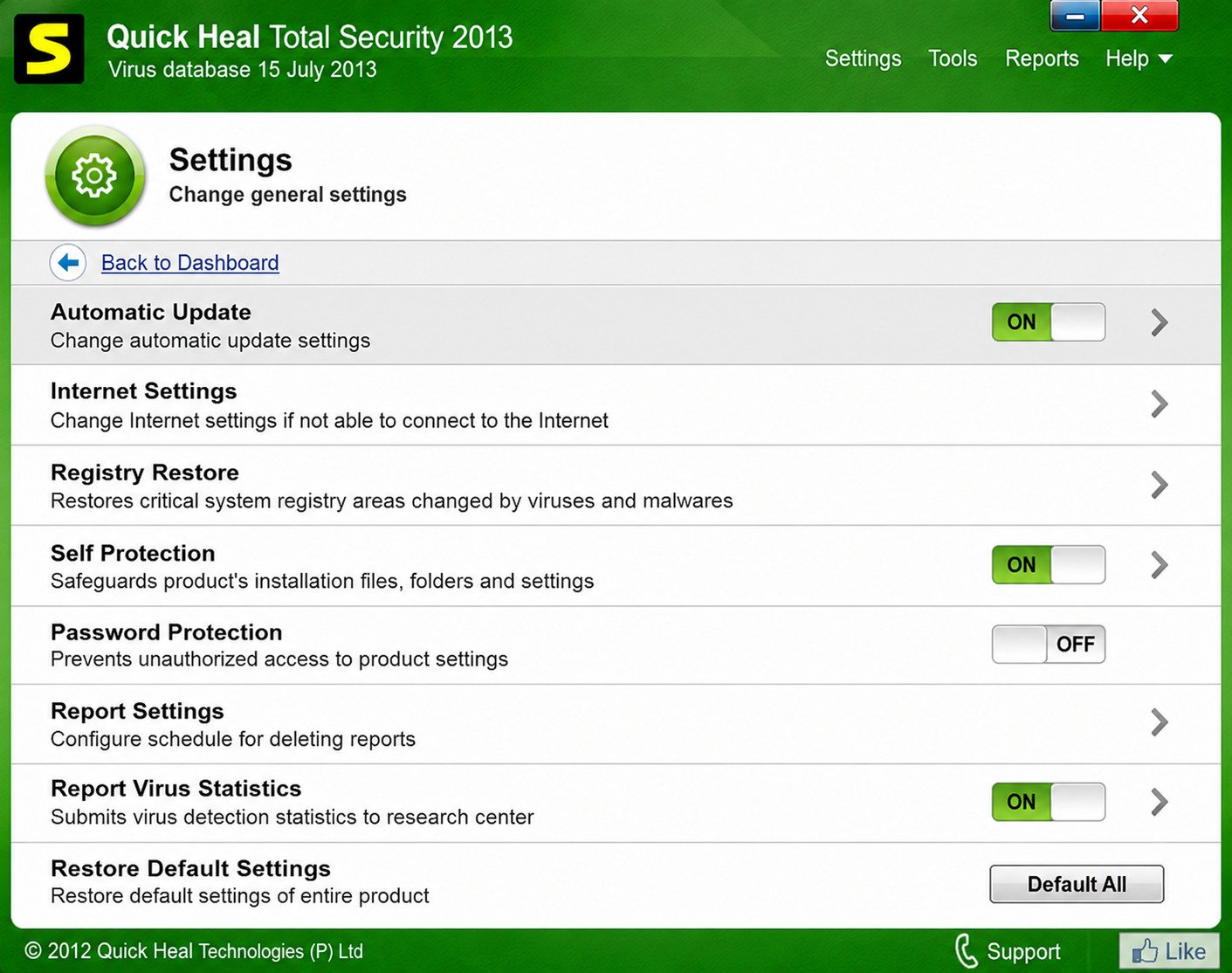
Quick Heal updates its virus definitions automatically in the background, as long as your device is connected to the internet. You can also trigger a manual update from the dashboard if you want to be certain you’re on the latest version.
Download Quick Heal Total Security for Mac
Mac users aren’t left out — Quick Heal offers a version tailored to macOS with similar core protections.
Quick Heal Security Features for Mac
The Mac version includes real-time malware scanning, web protection, and ransomware defense, adapted to macOS’s security architecture. While some Windows-specific tools may differ slightly, the core protection remains strong.
Mac Compatibility and System Requirements
Quick Heal for Mac generally supports recent macOS versions with at least 2 GB of RAM and a stable internet connection for updates. Always check the official product page for the exact macOS version compatibility before downloading.
How to Install Quick Heal on Mac
- Download the Mac installer package from the official website.
- Open the .dmg file and follow the on-screen setup instructions.
- Grant the necessary system permissions when prompted.
- Activate using your product key and run your first scan.
Quick Heal Total Security India
Quick Heal is an Indian-origin cybersecurity brand, so its presence and support network in India are particularly strong.
Availability in India
The software is widely available through the official Quick Heal website, authorized resellers, and major e-commerce platforms across India. Physical retail boxes are also still common in electronics stores.
Licensing and Support Options
Indian users typically get access to localized customer support, along with flexible licensing plans covering single devices or multi-device family packs. Renewal pricing is generally competitive compared to international security brands.
Quick Heal Security Solutions for Indian Users
Beyond Total Security, the company offers lighter products like Quick Heal Antivirus Pro for users who want essential protection without the full feature set. This makes it easy to pick a plan that matches your actual needs and budget.
Quick Heal Total Security America
While Quick Heal is best known in India, its products are also accessible to users in the United States and other international markets.
Availability and Supported Regions
Quick Heal Total Security can be purchased and downloaded internationally through its official website, with support for global payment methods. Digital delivery means there’s no shipping delay regardless of your location.
Security Solutions for Users in America
American users get the same core protection stack — banking security, ransomware defense, and parental controls — with software updates delivered through the same global infrastructure. It remains a budget-friendly alternative to some of the more expensive Western security brands.
Why Choose Quick Heal Total Security?
With so many antivirus options on the market, it’s fair to ask what actually sets this one apart.
Multi-Layered Cybersecurity Protection
Rather than relying on a single detection method, Quick Heal stacks multiple defenses — signature scanning, heuristic analysis, behavioral monitoring, and cloud intelligence — into one system.
Protection for Banking, Privacy and Identity
Few budget-friendly antivirus suites bundle safe banking, identity protection, and dark web monitoring together the way Quick Heal does. That combination adds real value if you handle finances online regularly.
Security for Individuals and Families
The parental control suite is genuinely useful, not just a checkbox feature. Families managing multiple devices can supervise everything from one central dashboard.
Comprehensive Protection Against Online Scams
From phishing emails to fake shopping sites, the anti-fraud and scam-link detection tools cover a wide range of everyday scam formats — not just traditional viruses.
If you’re also organizing digital media on your devices, tools like the one covered in this 4K Stogram guide pair well with a secure system like Quick Heal, since a protected device is the safest place to store downloaded content.
For readers who want deeper technical details on malware defense standards, resources from established authorities like the Cybersecurity and Infrastructure Security Agency (CISA) offer useful, trustworthy background reading.
Quick Heal Total Security FAQs
It’s an isolated browser session that activates automatically on banking sites to block keyloggers and data theft during transactions.
Yes, its Advanced Anti-Ransomware module monitors file behavior and blocks suspicious encryption attempts in real time.
It checks URLs and page content against a live threat database, blocking fake or malicious pages before they load.
Yes, it scans incoming emails and flags or blocks messages containing phishing links or infected attachments.
It scans dark web marketplaces for leaked personal data tied to your email or accounts and alerts you if something is found.
Yes, it blocks unauthorized apps from accessing your webcam and notifies you of any access attempts.
Yes, its behavioral detection engine identifies hidden spyware processes, even ones not yet catalogued in virus databases.
Yes, it offers website filtering, screen time limits, and alerts for risky online activity for children.
It restricts unauthorized app access to personal files and browsing data, reducing your overall digital footprint.
Yes, combined with dark web monitoring, it helps detect and alert users to potential identity theft risks.
You can download it directly from the official Quick Heal website by selecting the Total Security product and running the setup file.
Yes, Quick Heal offers a dedicated Mac version with core protections adapted to macOS.
Final Thoughts
The Verdict
Cybersecurity doesn’t have to feel overwhelming, and that’s really the whole point of a suite like this. Quick Heal Total Security bundles the protections you actually need — banking safety, ransomware defense, privacy tools, and family controls — into one manageable dashboard instead of ten separate apps.
If you’ve been putting off upgrading your antivirus, this is a fairly painless place to start. Download it, activate it, run your first scan, and go back to browsing, banking, and working online without that nagging feeling that something might slip through.