ReqView Review: Requirements Management, Traceability, Features and How to Use It
Imagine a project where nobody can say which test proves which requirement. A client asks, “Is requirement 42 verified?” Your team spends two days digging through spreadsheets and Word files.
That pain is why requirements tools exist. ReqView is a requirements management tool for software, hardware, and systems teams. It captures requirements, links them to tests and risks, and produces the documents auditors ask for.
In this guide you’ll learn what ReqView does, how its traceability works, what it costs, and when another tool is the better choice. Visit the official ReqView website for the latest details.
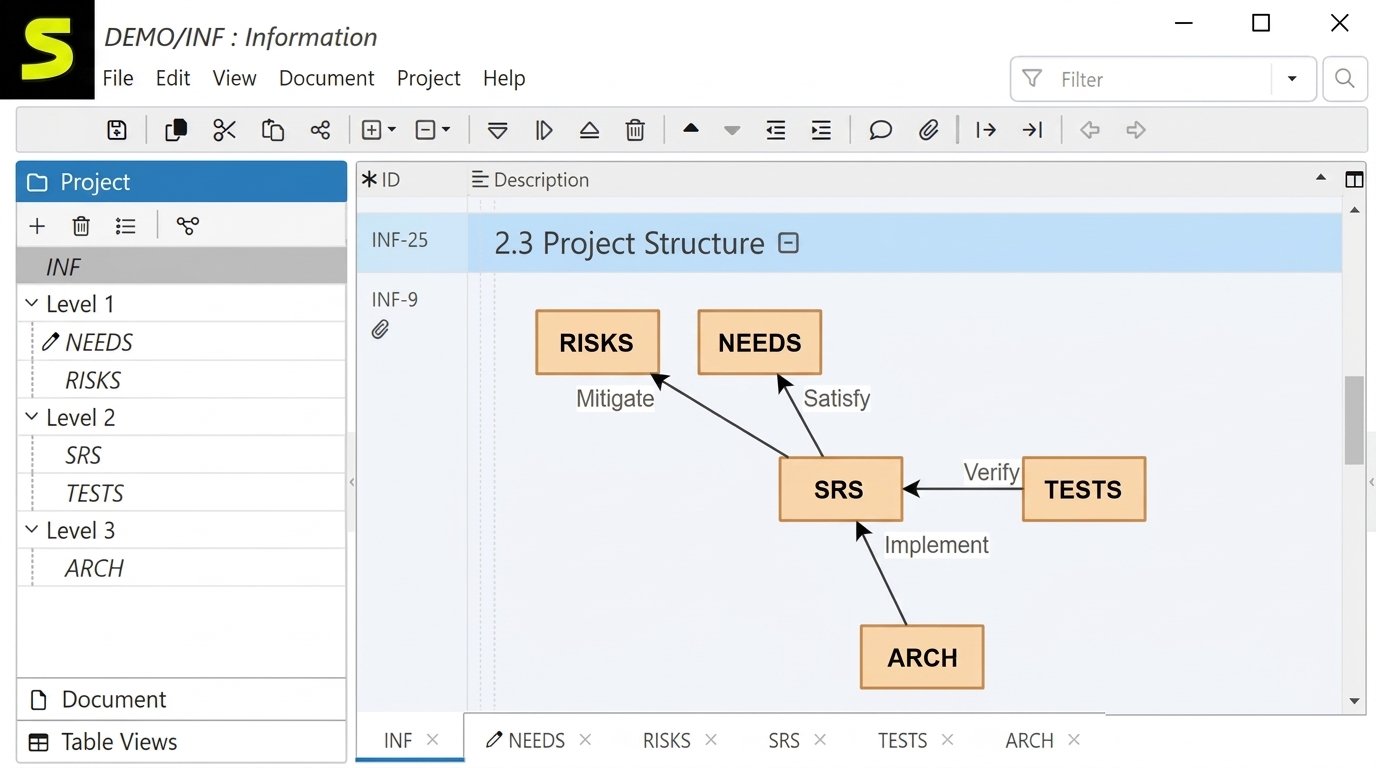
What Is ReqView?
Think of it as a middle path between a pile of Word documents and a heavy enterprise platform.
What Is ReqView Used For?
- Write and organize requirements in structured documents
- Link requirements to tests, designs, and risks
- Review and approve changes
- Track coverage and find gaps
- Export specifications for clients, auditors, and regulators
Who Can Use ReqView?
Product owners, business analysts, systems and software engineers, quality managers, test engineers, and startups leaving spreadsheets. Capterra lists its target users as engineering teams building safety-critical products who want a flexible, budget-friendly tool.
Software, Hardware, and Systems Engineering
A software team can track user stories and test cases. A hardware team can trace component specs to verification steps. Systems engineers flow top-level requirements down to subsystems.
Desktop, Web, and Supported Platforms
| Platform | Availability |
|---|---|
| Windows | Desktop app |
| macOS | Desktop app |
| Linux | Desktop app |
| Web | Browser-based option |
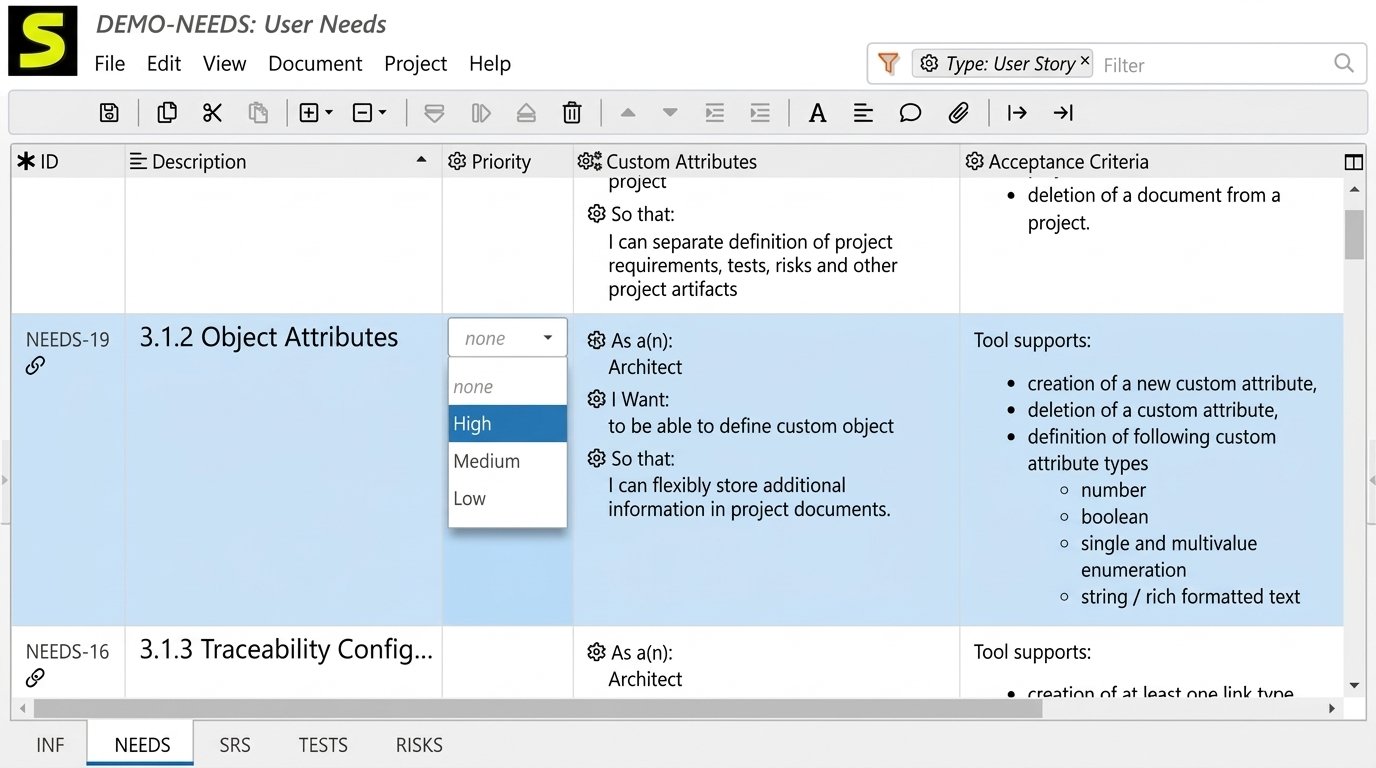
ReqView Requirements Management Features
| Feature area | What it does for you |
|---|---|
| Organization | Keeps requirements in structured, hierarchical documents |
| Tracking | Uses attributes such as status, priority, and owner |
| Analysis and review | Uses filters, comments, and review workflows |
| Verification | Links requirements to tests and results |
| History | Records changes and supports comparison |
| Risk | Links safety risks to mitigating requirements |
Organization, Tracking, and SRS Documents
Each document is a tree, and every item is a real object with its own ID and attributes. A Software Requirements Specification (SRS) describes what a system must do. Write once, publish many times, and avoid version drift.
Analysis, Verification, and Validation
Filters find incomplete items, such as requirements with no linked test. Verification asks, “Did we build it right?” Validation asks, “Did we build the right thing?” Save filters like “approved but unverified” and run them before every milestone.
Baselines, Change, Impact, and Risk
A baseline is a frozen snapshot, often created with Git tags. The Team plan adds project history. Impact analysis follows links outward to see what else breaks, and safety teams link hazards to the requirements that mitigate them.
Requirements Traceability in ReqView
Links and the Traceability Matrix
A link connects two objects, such as a system requirement, a software requirement, and a test case. A traceability matrix shows which requirements link to which tests. An empty cell means an unverified requirement.
| Requirement | Linked test | Status |
|---|---|---|
| REQ-12 Login lockout | TC-31 | Verified |
| REQ-13 Password reset | TC-32 | In progress |
| REQ-14 Session timeout | None | Gap |
End-to-End Traceability and Coverage
Connect the whole chain: stakeholder need, system requirement, software requirement, design, test, and result. Medical, automotive, and aerospace teams often need exactly this. A target such as 100% of “must have” requirements covered keeps releases honest.
Suspect Links and Reports
A suspect link appears when one end changes, warning that the other end may need review. Export matrices and coverage views for auditors, clients, or your quality team.
Creating and Managing Requirements in ReqView
How to Create a Requirements Project
- Install ReqView and open it.
- Create a new project.
- Add your first document, such as an SRS.
- Define attributes like status and priority.
- Save the project to a folder, ideally under version control.
Organize, Track, Review, and Change
Keep each requirement short and testable. “The system shall lock an account after five failed logins” beats “Login must be secure.” Use a status attribute (Draft, Reviewed, Approved, Verified), review through filtered lists, and record why a requirement changed.
Compare Versions and Create Baselines
Comparison shows differences between two versions, handy before a release or audit. If you use Git, tag the commit with a clear name such as “SRS-v1.0-approved.”
Requirements Specifications and Documentation
A typical SRS has an introduction, overall description, functional requirements, non-functional requirements, and appendices. ISO/IEC/IEEE 29148 is the international standard for requirements engineering. Following its structure gives your documents a recognizable shape. Use clear names and consistent IDs, and split large specs into linked documents.
- Draft requirements.
- Review with stakeholders.
- Approve and baseline.
- Link to tests.
- Export for sign-off.
ReqView Import and Export
| Format | Direction | Typical use |
|---|---|---|
| Word | Import and export | Existing specs, client documents |
| Excel | Import and export | Lists, test cases, bulk edits |
| ReqIF | Import and export | Exchange with other tools |
| Export | Sign-off, archiving | |
| HTML/CSV | Export | Sharing, analysis |
ReqIF (Requirements Interchange Format) is a standard for exchanging requirements between tools, useful when a customer uses something like IBM DOORS.
ReqView Requirements Reporting
ReqView generates requirements documents, traceability matrices, and coverage views you can filter and export. Apply a filter first, then export. For example, share only “Approved” requirements with a client.
ReqView Version Control and Collaboration
ReqView stores project data as human-readable files with an open structure, so Git and SVN fit naturally. Use branches for major changes, compare versions instead of comparing Word files, and note approvals in comments.
ReqView Integrations
ReqView integrates with Jira, Git, SVN, and ReqIF-based tools. Jira integration is part of the Team plan. Link requirements to Jira stories and bugs to see which requirements are blocked by open bugs.
ReqView for Systems and Software Engineering
Systems teams link system, subsystem, and component layers so a top-level change shows downstream effects. Software teams capture needs, write testable requirements, link them to design and tests, and track status through release. The tool supports your process but doesn’t replace it.
ReqView Download and Installation
| Platform | Basic steps |
|---|---|
| Windows | Download the installer, run it, open ReqView |
| macOS | Download the package, move to Applications |
| Linux | Download the package for your distribution and install |
Moving to a new computer? Project folders are easy to copy, and Transwiz can help transfer your Windows user profile and settings.
How to Set Up and Use ReqView
- Install the desktop app.
- Create a project and one document.
- Import existing Word or Excel content.
- Add attributes like status and priority.
- Link requirements to tests.
- Build a traceability matrix.
- Export a PDF for review.
- Put the folder under Git if your team uses it.
ReqView Free Plan, Trial, and Pricing
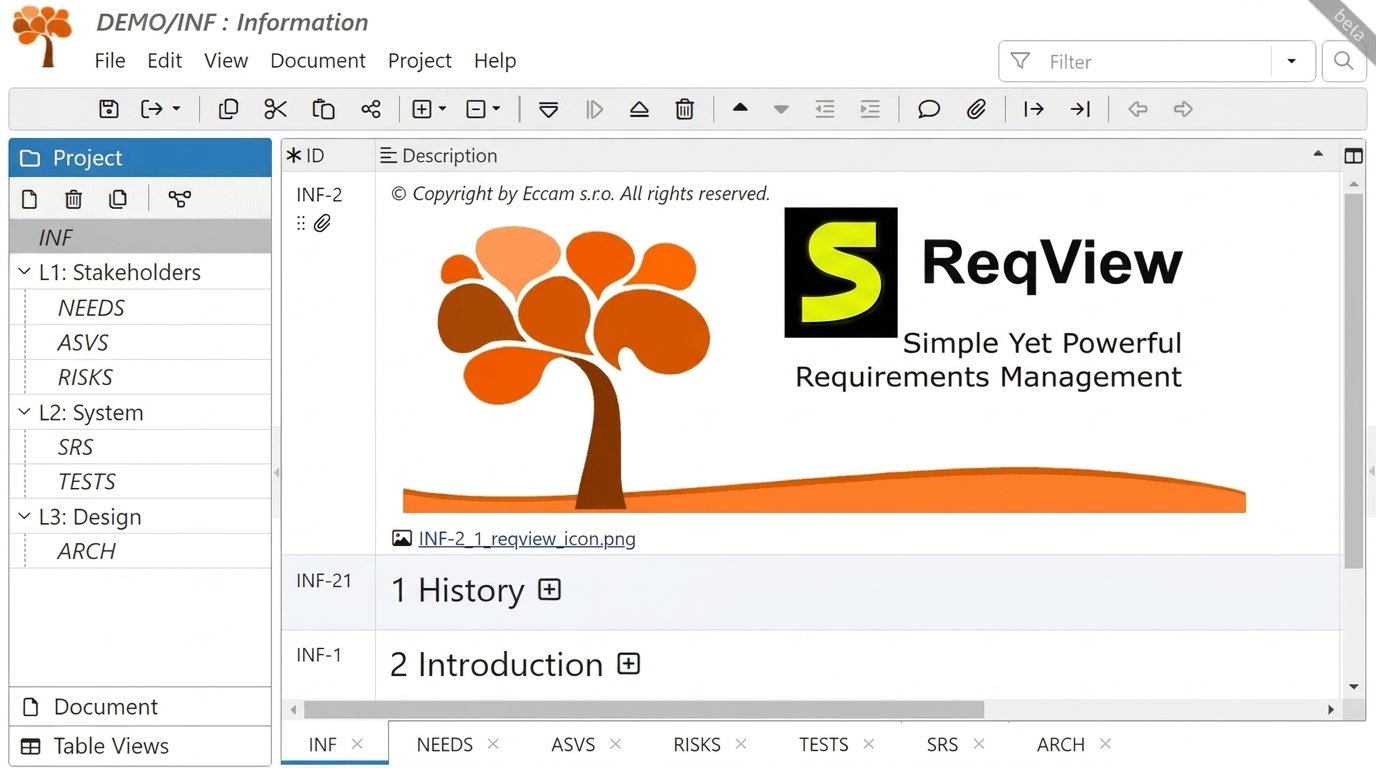
The free plan opens any project read-only and lets you edit projects with one document, up to 150 objects, and one custom attribute.
| Plan | Price (as listed) | Key additions |
|---|---|---|
| Free | €0 | Limited editing, read-only for larger projects |
| Pro | €430 per user/year | Unlimited documents, objects, attributes |
| Team | €580 per user/year | Jira, ReqIF, project history |
| Enterprise | €1,740 per floating client/year | Floating licenses for larger teams |
ReqView Tutorial and Documentation
Start with the official user guide and sample projects. Practice on a small project, such as a login feature. Learn these first: creating a document, adding and linking requirements, filtering the view, and exporting a report. Some users find the learning curve steep at first, especially filtering and tables.
Is ReqView Safe and Reliable?
ReqView is a legitimate commercial tool from ReqView, s.r.o. Safety depends on how you install and store data. Download from the official site, use version control and backups, and restrict folder access. For regulated projects, validate the tool as your quality system requires.
ReqView Common Problems and Troubleshooting
| Problem | Likely cause | Quick fix |
|---|---|---|
| Won’t start or install | Old version, blocked download | Re-download from the official site |
| Import looks messy | Unmapped columns or odd Word styles | Clean the source and map fields |
| Missing links in a report | Filter hides items | Clear the filter and re-export |
| Git conflicts | Two people edited the same document | Assign owners and merge carefully |
| Jira sync issues | License or settings mismatch | Check plan features and credentials |
ReqView Review: Is It a Good Requirements Management Tool?
Pros
- Easy to install
- Strong traceability
- Reasonable price
- Git and SVN friendly
- Good export options
Cons
- Learning curve for filters and tables
- Some collaboration gaps
- Fewer features than enterprise suites
- Free plan is limited
- Advanced governance may need more
Best for: small and mid-sized engineering teams, startups leaving spreadsheets, teams needing traceability on a budget, and projects already using Git. Consider alternatives if you have heavy governance needs, need deep real-time collaboration, or are committed to a single ALM suite.
ReqView Alternatives
| Tool | Type | Best for |
|---|---|---|
| IBM DOORS | Enterprise | Large regulated programs |
| Polarion | Enterprise ALM | Integrated lifecycle management |
| Jama Connect | Commercial | Cross-team collaboration |
| OSRMT | Open source | Free, basic needs |
| StrictDoc | Open source | Text-based, developer-friendly |
ReqView vs OSRMT: OSRMT is free but more basic. ReqView offers a more polished interface and stronger reporting. ReqView vs StrictDoc: StrictDoc suits developers who like plain-text workflows, while ReqView suits mixed teams who prefer a visual interface.
Frequently Asked Questions About ReqView
It manages requirements for software, hardware, and systems projects. It also links them to tests and risks for traceability.
It has a limited free plan. Paid plans unlock unlimited documents and team features.
Yes, desktop versions are listed for all three. Web access is also available.
Yes. You can link items and build traceability matrices to check coverage.
Yes, it can import from both. It also exports to Word, Excel, and PDF.
Yes, Jira, Git, and SVN are listed integrations. Jira and ReqIF sit in the Team plan.
Yes. It supports flow-down, traceability, and safety-risk linking for systems projects.
Final Verdict: Is ReqView Right for You?
ReqView fits teams that want solid traceability without enterprise complexity. It’s strongest for small and mid-sized projects, safety-minded teams, and anyone who wants Git-friendly requirements.
Choose an alternative if you need heavy governance, deep live collaboration, or a single all-in-one lifecycle suite. Weigh your team size, budget, and process before deciding.
Good requirements management feels like finally turning on the lights in a messy room. ReqView won’t write your requirements for you, but it makes the work clearer and easier to prove. Start with the free plan and try one small project.